How to untangle spaghetti code?
Untangle spaghetti code using a 6-step pragmatic methodology: stabilize the flow, add protective tests, delete dead code, create seams, introduce boundaries, and apply the strangler pattern – making one hotspot safer and simpler at a time, without a risky full rewrite.
TL;DR
|
What is spaghetti code?
Spaghetti code is code that’s difficult to change without unexpected side effects because responsibilities, dependencies, and side effects are tangled together.
Spaghetti code – often compared to a tangled bowl of spaghetti noodles – refers to source code with a complex, tangled control structure that makes it difficult to maintain, scale, or debug. The term is a derogatory phrase in developer slang, widely used in the industry (alongside memes) to describe systems where logic flows are so intertwined that tracing execution feels impossible. It is sometimes also called a “rat’s nest” or a “spaghetti program.”
Historically, the concept traces back to the era of unstructured programming and heavy use of goto statements, which allowed execution to jump unpredictably between code sections. The term was first used around 1978 to describe programs that relied on these tangled control flows. While modern languages have largely eliminated goto, the patterns it created – deeply nested conditionals, hidden dependencies, and unpredictable side effects – live on in codebases built under pressure.
In technical terms, spaghetti code is code that’s difficult to change without unexpected side effects because responsibilities, dependencies, and side effects are tangled together. A side effect is any operation that changes external state (DB write, HTTP call, event, email) beyond returning a value. When these are scattered through business logic, every change becomes a gamble.
From a business perspective, spaghetti code acts as a silent tax: it slows feature delivery, increases regression rates after releases, drives up onboarding time for new developers, and creates security risks through complexity and error-prone maintenance. It is excusable (every codebase accumulates some) – but it is always remediable.
The safest way to untangle it is to (1) stabilize a hotspot, (2) add protective tests, then (3) refactor in small slices by deleting dead paths, creating seams, and introducing boundaries – without a risky full rewrite.
What are the signs of spaghetti code?
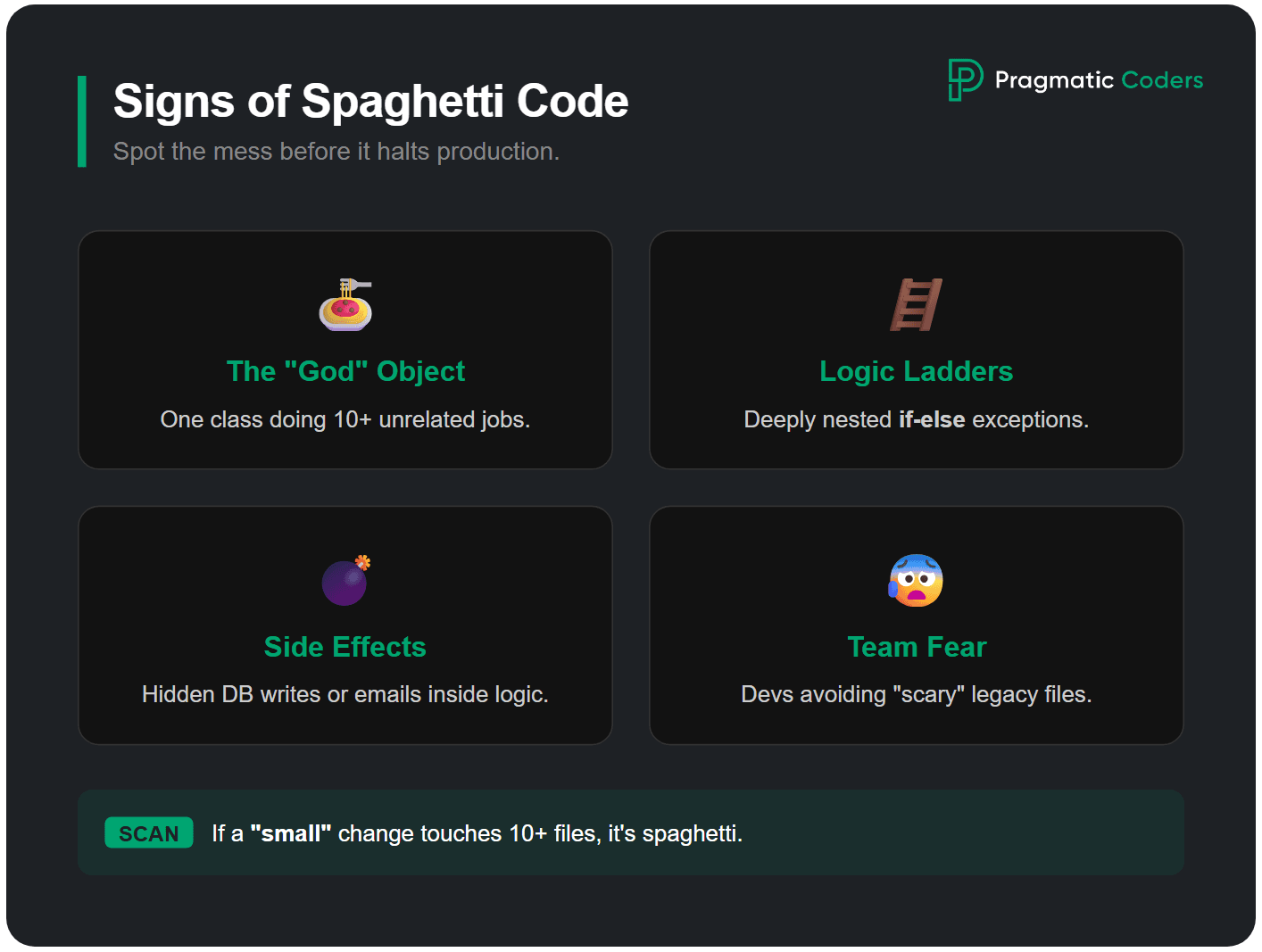
Spaghetti code usually shows up as hidden side effects (side effect is any operation that changes external state (DB write, HTTP call, event, email) beyond returning a value), unclear responsibilities, and changes that require touching many files.
In practice, spaghetti usually shows up as a handful of repeatable patterns. A quick way to spot it is to look for fear-based behaviors in the team. If people avoid certain files, add defensive checks “just in case,” or rely on manual testing rituals because automated tests don’t catch regressions (a regression is an unintended behavior change introduced by a fix or refactor), that’s often spaghetti code in action.
Typical signs:
- Functions/classes that do many jobs at once (business logic + persistence + integration + IO).
- Deeply nested conditionals (“if-else ladders”) that encode exceptions on top of exceptions.
- Hidden side effects (writing to the DB, sending events, mutating global state) inside the middle of logic.
- Copy-paste logic with small variations.
- Cyclic or sprawling dependencies (“everything depends on everything”).
- “Small” changes that require touching lots of files and still feel risky.
Spaghetti code example: Python before & after
Here’s what spaghetti code looks like in practice – a Python function that handles everything at once:
Before (spaghetti):
def process_order(order_id):
    order = db.query("SELECT * FROM orders WHERE id = %s", order_id)
    if order:
        if order['status'] == 'pending':
            items = db.query("SELECT * FROM order_items WHERE order_id = %s", order_id)
            total = 0
            for item in items:
                if item['type'] == 'physical':
                    if item['stock'] > 0:
                        total += item['price'] * item['quantity']
                        db.execute("UPDATE inventory SET stock = stock - %s WHERE item_id = %s",
                                   item['quantity'], item['id'])
                        send_email(order['email'], "Item shipped: " + item['name'])
                    else:
                        send_email(order['email'], "Out of stock: " + item['name'])
                        log("WARN: out of stock " + str(item['id']))
                elif item['type'] == 'digital':
                    total += item['price'] * item['quantity']
                    generate_license_key(item['id'], order['email'])
            if total > 0:
                charge_payment(order['payment_method'], total)
                db.execute("UPDATE orders SET status = 'completed' WHERE id = %s", order_id)
            else:
                db.execute("UPDATE orders SET status = 'cancelled' WHERE id = %s", order_id)
        else:
            raise Exception("Order already processed")
    else:
        raise Exception("Order not found")
After (untangled with seams and boundaries):
def process_order(order_id):
    order = order_repository.get(order_id)
    order.validate_processable()

    line_results = pricing.calculate(order.items)

    inventory.reserve(line_results.physical_items)
    licensing.generate_keys(line_results.digital_items)

    payment.charge(order.payment_method, line_results.total)

    order.mark_completed()
    notifications.send_order_confirmation(order)
The refactored version reads like steps: each function has one job, side effects are isolated behind wrappers, and the core flow is testable without touching the database or payment gateway.
Why does spaghetti code happen? (Technical Causes & Origins)
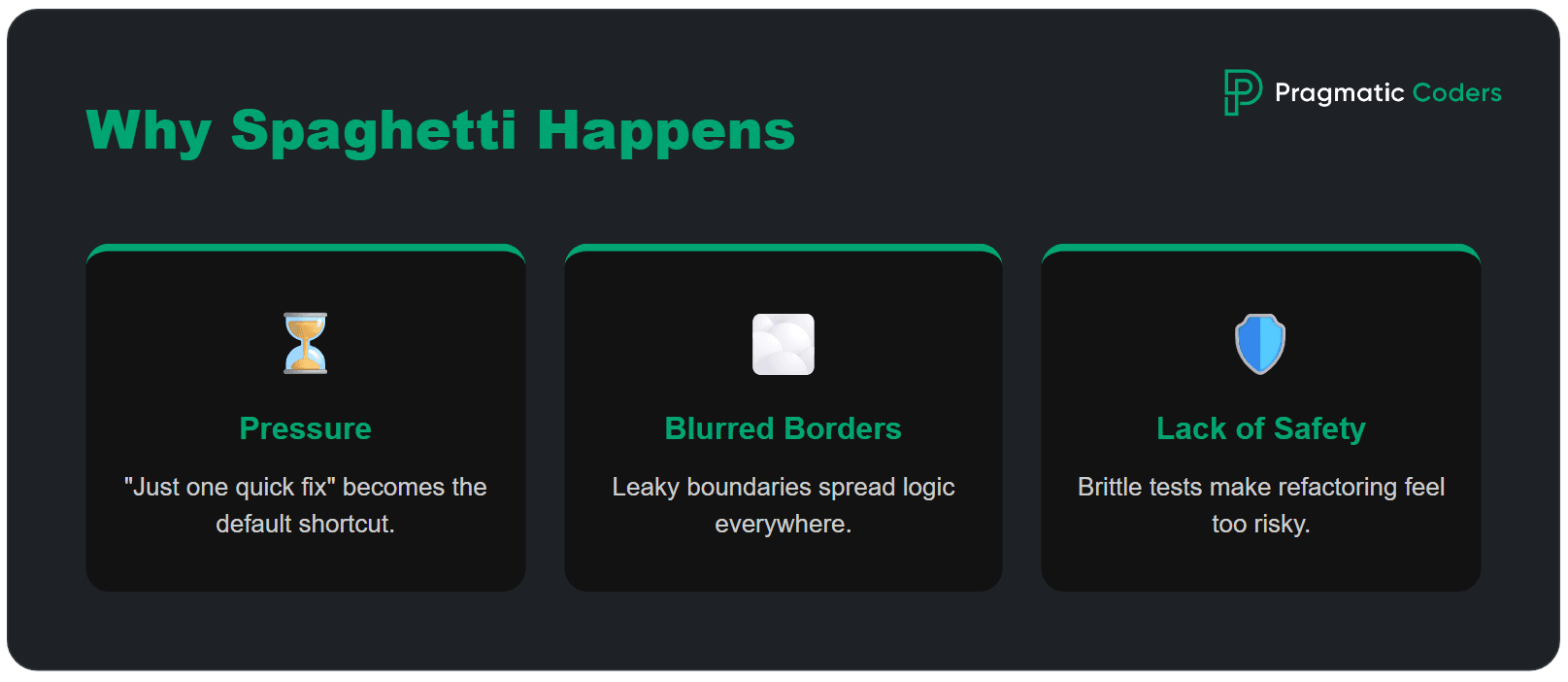
Spaghetti code is caused by three primary factors: cumulative delivery pressure, lack of clear architectural boundaries, and the absence of automated safety nets that make refactoring feel unsafe.
Delivery pressure. It’s usually decent code stretched by pressure – “just one more condition,” “just a quick fix,” “we’ll clean it up later” – until shortcuts become the default. Historically, unstructured programming and goto statements were the primary technical cause: execution jumped unpredictably, making code impossible to reason about. While modern languages have eliminated goto, the same anti-pattern survives as deeply nested conditionals, global state mutations, and functions that grow endlessly.
Unclear boundaries. Spaghetti also thrives when boundaries are unclear. A boundary is a border: you only need to know what to send in and what you get back. You do not need to know how it works inside. If nobody knows where a rule belongs, it ends up everywhere, and changes stop being local.
Missing safety nets. And it grows fastest when change doesn’t feel safe. Missing or brittle tests (or painfully slow pipelines) push teams toward defensive coding and copy-paste fixes. Developer turnover amplifies this – each new team member adds workarounds instead of understanding the existing design, accelerating software entropy.
The business impact of spaghetti code
Spaghetti code hurts a business in several ways. It slows down new work, causes more bugs, makes it harder to train new developers, creates security risks, and can even push good engineers to leave.
Slower delivery. Teams spend too much time figuring out messy code instead of building new features. A change that should take one day can take a week because developers have to follow problems across many files.
More bugs. Every release feels risky. A small change in one place can break something somewhere else, causing emergency fixes and lowering trust in the release process.
Higher onboarding costs. Spaghetti code is like a messy recipe that is hard to follow. New developers need much longer to learn the system because many rules and connections are hidden.
Security risks. Complex code is harder to check and protect. When validation logic is spread out, it is easier for mistakes to happen and harder to spot weak points.
Developer turnover. Engineers often leave projects or companies when the codebase feels impossible to manage. Replacing experienced developers costs much more than cleaning up the code earlier.
If spaghetti code is not fixed, these problems get worse over time, and the cost of fixing them keeps growing.
Where spaghetti code hotspots emerge (and where to start refactoring)
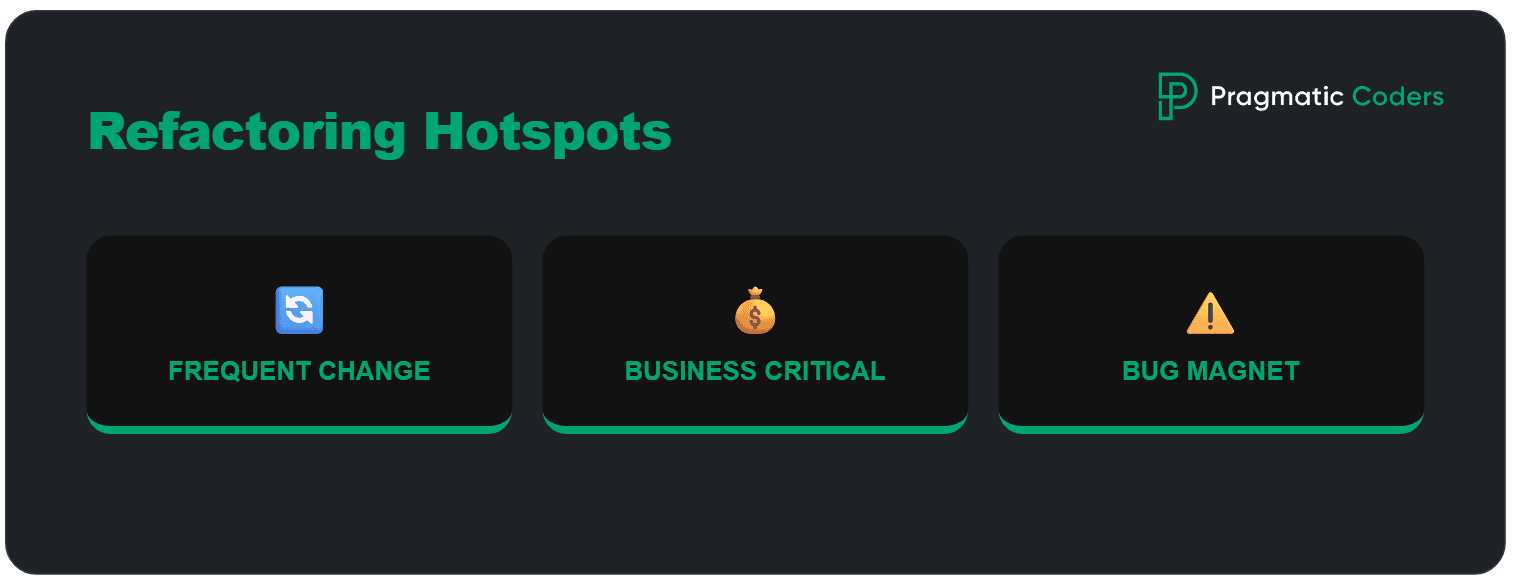
Identify spaghetti code hotspots by filtering for files with high change frequency (churn), high cyclomatic complexity, and a history of frequent production regressions. A good hotspot has three traits. It’s:
- frequently changed (top 5% of files by commit frequency in the last 6 months),
- business-critical, and
- responsible for a disproportionate share of bugs or delays.
Don’t start by fixing the “ugliest” file. Start where spaghetti is actively charging you interest – the part of the codebase you touch often, fear most, and ship around.
You can find hotspots by using a simple filter:
- What area shows up in most recent PRs (Pull Requests)? Look at the top 10 most-changed files in the last 3–6 months.
- Where do regressions tend to appear after releases? Cross-reference bug tickets with the files they touched.
- Which component blocks the next meaningful product change?
That’s where untangling pays off fast, because every improvement gets reused in the next sprint instead of sitting in a “refactor someday” folder.
How to untangle spaghetti code (step by step)?
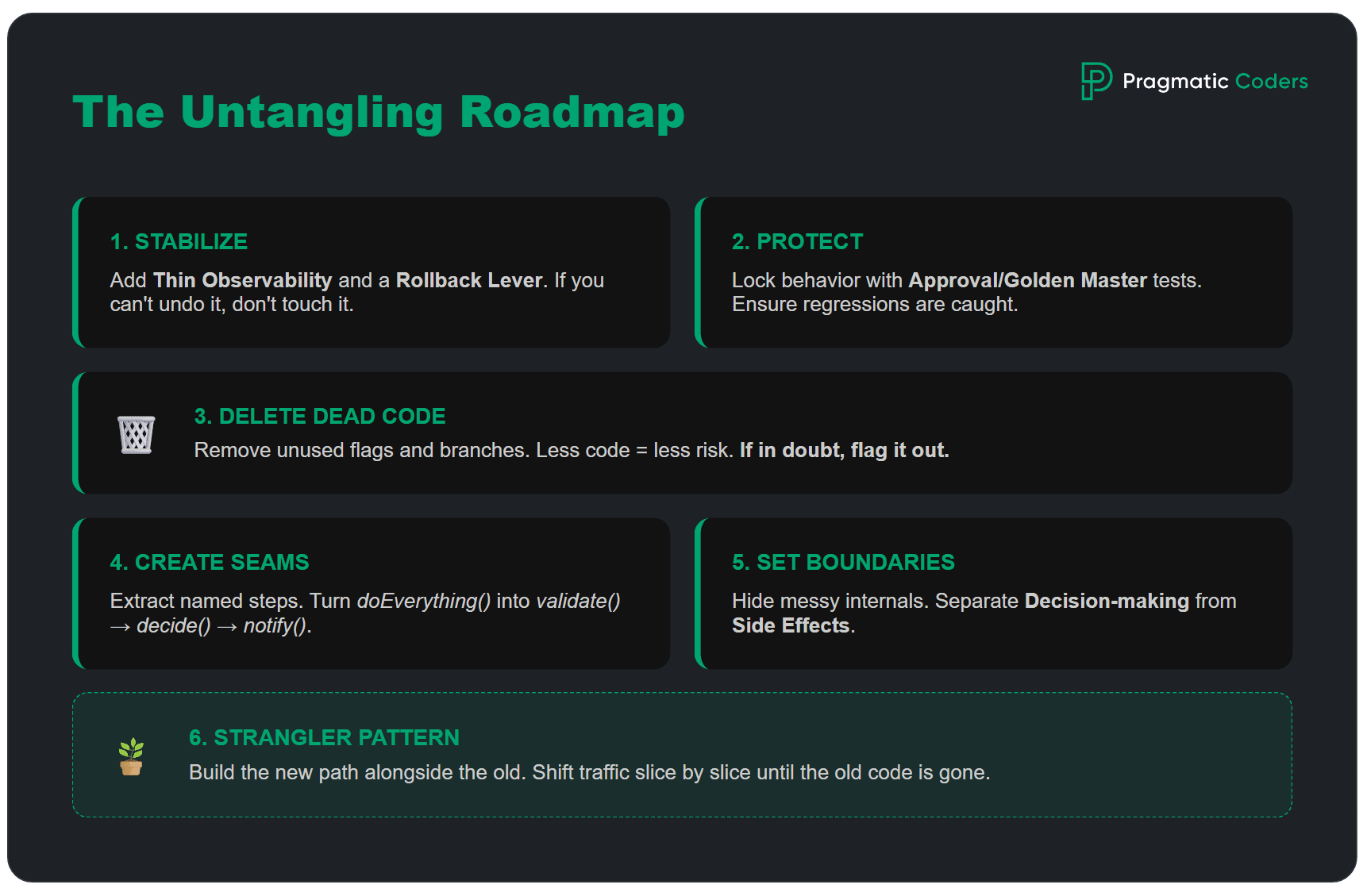
The 6-step process to untangle spaghetti code involves: 1. Stabilizing the flow, 2. Adding protective tests, 3. Deleting dead code, 4. Creating seams, 5. Introducing boundaries, and 6. Using the strangler pattern. This order makes change safe first – and only then makes code cleaner. Also, start here if you want to fix a system you can’t afford to turn off.
Step 1: Stabilize first
Before you refactor, make sure you can observe and reproduce the hotspot.
Do this first:
- Make the flow runnable: you can execute the critical path ( the main user/business flow where failures directly impact outcomes (e.g., checkout, payment)) locally or in a stable staging environment (one command, one script, one clear README step).
- Add “thin” observability: Thin observability is a minimal set of logs/metrics at decision points to explain what happened without noisy logging. Log the decision points (inputs, key branches, outcomes), not every line.
- Create a rollback lever (a fast, reliable way to undo a change): feature flag (a feature flag is a switch you can turn on or off to release a change slowly and undo it fast), safe deploy strategy, or a clear “revert this PR” plan.
Practical tips (hotspot-ready):
- Add 3–5 logs/metrics max, focused on: request ID, user/cart/order IDs, selected branch, external call result, and final outcome. Consider using structured logging (e.g., JSON logs) with a centralized tool like ELK, Datadog, or Grafana Loki, and retain logs for at least 30 days to cover a full release cycle.
- If you can’t reproduce failures, add a “debug mode” flag that prints the minimum needed context.
- Capture one real example (request payload + expected output) you can replay during refactor.
Definition of done for Step 1:
- You can run the main flow reliably.
- You can tell what happened when it failed.
- You can undo the change quickly if something goes wrong.
![Is your project on fire [EBOOK]](https://www.pragmaticcoders.com/wp-content/uploads/2026/02/Is-your-project-on-fire-EBOOK.png)
Step 2: Add protective tests
A protective test (also called a “characterization test”) is a small regression test that locks the current behavior of a critical flow so refactoring spaghetti code can’t silently break it. Unlike standard unit tests that verify intended behavior, protective tests capture actual behavior – even if that behavior includes bugs you plan to fix later.
Start small and practical:
- 1 test for the happy path,
- 1–2 tests for edge cases you’ve actually seen (or fear most),
- If unit tests are unrealistic in legacy, use an approval/golden master test (also called snapshot testing or regression testing against a golden baseline) to lock current behavior.
In tangled legacy codebases, protective tests are often the only practical starting point because the code lacks clear interfaces for unit testing. The goal isn’t coverage percentage – it’s confidence that the most critical paths won’t silently break when you start refactoring.
A practical approach for spaghetti code:
- Record real inputs and outputs from production or staging.
- Create a test that replays these inputs and asserts the same outputs.
- Run this test before and after every refactoring step.
Definition of Done for Step 2: A meaningful regression in this hotspot would be caught automatically.
Step 3: Delete before you refactor
Before you “clean up,” remove what you don’t need. This is the fastest way to reduce risk, because every unused branch, old workaround, or dead feature is one more thing that can break – and one more thing people waste time thinking about.
Dead code rarely looks dead. It often hides as:
- old feature flags that never get turned on,
- alternative flows kept “just in case,”
- integrations that were replaced but not removed,
- endpoints or screens nobody uses anymore,
- duplicated logic where one version quietly became obsolete.
Deletion feels scary in spaghetti code, so make it boring and reversible:
- Start with evidence, not opinions – logs, analytics, and support tickets tell you what’s actually used.
- Delete in small slices – remove one flag, one branch, one unused endpoint per PR.
- Keep behavior constant – the goal is less code, same outcomes.
- Add a safety rope – if you’re not 100% sure, hide it behind a temporary flag first, then delete once you’ve observed “no one hit it.”
A simple “safe delete” checklist
- Is this path triggered in production in the last X days?
- Is it tied to revenue, compliance, or critical workflows?
- Do we have at least one protective test or monitoring for the main flow?
- Can we roll back quickly if we guessed wrong?
Definition of Done for Step 3: Less code – fewer branches – same behavior.

Step 4: Create seams (extract and isolate)
Creating seams involves extracting long blocks into named functions and wrapping external dependencies to isolate business logic from infrastructure concerns. A seam is a place where you can split spaghetti code or substitute a dependency without changing the behavior.
Instead of one blob that does everything, you end up with a short flow that reads like steps:
After: validate() → decide() → persist() → notify()
That alone improves handover, review, and debugging – even if you haven’t “fixed” the architecture yet.
Two high-ROI seams to create first
- Extract named steps – take long blocks and pull out small functions whose names describe intent.
- Wrap external calls – DB, HTTP, payments, emails go behind a thin wrapper (a wrapper (adapter) is a thin interface around external systems that isolates infrastructure details from business logic) so you can change logic without dragging infrastructure into every decision.
“Name the steps first – structure follows.”
Definition of Done for Step 4: The hotspot reads like a sequence of named steps – and at least one core decision can be tested without touching external systems.
Step 5: Introduce boundaries (make modules real)
Architectural boundaries prevent spaghetti code rot by enforcing a strict dependency direction where domain logic remains isolated from external frameworks and databases. Seams help you split a mess into steps. Boundaries make sure it doesn’t turn back into a mess next sprint. A boundary is simply an agreement: this part owns the rules, that part handles the plumbing – and they talk through a small, clear interface.
You need something you can point to and say: “If we change pricing, we change it here.”
A boundary is real when:
- there’s a small API for the module (a few entry points, not dozens),
- the messy internals are hidden (other code can’t reach in and poke around),
- dependencies don’t go both ways (no “you import me, I import you”).
A lightweight rule that prevents relapse
Keep decision-making and side effects apart:
- one place decides what should happen,
- another place executes it (DB writes, emails, external calls).
It’s about making changes local again.
Definition of Done for Step 5: You can change one business rule in the hotspot without touching unrelated modules – and the number of files involved in a typical change goes down.
Step 6: Use the strangler pattern (replace gradually)
Sometimes the hotspot is so tangled that cleaning it “in place” is too risky. That’s when the strangler pattern helps – you build a new path next to the old one, then move traffic over in small, controlled steps.
The practical idea is simple: keep the outside behavior stable while you change the inside. You start by creating a new module that can handle one slice of the flow – one use case, one endpoint, one business rule – and you route only that slice to the new code. If it behaves the same, you expand the slice. If it doesn’t, you roll back quickly and fix it without taking the whole system down.
A good strangler rollout has visible checkpoints: a small slice moved, fewer incidents in that area, and a shrinking footprint of the old code. Over time, the old path becomes something you can delete – because it’s simply no longer used.
Definition of Done for Step 6: One real slice runs on the new path in production – the switch is reversible – and the old path is used less than before.
Cheat sheet: what each step produces
| Step | What you produce | Definition of done (DoD) |
| Stabilize | runnable flow, minimal logs/metrics, rollback lever | Flow reproducible – failures visible – rollback ready |
| Protective tests | 1 happy path + 1–2 edge tests (or approval test) | A meaningful regression would be caught automatically |
| Delete | removed dead paths/flags/unused code | Less code – fewer branches – same behavior |
| Seams | extracted functions, adapters/wrappers, isolated IO | Named steps – core logic testable |
| Boundaries | module API, dependency rules, limited entry points | Changes become local – fewer files touched |
| Strangler | parallel module, routing plan, output comparison | Gradual switch – controlled migration |
Guardrails that prevent spaghetti from coming back
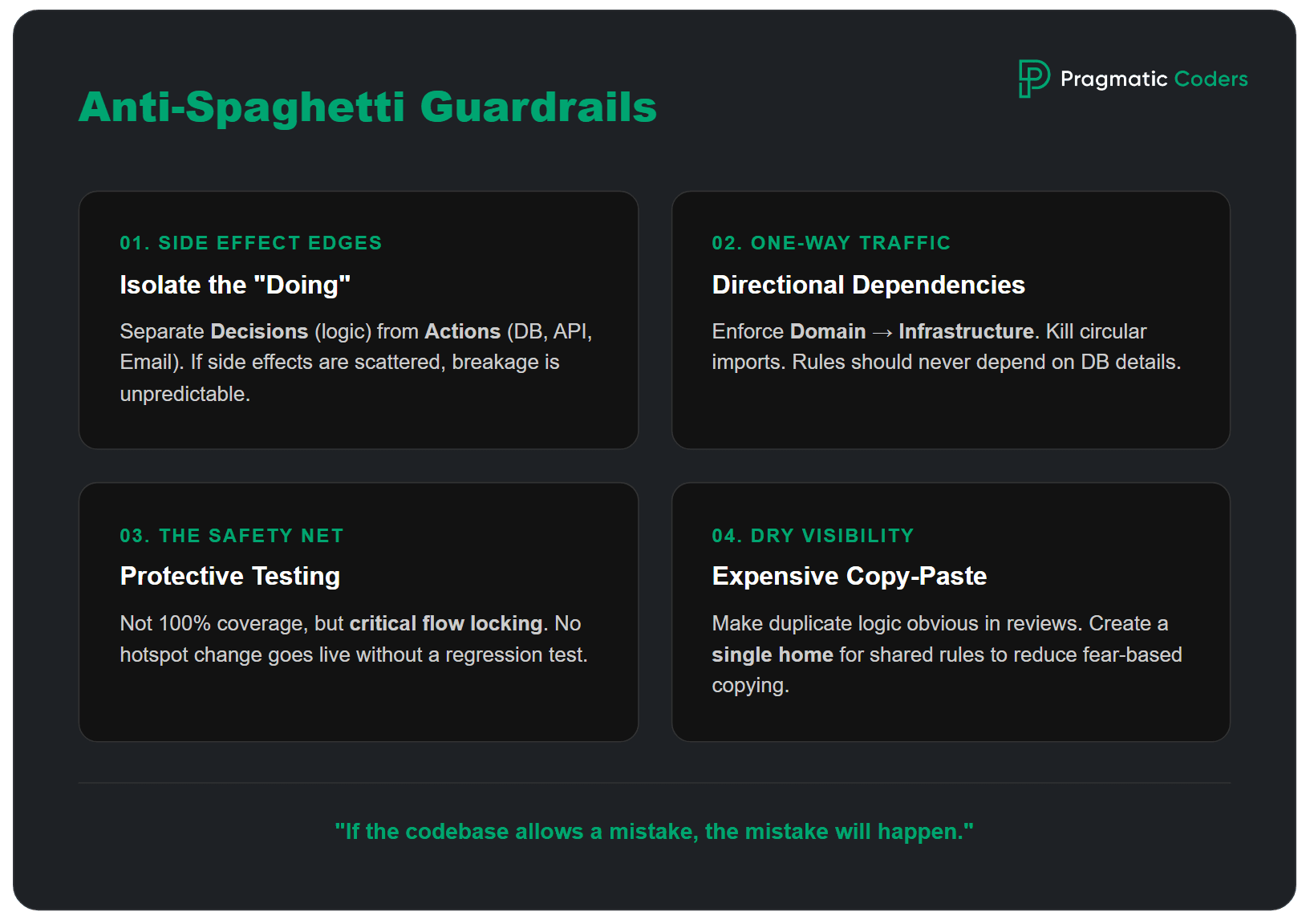
Prevent spaghetti code recurrence by implementing 4 technical guardrails: isolating side effects, enforcing dependency directions, requiring protective tests for hotspots, and eliminating copy-paste logic in reviews.
Rule of thumb – If the codebase allows the same mistake 50 times, it will happen 50 times.
- 1) Put side effects behind clear edges: Make it obvious where the system does things: DB writes, HTTP calls, sending events, emails. The rule is simple: decisions in one place, side effects in another. When side effects are scattered, you get unpredictable breakage and tests that are hard to write.
- 2) Enforce dependency direction (and kill cycles): Spaghetti thrives on circular dependencies and random imports. Pick a direction and enforce it: domain (rules) should not depend on infrastructure (DB, frameworks). If you can’t do a big restructure, start small: enforce it inside one hotspot module.
- 3) Add “protective tests” as a non-negotiable for hotspots: Not coverage. A thin safety net. For every change that touches a critical flow in a hotspot, add or update a test that would catch the most likely regression.
- 4) Make “copy-paste fixes” expensive: Copy-paste is often a rational response to fear. Reduce the fear by creating a single obvious place for shared rules inside the module, and make duplicates visible in reviews.
Spaghetti traps to avoid
The most dangerous spaghetti code trap is the “Big Rewrite,” which often fails by replacing known bugs with unknown ones. The business impact of falling into these traps includes increased maintenance costs, developer turnover, and a compounding delivery slowdown that erodes stakeholder trust.
| Trap | Do this instead (pragmatic move) |
|---|---|
| Big rewrite (trying to replace everything at once) | Use the strangler pattern – move one slice at a time. |
| Refactor tourism (touching unrelated code “while we’re here”) | Refactor only inside the hotspot tied to a clear goal. |
| Chasing perfection (style wars and pattern rewrites) | Focus on safety first – protective tests, seams, boundaries. |
| Coverage obsession (measuring % instead of confidence) | Write protective tests for critical paths and edge cases. |
| “New tech will fix it” (migration as a cure-all) | Make the change safe and local first – then migrate. |
| Copy-paste fixes (duplicating logic to avoid risk) | Create one source of truth per module – remove duplicates gradually. |
Next steps
If you’re reading this and thinking “yep, that’s our codebase,” the best next move depends on what you’re dealing with right now.
- If you need a quick, structured way to assess whether your project is already in trouble – use our audit framework.
- If you’re taking over a messy codebase (new vendor, new team, new leadership) or your project is being taken over – follow a takeover checklist to stabilize fast.
- If you need to explain tech debt in business terms (and put numbers behind it) – use concrete metrics to estimate the cost.
Conclusions
Spaghetti code is fixable.
Yet, if your situation is already beyond “let’s refactor a hotspot” Pragmatic Coders’ Project Rescue Services are built for exactly that: rapid diagnosis, stabilization, and a pragmatic recovery plan that gets shipping back under control.

FAQ: Refactoring spaghetti code
How do you refactor spaghetti code safely?
Start by making the hotspot observable, reproducible, and reversible. Get the critical flow runnable locally or in staging, add a few logs/metrics at decision points, and ensure you can roll back fast (revert plan or feature flag). Then add 2–3 protective tests that lock today’s behavior. Only after that, refactor in small slices.
Should you rewrite spaghetti code from scratch?
Usually no. Full rewrites are risky because they replace known (even if messy) behavior with unknown behavior, often without complete test coverage. A safer default is incremental replacement: stabilize one hotspot, add protective tests, and refactor or replace one slice at a time. Rewrite only when the system is small, well-specified, and you can prove equivalence.
What’s the fastest win in a legacy hotspot?
Delete before you refactor. Removing dead flags, unused branches, and obsolete endpoints reduces surface area immediately and lowers risk for every next change. Pair deletion with a small safety rope: one protective test for the main flow and basic monitoring. Less code plus a thin safety net is often the quickest way to “make it feel safe again.”
How many tests do you need before refactoring?
Enough to catch the most likely regressions in that hotspot – not “good coverage.” A practical minimum is:
1 happy-path test for the critical flow
1–2 edge-case tests you’ve actually seen in prod (or fear most)
If unit tests are unrealistic, use an approval/golden-master test to lock output behavior first.
What is a “protective test” and how is it different from normal unit tests?
A protective test is a regression net for a hotspot: it locks current behavior so refactoring can’t silently change outcomes. It might be a unit test, but it can also be an integration test or an approval test. The goal isn’t elegance – it’s confidence that “if we break the important thing, CI screams.”
What’s the difference between seams and boundaries?
A seam is a cut line that lets you split or substitute behavior without changing results – like extracting named steps or wrapping external calls. A boundary is a longer-term constraint that prevents re-tangling – like a module API, dependency direction rules (dependency direction means domain/business code must not depend on infrastructure/framework code, only the other way around), and restricted entry points. Seams make refactoring possible; boundaries make it stay improved.
When should you use the strangler pattern?
Use it when cleaning the hotspot “in place” is too risky or too slow. The strangler pattern lets you build a new path next to the old, route a small slice of traffic (one endpoint/use case) to the new code, compare outcomes, and expand gradually. It’s ideal when you can’t pause feature work but need steady reduction of legacy risk.
How do you create seams in messy code without over-designing?
Start with two high-ROI moves:
Extract named steps from long functions (validate → decide → persist → notify).
Wrap side effects (DB/HTTP/email/events) behind small adapters.
Don’t chase perfect architecture. The seam is successful if core decisions become testable without hitting external systems.
How do you prevent spaghetti code from coming back?
Add guardrails that make the “bad path” harder than the “good path”:
Keep decisions separate from side effects (clear edges)
Enforce dependency direction (no new cycles)
Require a protective test for hotspot changes
Make duplication visible in review (one source of truth for rules)
These constraints stop “just one more quick fix” from re-tangling the module.
What metrics show the refactor is paying off?
Track a few leading indicators tied to business pain:
Fewer files touched per change in the hotspot
Shorter lead time for changes (PR open → merge)
Lower regression rate after releases (incidents/rollbacks)
Faster debugging (time-to-identify cause)
If the hotspot gets easier to change repeatedly sprint after sprint, you’re paying down “spaghetti interest.”
More on edible code 😉
Spaghetti isn’t the only edible code metaphor out there.
You might also run into ravioli code – where each class looks neat on its own, but the system becomes confusing once you try to follow the flow across the project.
Or lasagna code – lots of layers meant to “organize” things, except the layers are so tightly coupled that one crack ripples through the whole stack.
And then there’s pizza code – architecture that’s so flat and unstructured that everything sits on the same level, competing for attention (and dependencies) with no clear separation