Dead Code Is a Business Problem That Needs a Systemic Solution

Unused code isn’t just a “developer problem.” It’s a business problem – one that slows your team down, inflates your budget, and compounds over time. Worse, it scales faster than linearly.
In this article, I explain what dead code is, why it happens, and how to deal with it.
What is dead code?
There are two types of dead code:
- Dead code (technical) – old functions, endpoints, feature flags, abandoned components, half-finished ideas. They don’t do anything, but they still live in your repo, tests, and builds.
- Unused features (product) – features that technically work, but no one uses them. That includes one-off client features or those used by ~1% of users. If no one uses it, it’s dead too.
Why dead code is a real business problem
Dead code is the first sign of technical debt – and it affects more than just engineers.
It slows down development, increases the cost and risk of every change, and quietly eats away at your product’s long-term scalability.
What causes dead code?
| Cause | Description | Example / Result |
| Refactoring without cleanup | Old functions, classes, or files remain after a refactor. | Old API handler still in the repo after a rewrite. |
| Feature changes and pivots | Features get redesigned, replaced, or abandoned, but old code isn’t removed. | Unused A/B test logic or outdated UI components. |
| Unused feature flags or conditions | Feature flags left in code after rollout. | if (featureXEnabled) blocks that never run. |
| Incomplete or abandoned experiments | Prototype or test code that’s never fully deleted. | Half-finished integration or debug helper. |
| Library or dependency updates | Custom code becomes obsolete after adopting new libraries. | Old date utils left after adding moment.js or date-fns. |
| Merging issues and branching chaos | Overlapping branches or poor merges create duplicated or unused logic. | Two versions of the same function in different files. |
| Lack of ownership and code review | No one maintains or questions old code. | Legacy files no one dares to delete. |
| “Just in case” thinking | Developers keep old code for reference. | Commented-out sections or backup logic “just in case.” |
How to deal with dead code?
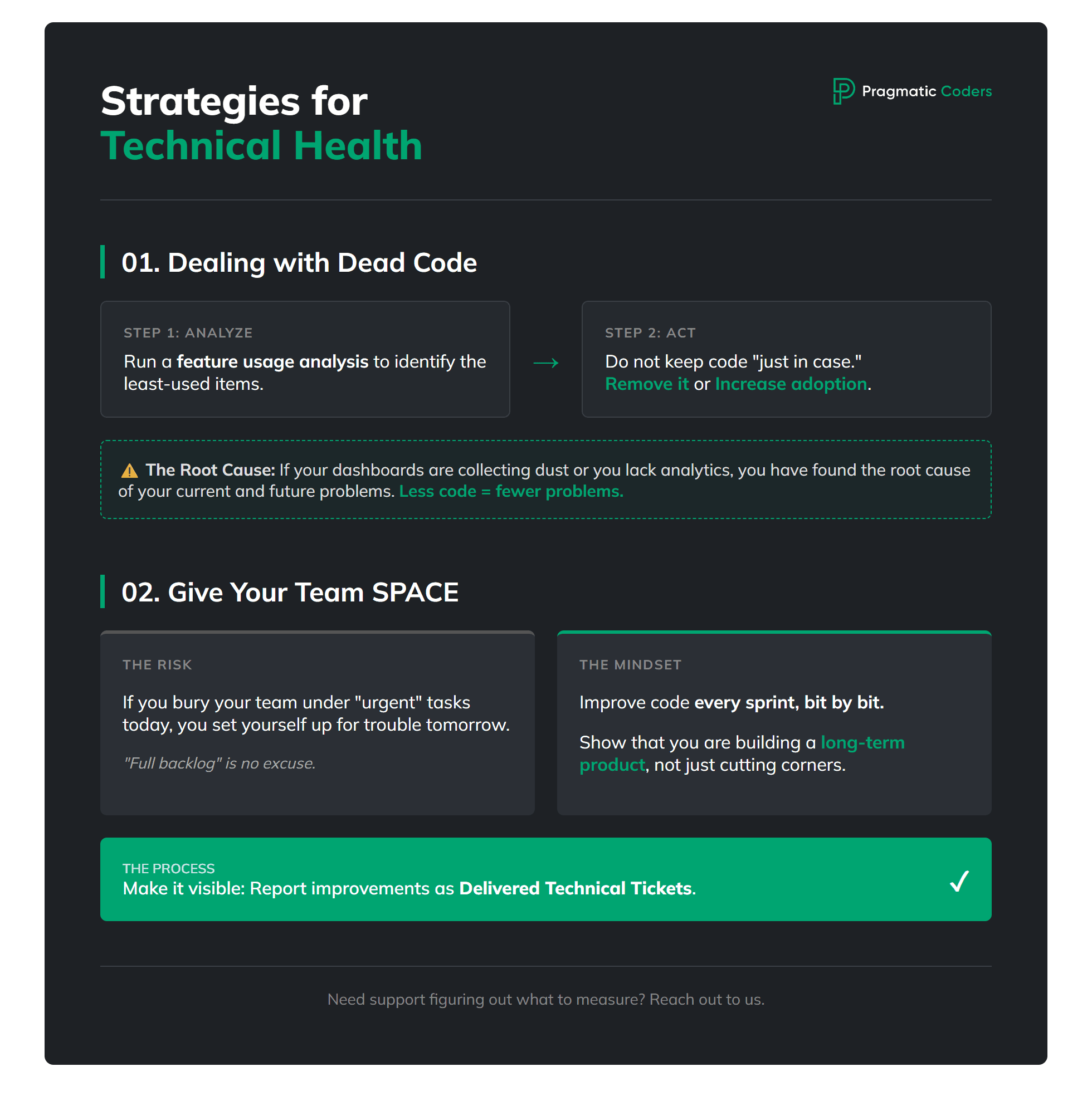
Run a feature usage analysis
Find the least-used ones and either remove them or take action to increase adoption!
If you don’t have analytics in place, or your dashboards are just collecting dust, then congratulations – you’ve just found the root cause of many current (and future) problems. 🙂
Set up a process for removing unused features – don’t keep them “just in case.” Don’t develop things no one uses. Less code = fewer problems.
Dead product features hide when no one tracks real usage. Strong product teams tie decisions to data and review what ships. For a simple check across discovery, delivery, and quality habits, use our Product Health Checklist.

If you need support figuring out what to measure or how to measure it, just reach out to us.
Give your team SPACE to improve code quality
Every sprint, bit by bit.
If you bury your team under “urgent” tasks today, you’re setting yourself up for trouble tomorrow.
I know how it sounds – “give developers time to play with the code” – but in practice, it’s about showing that you’re building a long-term product, and that a “full backlog” is no longer an excuse for cutting corners.
All improvements and refactors should be reported and visible, for example as delivered technical tickets each month or sprint. You don’t have to understand every single one – but you should know that the time spent on cleanup was used productively.
Cleanup needs room in the plan. If every sprint is only “urgent,” dead code will grow no matter what tools you buy. If your team is stuck in nonstop firefighting, read Is your project on fire? Self-diagnosis—then you can protect real cleanup time.
![Is your project on fire [EBOOK]](https://www.pragmaticcoders.com/wp-content/uploads/2026/02/Is-your-project-on-fire-EBOOK.png)
How we handle Dead Code at Pragmatic Coders
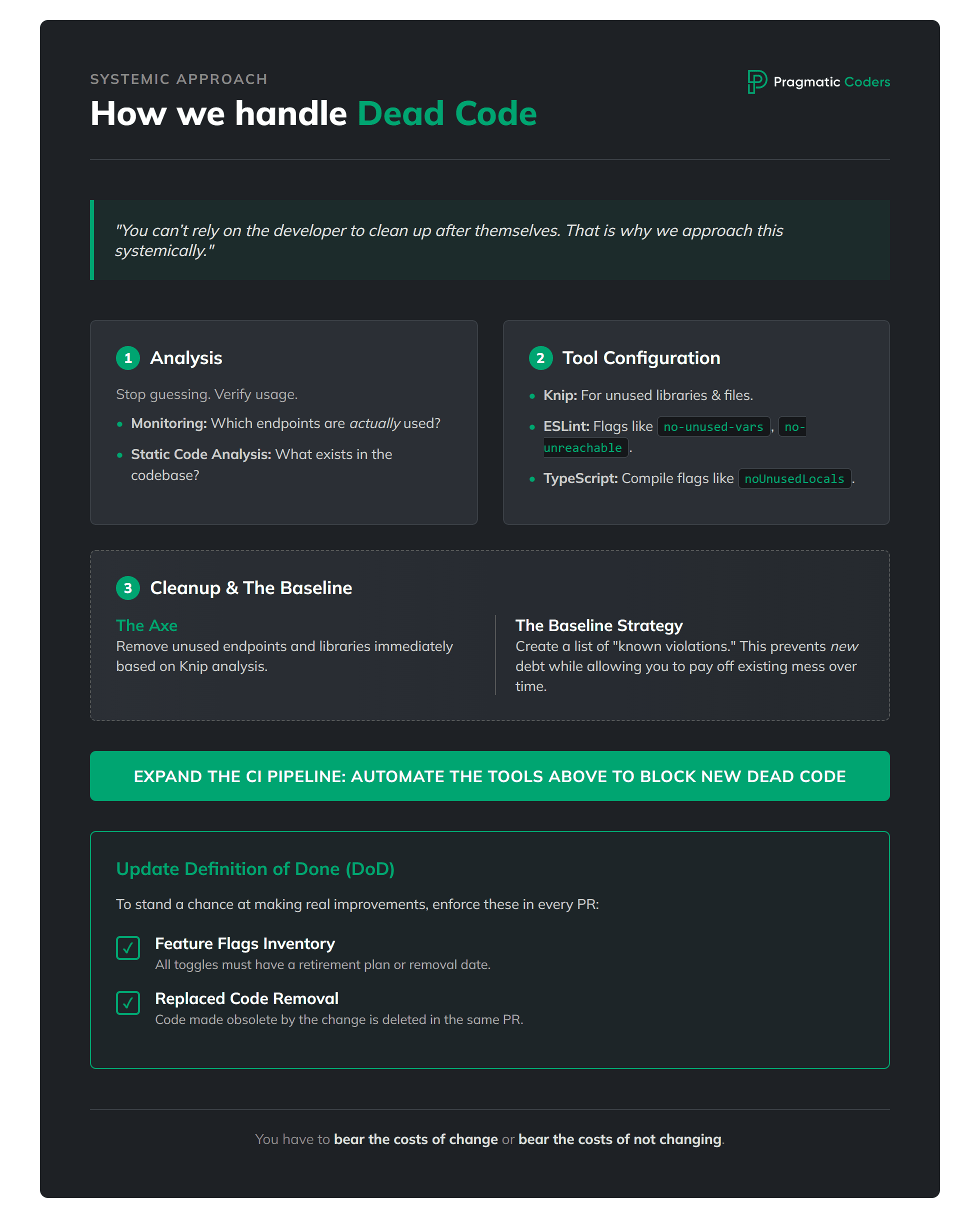
You can’t rely on the developer to clean up after themselves! It doesn’t matter how good that developer is. There will always be enough arguments to put it off until “never.” That is why we approach this systemically:
Analysis of unused endpoints
For this, we need monitoring to verify which endpoints were actually used (and how often), combined with static code analysis to provide a list of the actual endpoints existing in the code.
Tool configuration
Analysis of unused libraries and files using tools like knip.
A properly configured linter – e.g., ESLint with flags like
no-unused-vars,no-unreachable, andno-constant-conditionthat won’t allow new dead code to sneak in.Compilation – in the case of TypeScript, setting appropriate flags such as
noUnusedLocalsornoUnusedParameters.
Cleanup or baseline
Unused endpoints are the first to get the axe, along with all the code that executes within them.
We remove unused libraries, exports, and files identified by the knip tool analysis.
In some cases, it is worth considering creating a baseline – a list of “known violation cases.” This allows us to prevent the growth of dead code at a low cost, while the cleanup of the existing mess can be spread out over time (this requires a real technical debt management process).
Expanding the CI pipeline
The topic of Continuous Integration pipelines is a vast ocean. The properly configured tools mentioned above must be added to the process; this prevents new instances of dead code from appearing.
Process improvement
The team’s Definition of Done needs to be expanded to include:
Feature flags inventory with retirement plan. All feature toggles are listed and either already retired or have a clear removal date / ticket.
Replaced code is removed. Any code made obsolete by this change is deleted in the same Pull Request or has a clear removal date / ticket.
This is the only way to stand a chance at making real improvements. A one-time cleanup will only solve local problems – and sooner or later, they will be replaced by new ones.
The process of removing dead code is a difficult and time-consuming task. Sometimes tough decisions have to be made (e.g., whether to remove a feature used by only 1% of users). Sometimes, the result is even more “cleanup tasks,” because analysis might reveal suspicious parts of the system.
You have to bear the costs of change or bear the costs of not changing.