How to tell your company is running on unmaintainable AI-generated code (a checklist for CEOs/COOs)
If your company has a system that was “quickly built with AI,” and today every change results in a regression, deployment is done by only one person, and incidents happen after hours – it’s not “bad luck.” It’s vibe coding.
In this article, you’ll find a checklist for CEOs/COOs: how to recognize if code was built fast but is unmaintainable – and what to do before operational costs spiral out of control.
Quick checklist for CEO/COO: Does it “work,” but no one can maintain it? If 2–3 of the following sound familiar, you likely have a system that was built quickly (often with AI assistance) but is now generating costs and risks:
Below, you’ll find a full list of 10 red flags and patterns that allow you to use AI without turning a prototype into a catastrophe. |
Code signals tell one story. Product health tells another: strategy, discovery, delivery, and leadership. For a short second opinion, use our Product Health Checklist.

Vibe coding in one sentence (and what it is not)
Put simply: vibe coding is programming based on intention rather than syntax. Instead of obsessing over every line of code or checking if a semicolon is in the right place, you describe what you want to achieve to an AI and then simply “catch the vibe” – checking if what the LLM generated works as you imagined.
Andrej Karpathy, an AI legend, put it brilliantly:
There’s a new kind of coding I call “vibe coding”, where you fully give in to the vibes, embrace exponentials, and forget that the code even exists. (original Tweet)
Vibe coding vs. AI-assisted coding
It’s important to draw a clear line here. Vibe coding is an extreme form of AI programming: you iterate on the result (“works/doesn’t work”) instead of understanding and reviewing the code. AI-assisted coding begins where you still maintain control: you read the diff, verify assumptions, write tests, and ensure security.
Here’s a definition by Simon Willison:
When I talk about vibe coding I mean building software with an LLM without reviewing the code it writes.
It’s tempting, right? But remember: vibe coding does not exempt you from responsibility. If you can’t explain why the code works – you likely aren’t “speeding up”; you’re just pushing costs into the future. Just because code has a “good vibe” and works on your computer doesn’t mean it’s ready for a thousand users in production. In the world of agentic AI, the programmer’s role shifts from “writer” to “auditor.” As Wiktor Żołnowski notes in the article Is Clean Code Dead?, we are losing the burden of writing, but increasing the importance of reading and verifying code a hundredfold. Without Clean Code, auditing thousands of lines churned out by AI becomes impossible.
When vibe coding makes sense (real use cases)
At Pragmatic Coders, we love efficiency, so we won’t pretend that vibe coding is inherently bad. It has its place – especially where speed matters more than long-term durability.
- UX Prototype: 2–3 screen variants and flows in one day to show something to users.
- Tech Spike: “Can we even integrate X with Y?” A quick test of a hypothesis.
- Internal Automations: One-off scripts, reports, or “glue code” where risks are low and time savings are huge.
- Bootstrap MVP: But only if you assume from the start that this isn’t a final product, but a “demo for validation.”
When vibe coding becomes a problem: 10 red flags
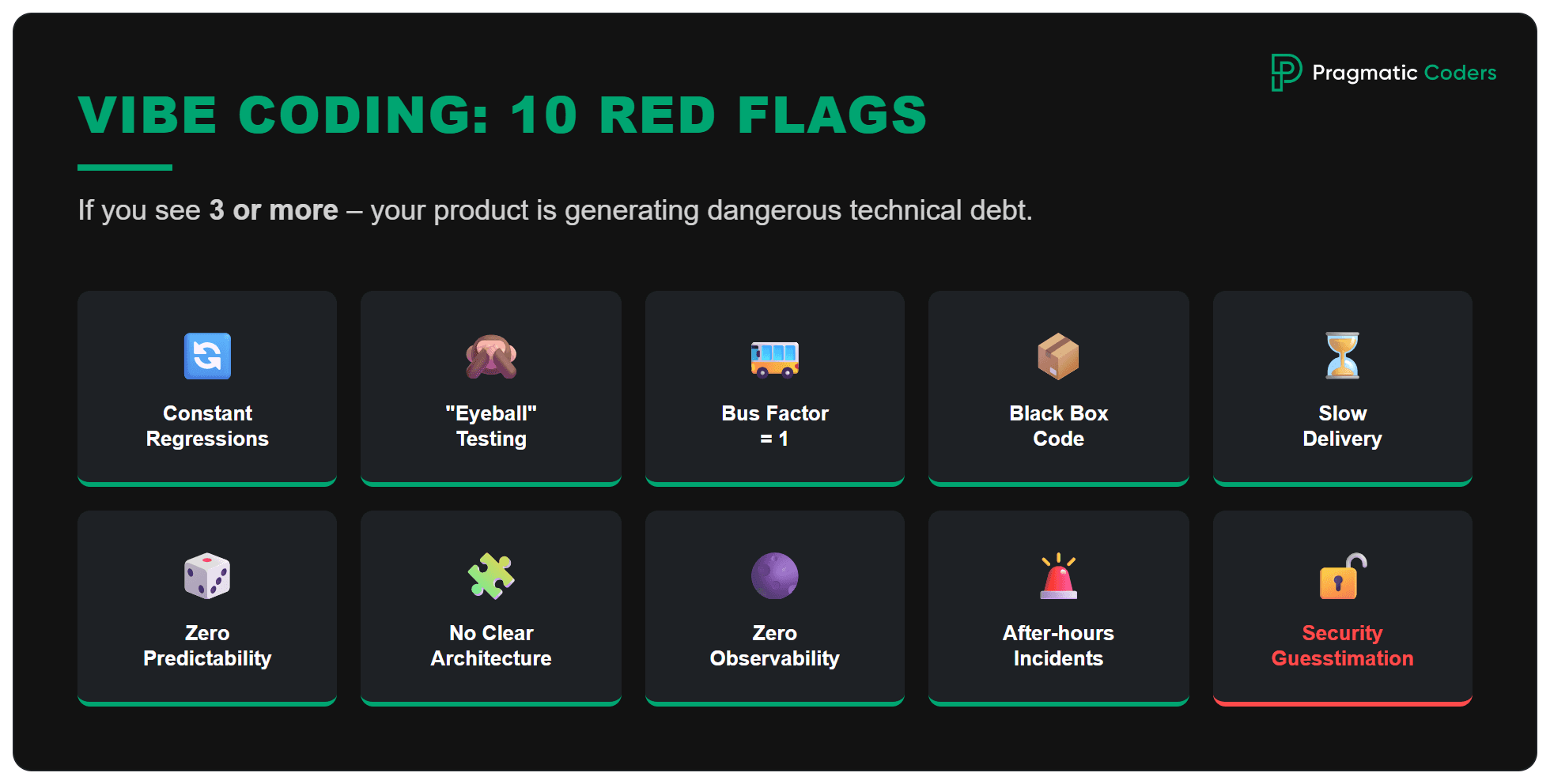
Vibe coding is a great tool for prototyping but a fatal process for delivering a product. If you have 3+ of these symptoms, vibe coding has likely entered production and started generating technical debt:
- Every release ends in regressions (“something always breaks”) – You fix one bug, and three others pop up in completely unrelated places. This is a sign that AI has generated highly coupled code that no one understands.
- Lack of tests or “by-eye” testing – “I clicked it twice and it worked” is not a test. The real problem starts when AI generates code that you cannot automatically test because it lacks clear interfaces (testability).
- Only one person knows how to deploy (Bus Factor = 1) – If only the prompt author knows how to “coax” the system into working, your company is a hostage to one “vibe.” When that person goes on vacation or, worse, leaves the project, everything stalls.
- “Don’t touch this file, it might break” – Code becomes a black box. Developers are afraid to refactor because they don’t understand the logic buried in a 500-line function spit out by an LLM.
- A fix that should take 2 hours takes 2 days – Simple changes (e.g., adding a field to a form) require fighting through hundreds of lines of redundant code (boilerplate) that the AI added “just in case.”
- High code volume, low predictability – The project grows rapidly (thousands of lines of code), but every new feature is a roll of the dice: it might work or it might take down the whole server. It lacks stable architectural foundations.
- No one can describe the architecture on one page – Since the code was built by iteratively “pouring in” prompts, it lacks a cohesive technical vision. It’s a collection of AI micro-decisions, not a planned system.
- Lack of observability – You have no idea what’s happening under the hood. AI rarely cares about proper logging, error handling, or tracing on its own. Consequently, when the system goes down, your team is left staring at an empty console.
- Incidents occur after hours – The system is not resilient. “Vibe” kept it alive on your laptop, but in a real-world collision with real traffic and edge cases, it collapses like a house of cards.
- Security and permission changes are made “by feel” – This is the most dangerous point. AI can “vibe-out” functionality while forgetting input validation or authorization. A vulnerability in AI-generated code is an open gate for hackers.
Coding with AI is great. Most developers at Pragmatic Coders use AI tools (especially Cursor) to code. Importantly, however, we do not sacrifice quality for quantity. AI serves us to work better, not just “senselessly” faster. This is crucial: if code is not checked and is written irresponsibly, it will only generate more problems in the future.
What to do in 7 days (mini-plan for CEO/COO)
![Is your project on fire [EBOOK]](https://www.pragmaticcoders.com/wp-content/uploads/2026/02/Is-your-project-on-fire-EBOOK.png)
Assume your project is actually on fire. What do you do? In the first week, don’t try to “fix everything.” The goal is to regain control and predictability so the company stops paying for fires.
This week is about control: freeze risk, see failures, pick 1–2 hot spots. If you also want a plain read on crisis symptoms beyond AI code, use Is your project on fire? Self-diagnosis.
- Days 1–2: Freeze major changes (no “new features”), list 3–5 critical business processes that must work (e.g., payment, order, shipping), and appoint one person responsible for decisions on “what goes to production.”
- Days 3–4: Do a quick risk assessment: Who has access, where are the biggest failures, what causes night-time escalations – and set up minimal monitoring/alerts so you catch problems early.
- Days 5–7: Choose 1–2 most painful areas and deliver “stabilization,” not “perfect code”: automated tests for the critical path, a simple rollback/release plan, and a list of decisions: what to refactor, what to leave, and what needs to be replaced. After a week, you should have clarity: can this be saved iteratively, or does it require a major rescue – and how much does it cost to continue as is.
How to vibe-code wisely
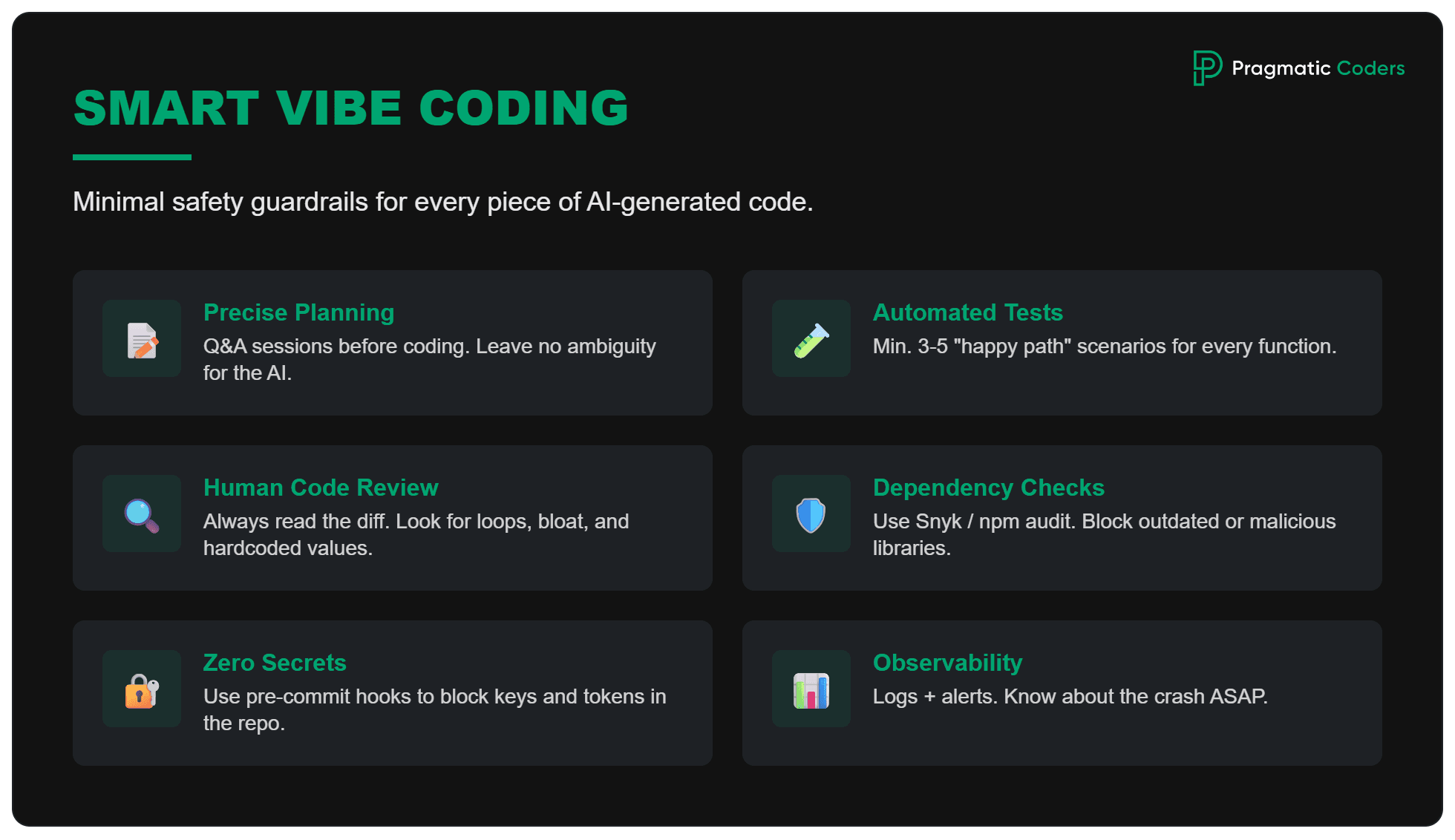
To avoid hurting yourself (and the company), introduce a minimal set of safety guardrails for every piece of AI-generated code:
- ✅ Define expectations in detail – Every ambiguity will be handled (or ignored) by your AI agent in its own way. To implement functionality correctly, you need a detailed plan or at least a thorough description. Start with a planning and Q&A session to clarify all use cases.
- ✅ Automated testing – At least 3–5 “happy path” scenarios (e.g., “user adds product to cart and proceeds to checkout”). If AI breaks something “under the hood,” automated tests will catch it before you even click it.
- ✅ Code review (even quick) – A human must read the diff. Don’t accept changes blindly. Scan the diff for weird loops, redundant libraries, or hardcoded values. AI is an assistant; you are the architect.
- ✅ Dependency Check – AI often suggests libraries that are outdated or have security holes. Use tools like Snyk or npm audit to ensure that what the AI added is not a “Trojan horse.”
- ✅ Security: Zero secrets in repo – This is a vibe coding classic: AI spits out code with your API key. Use pre-commit hooks and tools like trufflehog to block a commit if it contains any passwords or tokens.
- ✅ Observability: Minimum logs + alerts – Without this, debugging AI code is a lottery. Every key function generated by an LLM must have proper error handling (try-catch) and logging. You need to know about a failure as quickly as possible.
- ✅ Definition of Done: “Works for me” is not enough – Code is ready only if: tests passed, code was merged, and monitoring isn’t screaming. Additionally, no regressions should occur – we must be certain that existing functionality still works correctly.
Bonus: Prompt template (to copy)
This is a skeleton that will help you get more than just a “vibe” out of AI:
Task: Build [function/module] for [goal].
Context: The system is [stack], data in [source], constraints [e.g., compliance/PII].
Acceptance Criteria:
- [Criterion 1]
- [Criterion 2]
Security: Do not log PII, validate input, handle errors.
Tests: Write tests for 5 scenarios (happy + edge).
Output: Code + setup instructions + risks and trade-offs.
What next? Choose your path
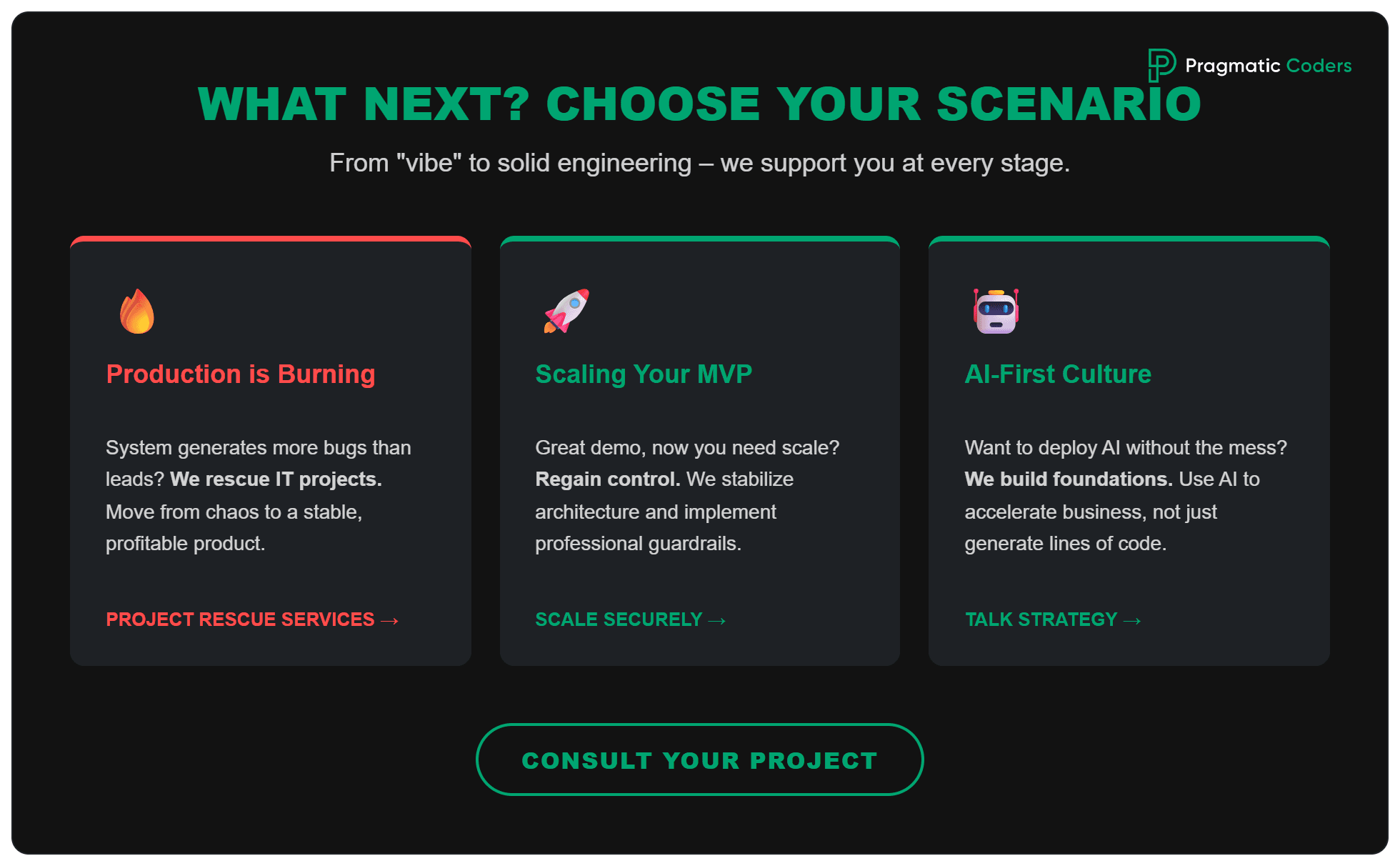
Vibe coding is a powerful weapon in the hands of a leader, but only if you know when to let go of the “vibe” in favor of solid engineering. Choose the scenario that best describes your situation:
Scenario A: Production is already on fire (or about to be) – If your system generates more errors than leads, and developers are afraid to touch the code “because it will break,” check out our Software Project Rescue products. We’ll help you move from carefree prototyping to a stable product that actually makes money. Because in the end, that’s what it’s all about, right?
Scenario B: You have an MVP and want to scale safely – Vibe coding did a great job shortening your “time-to-demo,” but now it’s time for real growth. The priority isn’t to “rewrite everything” but to regain control: stabilize the architecture and build security rails. We can help you with that through our vibe coding services.
Scenario C: You want to build an AI-first culture without the chaos – If you’re just planning to implement AI tools, start with the basics. In an agentic world, the programmer’s role is shifting toward being an “auditor,” which requires new quality standards. Let’s talk about how to implement AI so that it accelerates your business rather than just generating lines of code.
Read more
If this topic interests you, check out our other articles on IT project management, technical debt, and product rescue:
- Everything under control? How to recognize the Watermelon Effect in IT – Why projects that look “green” in reports suddenly explode into red (a frequent consequence of over-optimistic vibe coding).
- From MVP to Scale-Up: Which technical debt is worth keeping? – How to distinguish debt that helps you validate a product faster from debt that will kill your system.
FAQ
Is vibe coding for non-programmers?
Yes, but with a major asterisk. Without understanding the basics, it’s easy to create something unmaintainable.
Is it the same as AI-assisted coding?
No. Vibe coding is about iterating on the result, whereas AI-assisted coding is about supporting the writing of specific lines of code with full control.
How can I check if AI has generated safe code?
Use automated scanners and linters, and always review the generated diff.