Build vs. buy vs. blend: how to calculate whether custom software makes sense at all
You send out an RFP for a custom application for your business. Most vendors reply: “Yes, sure, we’ll build everything exactly as in your brief.” Good? Not necessarily. They may just want to land another client. The invoice will add up; whether what they build actually holds up from a business perspective is no longer their problem.
On the other hand, in the AI era, software development has never been cheaper. So maybe commissioning that custom platform is worth it after all? Over a longer horizon, your own software can be cheaper than ill-fitting SaaS. And external vendors raise prices overnight, sometimes by hundreds of percent, so you never know what you’ll pay for a subscription in three years.
Be smart here. The point of this intro is simple: what matters most is working with a vendor who, at the first consultation, will honestly tell you which solution is best for you: buy, build, or blend both. In this article, we cover the pros and cons of each path and explain how to tell which one makes sense for you.
At a glance
|
Buy, build, blend both: three paths
If the software decision were simple, we wouldn’t have this article. In real business, you rarely choose between “everything off the shelf” and “everything from scratch.” Gartner has described this for years as Buy / Build / Blend, and in most companies the third option, combining both, is the most common.
| Path | When it makes sense | Example |
|---|---|---|
| Buy | This isn’t where you beat the competition | Payroll, invoicing, basic CRM |
| Build | Your way of working or digital product is the advantage | Proprietary operational process, a platform that is the business |
| Blend both | Most of it is ready-made; the rest needs tailoring | Off-the-shelf CRM + custom portal or reporting module |
Buy: when off-the-shelf wins
Payroll, video conferencing, basic CRM: no one chooses you as a client because you have “elegant SSO.” Here, a ready-made product makes sense: you get up and running fast, someone else maintains the infrastructure, and you don’t fund reinventing a wheel the market has already refined.
The downside? Off-the-shelf is built for the average case. If your process is standard, that’s a plus. If it forces you to change what already works, you start paying twice: in subscription fees and in people’s time on workarounds.
Build: when custom makes sense
Custom software makes sense when the process is your advantage, not just a background tool. When the digital product is your business, not internal Excel in a prettier skin. Or when regulations, data, or user scale mean SaaS simply doesn’t fit, or fits worse with every rising subscription bill.
The downside? Build isn’t a one-time bill. Count maintenance in TCO too (section below). If you don’t know who will own the system in three years, a cheap quote today can turn into expensive legacy tomorrow. That is often where technology creates financial risk: architecture that still “works” while every change gets slower, maintenance climbs, and scaling later means a rebuild.
Blend both: the most often overlooked option
This is often where the healthy compromise lies. You buy CRM or ERP as the foundation, because there’s no point writing from scratch what the market already has, and add a thin layer of custom code where the standard product doesn’t handle your model: a client portal, an unusual order flow, a report for the auditor.
McKinsey calls this “buy the foundation, build what sets you apart.” A simple test: would you describe this process in a job ad as “industry standard” or “how we win”? Standard → buy. Win → build or blend both.
How to calculate TCO
Total Cost of Ownership (TCO) answers the question: what does this solution really cost over the entire time we use it, not what implementation or the first invoice costs. A subscription at $50 per user looks cheap in Excel. Only when you add seat count, annual price hikes, integration with the rest of the stack, hours spent on workarounds, and migration cost in three years do you see the full picture.
In a buy vs build decision, TCO is the only comparison that makes sense. A development quote is a one-time cost; a SaaS subscription is a cost spread over time. You compare them sensibly only on a shared horizon, usually five years, the typical system lifecycle in a company before you seriously consider a change or rebuild.
- For “buy”, calculate: licenses × users × 60 months, implementation, training, integrations, manual work copying data between systems, and migration cost when the vendor raises prices. On top of the subscription sticker price, expect roughly 20–40% in hidden costs.
- For “build”, calculate: development (MVP is not the same as production), while the product is being built, and once it’s ready, hosting and migration in year one, 15–25% annual maintenance in subsequent years, plus infrastructure.
Example from industry literature (100 users, five years): SaaS at $200/user/month can total ~$1.3M; a tailored solution with build cost ~$300K plus ~$60K/year maintenance comes to ~$590K. You break even after about 18–24 months, but only if development succeeds and the process truly requires a custom system.
So the question for the CFO isn’t “what does the quote cost?” but: how do we know we’re building the right thing?
AI is cheaper, but doesn’t solve everything
It’s easy to draw the wrong conclusion that because AI speeds up coding, you should always build. Research on thousands of developers shows roughly 26% more completed tasks with AI assistants; GitHub reports roughly 55% faster completion of typical tasks. In practice, what once took six months and a six-figure budget can today, with a narrow scope, be done in weeks or a few months. That’s why blend or MVP increasingly enter the equation alongside rising SaaS costs.
But faster coding isn’t the same as a faster product. Today, in the same time window, we produce four to eight times more code than before, so business and architectural decisions matter more than ever, with less time for them. A wrong decision is harder to reverse: consequences arrive faster, and undoing them, even with AI, costs proportionally more work.
Building a new product is continuous exploration: you form a hypothesis, build a test, collect data. AI lets you code that test quickly, but validation takes as long as before. Meanwhile? We keep coding, often based on hypotheses no one has proven yet. Before you check whether a custom module makes sense at all, you may already have three layers of code to maintain or throw away.
Then there’s quality: an AI demo isn’t a five-year product. AI-generated PRs wait longer for review: the bottleneck has shifted from writing to control. According to McKinsey State of AI 2025, roughly 88% of organizations use AI in at least one function, but only a small share see real financial return from it. Code without tests, code review, and Definition of Done is hidden debt that blows up in a few months.
So AI doesn’t answer “buy or build.” It answers a different question: How do we know we’re building the right thing?
Pitfalls most companies fall into
Buy-and-customize. It looks like a blend, but starts differently. You buy a SaaS platform because it “almost fits” your process. When it turns out it doesn’t fit at all, you buy customizations from the vendor or their partner: extra modules, configurations, plugins, workarounds. You pay the subscription and separately for every next round of tailoring.
The difference from a blend is simple. You plan a blend upfront: off-the-shelf as the foundation where the process is standard, and custom code only where you have an advantage. You know what stays in SaaS, what you build, and you usually own that thin layer. Buy-and-customize is a reaction to a bad choice: you bought a tool for a process you can’t sensibly map in it, and now you pay for both worlds without architecture. Customizations sit inside someone else’s platform, so they can break with every vendor update, and you don’t have full control over the code.
A sign you’ve fallen into this trap: you pay for a license, and the team still works in Excel or manually moves data between systems. Often it would have been cheaper from the start to do a blend with a custom module or change the process to fit off-the-shelf, but no one tells you that, because customizations generate invoices too.
SaaS that grows faster than the business. Per-seat pricing, premium modules, integrations. The subscription grows every year. The team still sits in Excel.
Development without an owner and metrics. According to Gartner, only 48% of digital initiatives deliver their intended business outcome. Custom development without a single success metric is a more expensive way to the same problem: you’ll deliver features, not a solution. We wrote about what to measure when building digital products in a previous article.
Building a custom system instead of integrating. Excel as the database, manual data copying, five tools with no connections: sometimes the problem is the stack, not the lack of a custom platform. Before commissioning development, check whether organizing what you already have is enough.
When we advise against custom, and why that’s normal
At Pragmatic Coders, in first consultations you talk to business consultants who regularly advise against custom software. Not because they don’t want the project, but because another option is cheaper, faster, or simply smarter for you.
It’s the same mechanism we describe in The vendor who says “no”: most of the market earns on signing the contract. We prefer to start with an honest assessment, because a relationship that begins with a bad decision won’t last anyway.
Typical situations where we say “don’t build custom”:
Off-the-shelf has what you need. Half the features in your brief sit in an ERP or CRM you should implement at a higher level anyway. Instead of building from scratch: implementation and integration.
The math doesn’t add up. Automating two people in a five-person department costs more than the salary savings.
Pitfalls from the section above: integration instead of building, no owner and no metrics.
When custom makes sense: a practical example
With a narrow scope and sensible discovery, an MVP can validate a hypothesis before you spend six figures. In one of our fintech projects, other vendors quoted a full platform at $2–15M. After mapping user stories, we kept roughly 10% of the scope: a prototype for $80K in three months that helped close a funding round. The condition: you know what you’re building and why, and you wait for results before adding the next layer.
What to ask a vendor on the first call
A good vendor asks uncomfortable questions before proposing a team. And will say outright when off-the-shelf wins, even if you came for custom development.
Check whether you hear anything from the list below. If not, ask yourself:
“Do we need custom at all, or is off-the-shelf or integration enough?”
“What percentage of our process does the best SaaS on the market cover?”
“What’s the five-year TCO for buy vs build, including maintenance and integrations?”
“Who will maintain the system in three years?”
“What one business metric should improve within six months?”
“How do you use AI in development, and how do you control quality of AI-generated code?”
“What do you propose if analysis shows custom doesn’t make sense?”
A vendor who answers everything with “we’ll build” is testing your budget. A vendor who says “let’s calculate first” treats you like a partner, not another client in the pipeline.
What comes next depends on your situation
If custom development wins but you lack technical oversight, before you sign an architecture no one will defend, read the Interim CTO article in the PC blog series.
If you’re afraid of scope creep after deciding on development, see how creeping scope quietly eats your budget.
If you want to know what building what you need will cost before you spend serious money, start with a discovery workshop before development.
If you’re comparing offers, go back to the “before you sign” series: cost transparency in a software project and the vendor who says “no”.
Summary
Most companies will say “yes” to your brief because that’s how they make money. A SaaS vendor will convince you the subscription always wins, until you see the bill in year three.
So: Buy when the function doesn’t differentiate you from the market. Blend both when most of it is ready-made and the rest is your advantage. Build when the process or product is that advantage and you have a maintenance plan.
Look for a vendor who will lay out all three options before proposing a team. And one who advises against custom when off-the-shelf wins. That’s the strongest signal they take your budget more seriously than their own pipeline.
Before you sign: do you even need custom software?
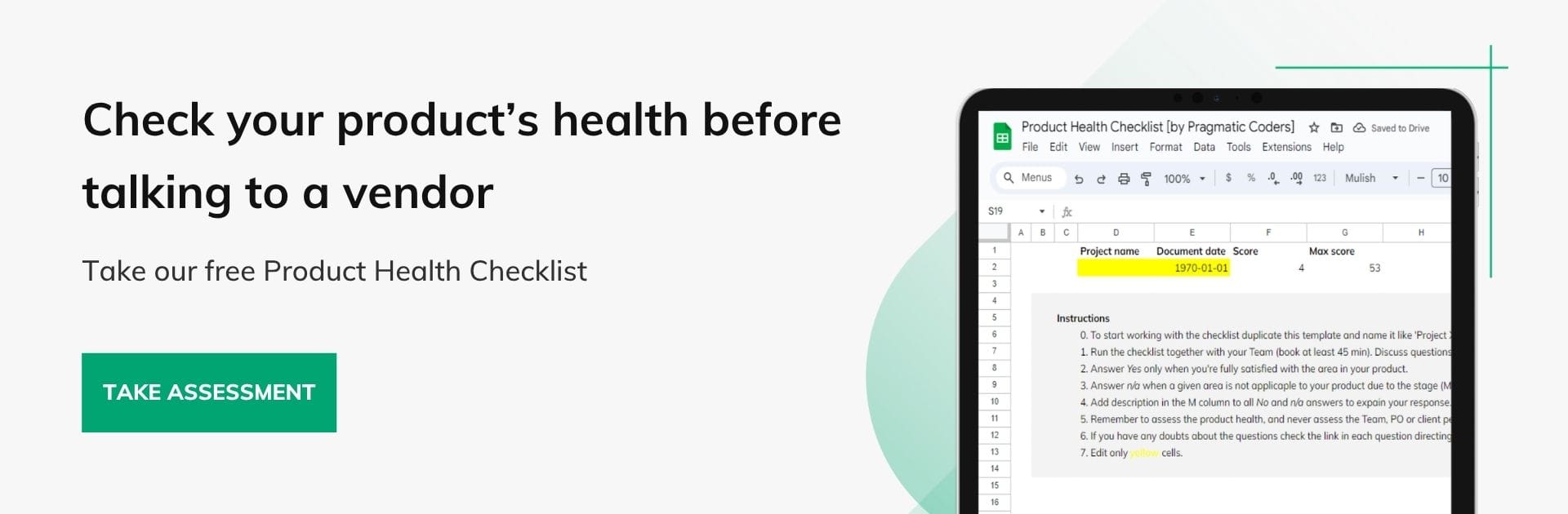
The Product Health Checklist is 25 questions across five areas: strategy, discovery, delivery, collaboration, and accountability. Go through it before talking to a vendor, and enter that conversation with a diagnosis, not a feature list.