Legacy System Modernization: The Definitive Pragmatic Playbook for 2026
If you’re reading this, you probably have a system that’s critical to your business, but every time someone mentions a “simple feature request,” your lead developer looks like they’re about to faint.
In the software world, we call this legacy. This guide is a deep-dive technical and strategic whitepaper for leaders who want to stop surviving their tech debt and start making money through the right technology.
What is a legacy system?
A legacy system is an existing software system that’s still in use (often business-critical) but is hard to change, costly to run, or risky to maintain because of outdated technology, architecture, or practices.
What is legacy system modernization?
Legacy system modernization is, in practice, a planned “rejuvenation” of existing IT systems that are critical to the business but have become expensive to maintain, risky (failure-prone / vulnerable), slow to deliver changes, or that block product growth.
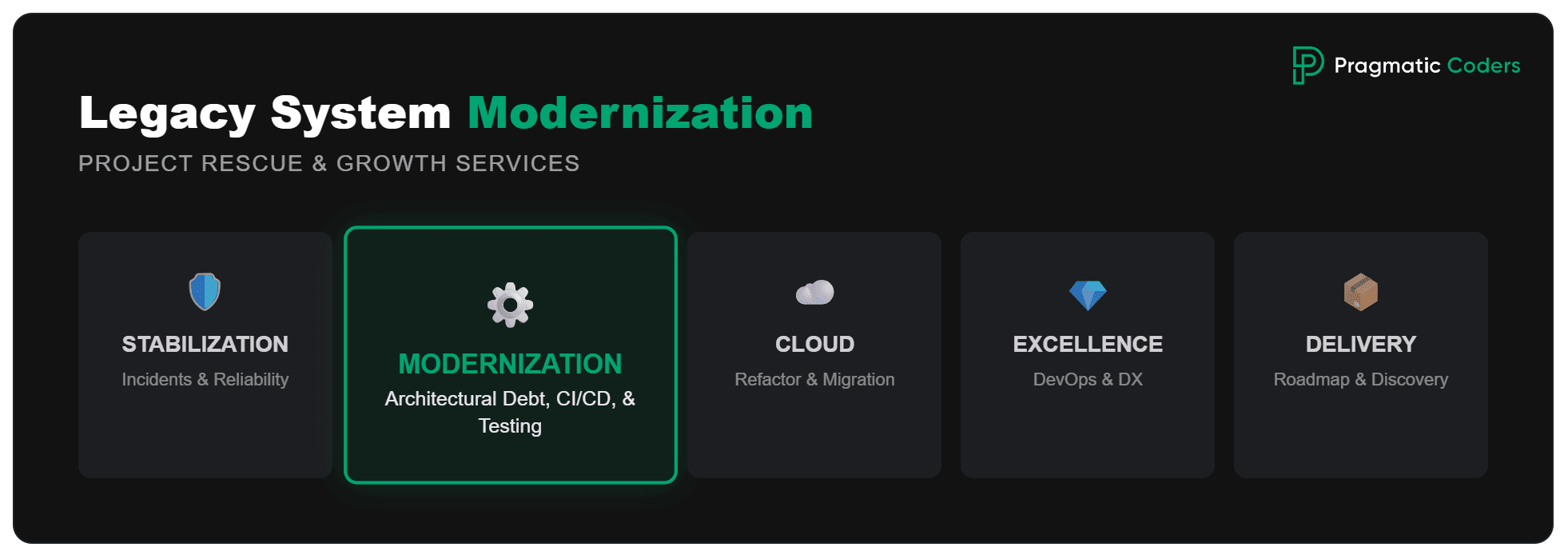
Legacy system modernization is a type of service that we at Pragmatic Coders offer as part of our Project Rescue Services:
- Stabilization / Recovery
- Modernization
- Cloud migration
- Platform & Engineering Excellence
- Product delivery

What is the difference between legacy and app system modernization?
Yet, since in many companies the “application” is the heart of the “system,” the boundary gets blurry. In vendor documentation, both terms are often mixed. In this article, we’ll be using the two terms interchangeably.
Why modernize legacy systems? And when not?
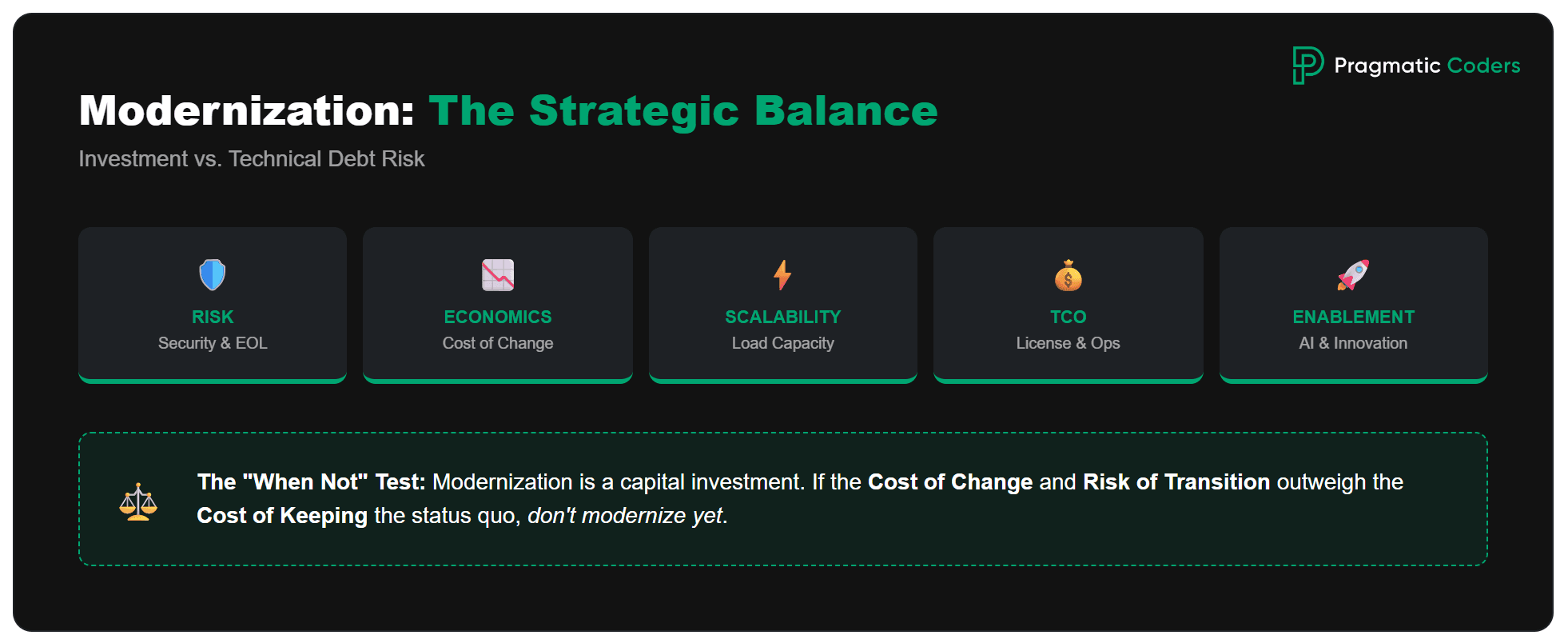
It doesn’t always pay off. Modernization is a capital investment (time, risk, opportunity cost), so it makes sense only when the cost/risk of keeping the legacy system is higher than the cost and risk of changing it. Usually, you’re better off restoring predictability and gradually fixing the current system. You modernize for:
1) Risk management (the most common “hard” reason)
- EOL / unsupported technology, no security patches
- key people leaving (“bus factor”)
- outages, weak DR/BCP, lack of observability
- compliance risks (audits, regulations, data)
Value: lower probability of a costly outage / incident.
2) Economics of change (cost-to-change)
- every change is slow and expensive because the system is fragile
- releases are infrequent, lots of regressions, “fear-driven development”
- integrations are “wild west” and block growth
Value: shorter lead time, more deployments, fewer rollbacks and hotfixes.
Modernization isn’t just about cleaner code; it’s about the bottom line. For Webinterpret, we moved beyond legacy constraints to build a system capable of handling a 10x increase in data volume while significantly reducing infrastructure overhead.
Our automation solution cut daily production incidents from 1.5 million to around 500 for a major e-commerce platform.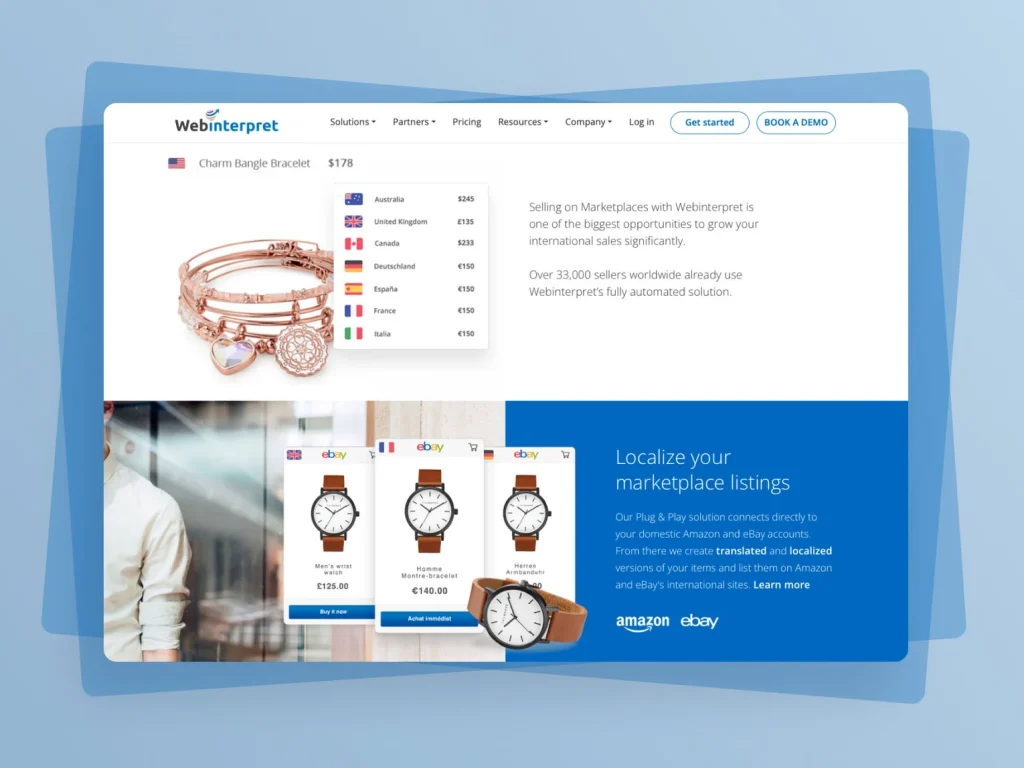
WebInterpret: Optimizing eCommerce Automation to Cut Incidents by 99.97%
3) Scalability / performance / customer experience
- the system can’t handle peak loads
- performance blocks growth or generates costs (e.g., licenses, infrastructure)
4) Run costs (TCO) and vendor lock-in
- expensive licenses, on-prem maintenance, manual operations
- lack of automation, high ops toil
5) Enablement for new initiatives
- data is locked in, no APIs/events, hard to integrate quickly
- you want AI/analytics/new sales channels, and the legacy system is a “brake”
If your legacy system acts as a brake on your growth, you need to decouple your roadmap from your tech debt. Our work in the FoodTech sector shows how stabilizing a core platform allows a business to scale rapidly and introduce new features without constant fear of outages.
This case study explains how we helped a FoodTech Startup replace its outdated, vendor-based system with a scalable, custom-built platform.
We Enabled a FoodTech Startup’s Growth Through a Custom Software Overhaul
When modernization doesn’t make sense (or matters less)
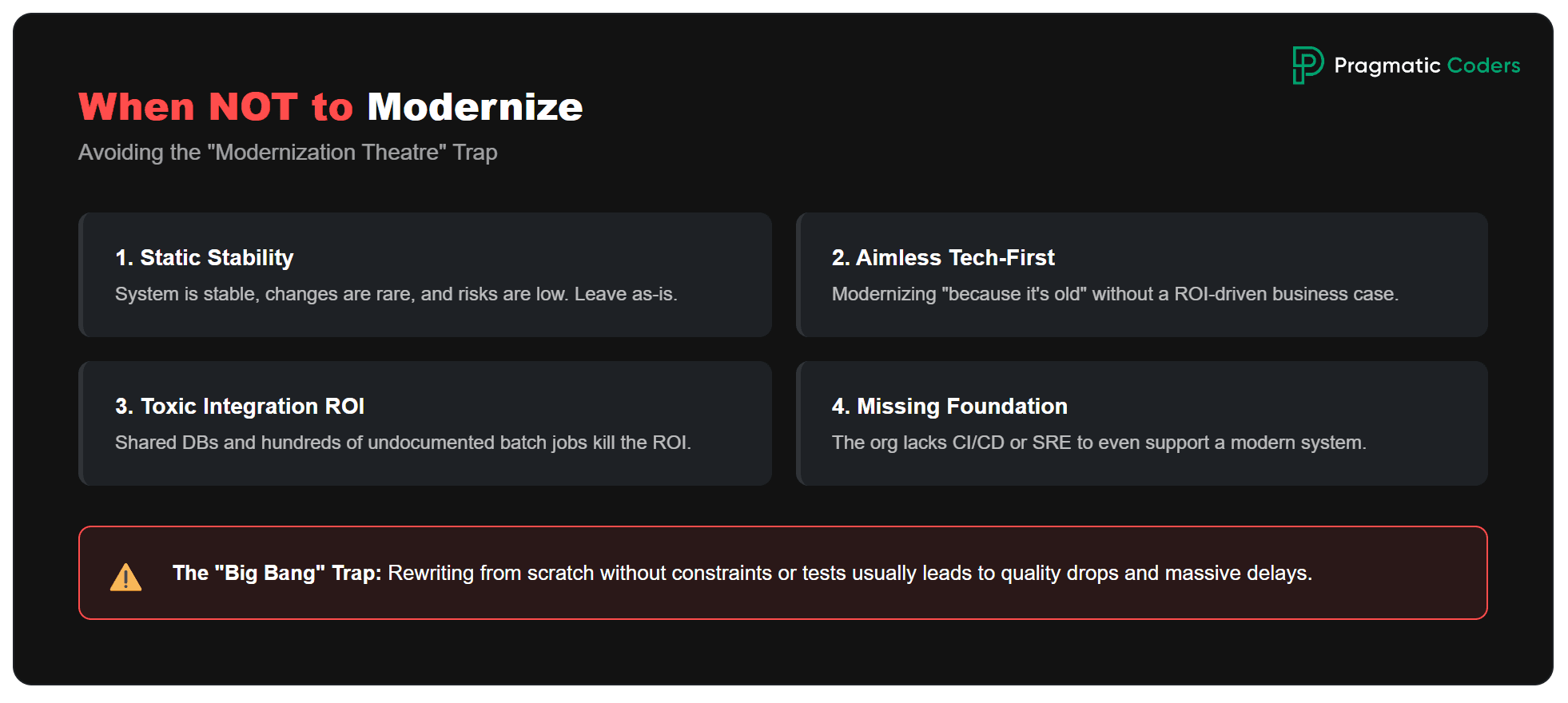
1) The system is stable and changes infrequently
It works, has a low change rate, and there are no major security risks.
→ Often better: leave it as-is + apply security patches and minimal improvements only.
2) There’s no clear business goal
“We’re modernizing because it’s old.”
3) Data/integration migration costs will kill the ROI
Shared DB, hundreds of integrations, lots of batch processing, poor documentation.
→ Sometimes better: use a strangler approach only for new capabilities, and leave the core for years.
4) “Rewrite from scratch” without constraints
Large domain, unstable requirements, no tests, no time for dual-run.
→ A big-bang rewrite often ends in delays and a drop in quality.
5) The organization can’t absorb the change
No ownership, no ops people, no release process.
→ First build the foundation (CI/CD, observability, tests), then move to deeper modernization.
![Is your project on fire [EBOOK]](https://www.pragmaticcoders.com/wp-content/uploads/2026/02/Is-your-project-on-fire-EBOOK.png)
A better lens than “modernize or not”
Instead of asking “should we modernize?”, ask:
“What is the minimal scope of modernization that reduces risk and/or increases the speed of change?”
Often the answer is:
- stabilization + safety rails (CI/CD, tests, observability)
- replatforming (managed DB, containers)
- a strangler approach for selected areas
…without a major rebuild of the entire system.
A simple decision model (practical)
If 2–3 of the following are true, modernization usually makes sense:
- EOL / security risk within 6–18 months
- change lead time > 2–4 weeks and increasing
- frequent outages / high MTTR / lack of monitoring
- run costs are growing faster than the system’s revenue
- the system blocks a strategic initiative (new channel, product, integration)
If not – consider:
- maintenance + minimal hardening
- selective modernization (only the most painful modules/integrations)
- replace (SaaS) for parts of the functionality
Typical drivers (what’s hurting)
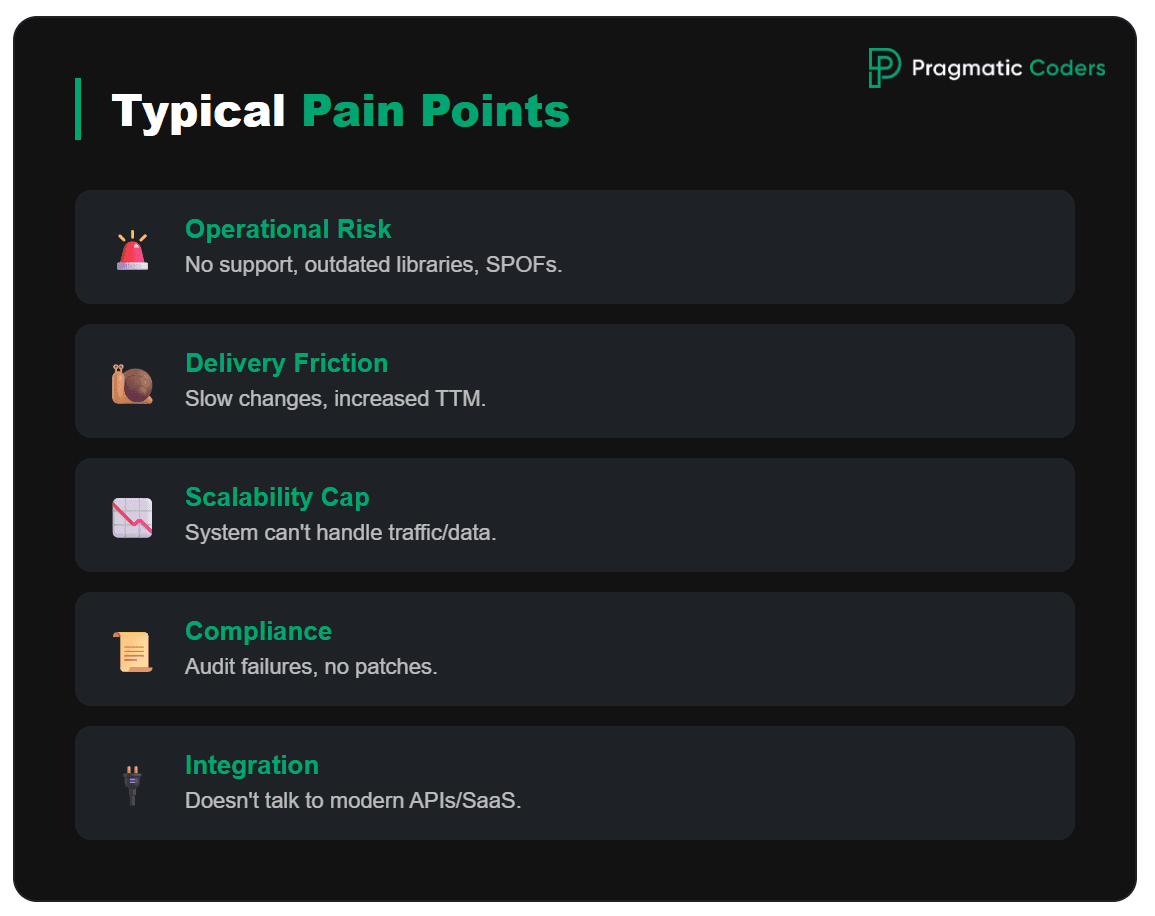
- Operational risk: no vendor support, outdated libraries, hard DR/BCP, single points of failure
- Cost and speed of change: every modification hurts, time-to-market increases
- Scalability / performance: the system can’t keep up with traffic or data
- Security and compliance: patching, audits, regulatory requirements
- Integrations: the old monolith doesn’t “talk” well to a modern ecosystem (APIs, events, SaaS)
What can you actually modernize?
- Architecture: monolith → modular monolith / microservices / event-driven
- Code and runtime: language/framework upgrades, containers, Kubernetes, serverless
- Data: database migration, domain separation, data platform, replication/CDC
- Integrations: API-first, message bus, contracts, versioning
- Process: CI/CD, test automation, observability, IaC, SRE practices
What are the typical modernization strategies (least → most invasive)
| Dimension | Rehost | Refactor | Rearchitect | Rebuild | Replace |
|---|---|---|---|---|---|
| What it is | Move as-is (lift & shift) | Improve code quality/perf/maintainability without changing core architecture | Redesign major architectural parts | Rewrite the application (often new stack) | Buy packaged product/SaaS instead of building |
| Scope of change | Infra/config mainly | Targeted code changes | Significant structural + integration changes | Total code replacement | Implementation + integration (limited custom dev) |
| Time to value | Fastest | Fast–Medium | Medium–Slow | Slow | Fast–Medium |
| Cost | Low–Medium | Medium | High | High–Very High | Medium (often shifts to Opex) |
| Risk | Medium | Medium | High | Very High | Medium–High |
| Best when | Need quick migration; app is stable | Architecture ok but needs cleanup/perf | Architecture is the bottleneck (scale/resilience/velocity) | Legacy is unmaintainable/obsolete; requirements changed a lot | Capability is commodity; want standard best practice |
| Key downsides | Tech debt stays; cloud cost/perf surprises | Scope creep; still constrained by architecture | Complex migration; data consistency; ops maturity needed | Long value gap; high failure risk; parallel run required | Vendor lock-in; fit gaps; customization/data constraints |
| Example | VM-to-VM cloud move | Fix hotspots, improve CI/CD, reduce coupling | Monolith → modular/microservices; event-driven | Full rewrite in new framework | Custom CRM → Salesforce/HubSpot |
The app modernization strategies are usually called the “R’s of modernization”, and it’s often commented that there are five of them:
- Rehost – move as-is (e.g., “lift & shift”)
- Refactor – change code to improve maintainability/performance, usually without changing the core architecture
- Rearchitect – redesign major parts of the architecture (e.g., monolith → modular/microservices, event-driven)
- Rebuild – rewrite the application (often on a new stack)
- Replace – substitute with a packaged product/SaaS (buy instead of build)
However, there isn’t one universal “5 R’s of modernization” list – different vendors use 5, 6, or 7 R’s:
- Microsoft’s 6 R’s (in their app modernization guidance) are: Rehost, Replatform (move the app to a new platform and make limited, targeted changes), Refactor, Rebuild, Retire (decommission the application/workload), Retain (keep it where it is for now).
- AWS commonly talks about 7 R’s for cloud migration: Retire, Retain, Rehost, Relocate (move the workload at the infrastructure/hypervisor level with minimal or no app changes), Repurchase (switch from a custom app to a commercial product or SaaS), Replatform, Refactor.
You might ask: Where does the Strangler Fig pattern sits within all these?
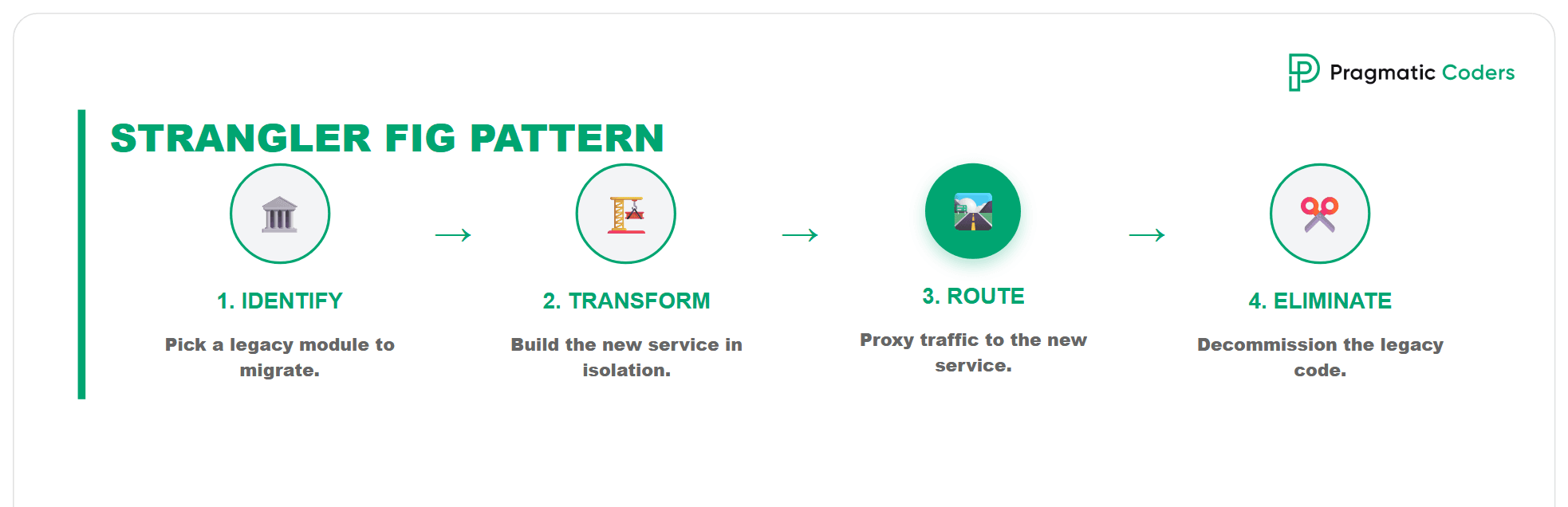
Strangler Fig pattern is an incremental modernization strategy where you gradually “wrap” a legacy system with new components and then cut the legacy out piece by piece – instead of doing a big-bang rewrite.
It isn’t a separate “R.” It’s a migration/modernization execution pattern you can apply to several of the R’s – mainly Refactor and Rearchitect, sometimes Replace, and occasionally Rebuild (if done incrementally).
- Refactor (improve code without changing core architecture0
You can use a strangler approach to peel off small pieces (e.g., new endpoints, a specific module) while the core stays. - Rearchitect (redesign major parts
This is the most common home for Strangler: put an API gateway / routing layer in front of the monolith, then extract capabilities (e.g., Pricing, Catalog, Identity) one by one into new services or a modular monolith. - Replace (SaaS/COTS) You can “strangle” by gradually routing certain flows to SaaS (e.g., payments, CRM, billing) while the legacy system remains for the rest, then decommission.
A ‘Rewrite from scratch’ is risky, but when the time-to-market is the only metric that matters, it can be the right tactical move. We rebuilt a Web3 Launcher in just six weeks, delivering a fully functional, scalable product where the previous vendor had failed for months.
We rebuilt a Web3 desktop launcher in six weeks, delivering a reliable solution that ensured the client’s strong presence at a major event.
How We Rebuilt a Web3 Launcher in Six Weeks After a Project Takeover
What does application modernization usually include?
Focus: code + architecture + delivery lifecycle
Typical moves:
- Upgrade language/framework/runtime (e.g., .NET Framework → .NET, Java 8 → 21)
- Refactor for maintainability/performance (modularization, dependency cleanup)
- Rearchitect (monolith → modular monolith/microservices; event-driven; API-first)
- Improve data access patterns (bounded contexts, service-owned data, caching)
- Add automated testing, CI/CD, feature flags, safer release patterns
Primary outcomes:
- Faster change (lead time down), better quality, easier evolution
- Reduced technical debt and vendor lock-in (sometimes)
- Better scalability/performance because of code/architecture changes
Legacy system modernization framework to follow
Here’s a practical application modernization framework you can use as a repeatable playbook.
1) Frame the modernization as a portfolio decision
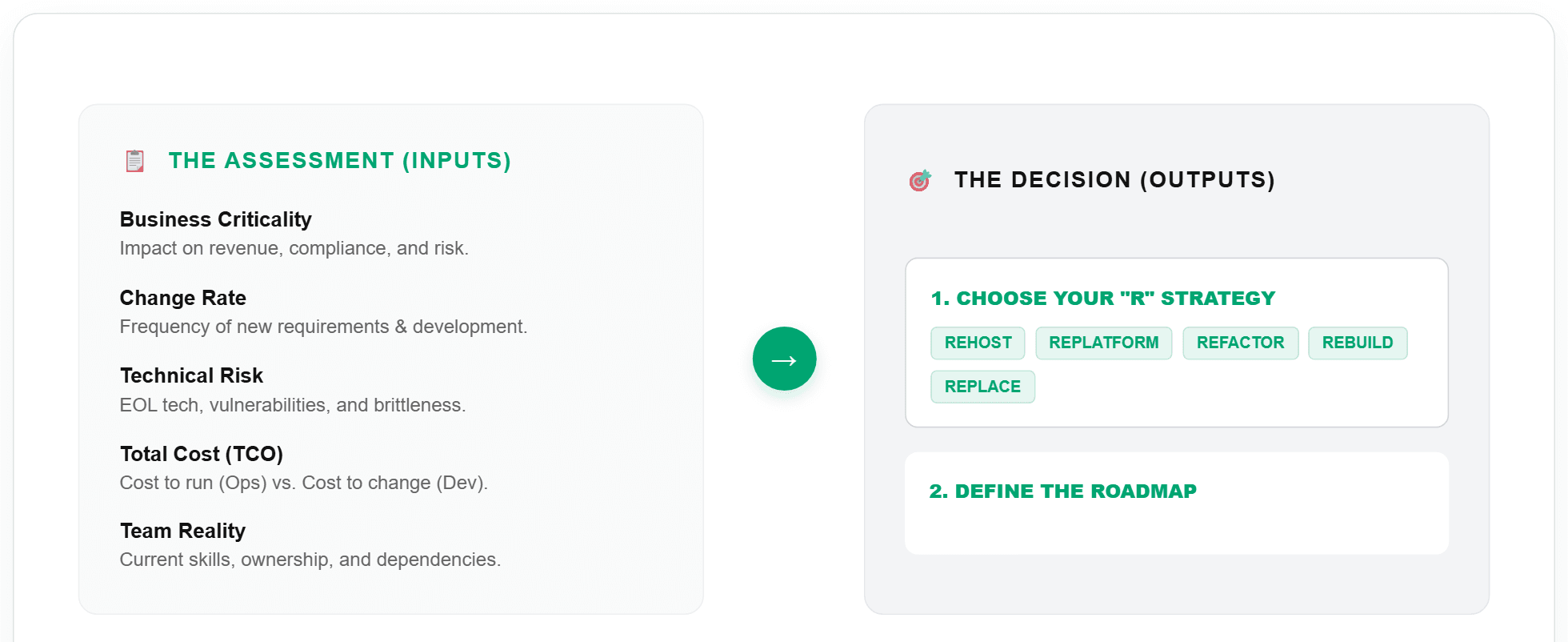
Start by looking at your systems as an investment portfolio, not as single IT projects. The goal is to choose what to modernize first and how, instead of trying to do everything at once.
Inputs (what you assess):
Business criticality: check whether the application impacts revenue, compliance, or operational risk.
Change rate: assess how often requirements change and how much real development work is happening.
Technical risk: look at end-of-life tech, vulnerabilities, brittleness, and overall stability.
Cost to run and cost to change: estimate the cost of “keeping it alive” and the cost of each release or change.
Data gravity and integrations: identify shared databases, batch processes, point-to-point links, and places where one change breaks many things.
Team reality: consider skills, ownership, vendor dependencies, and whether you even have the people for a given approach.
Outputs (what you decide):
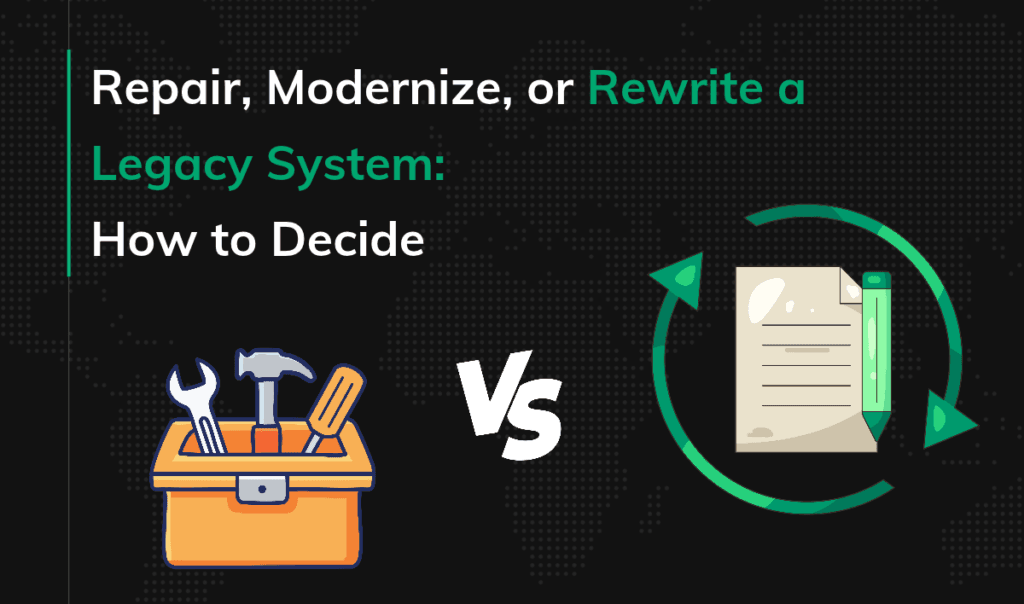
Strategy per application or capability (the “R’s”): choose Rehost / Replatform / Refactor / Rearchitect / Rebuild / Replace (sometimes also Retire/Retain) and be clear why.
Priorities and roadmap: order the work by value, risk, and effort, so you deliver results in stages.
2) Use a clear target model (what “good” looks like)
Without a clear definition of “modern”, it is easy to modernize for the sake of modernization. Here you set a minimum standard so decisions stay consistent.
Target Application Capabilities (example baseline):
- API-first with versioning & contracts
- Automated tests (unit + integration + contract at minimum)
- CI/CD with safe releases (feature flags, blue/green/canary)
- Observability (logs/metrics/traces, SLOs)
- Security baseline (IAM, secrets, dependency scanning, patching)
- Runtime standard (containers/K8s or managed runtime) + standardized config
- Data strategy (clear ownership, migration path, backups/DR)
3) Deliver in phases (repeatable lifecycle)
Here’s how we at Pragmatic Coders do it. For more details check our article on IT project takeovers.
Phase A: Audit (Discovery and diagnostics)
We start with an audit to understand the product, goals, users, and the real sources of problems, not only what you see in the code. In this phase we build a clear picture of the system, risks, and gaps, and prepare the ground for a takeover plan.
You cannot fix what you don’t understand. Deep diagnostics are critical for high-stakes environments like blockchain. See how we rescued a crypto token project by auditing the codebase and refactoring critical security flaws that threatened the entire ecosystem.
We rebuilt a crypto fundraising platform from scratch after the original version suffered from unstable code and security issues.
How We Helped a Web3 Client Recover from a Failed Token Sale Platform
Phase B: Takeover Plan (a concrete plan as the audit output)
The audit must end with a clear plan: what we do, in what order, and why. The plan should combine paying down debt (not only technical) with delivering business value, plus a checklist of access and assets (repos, cloud accounts, third-party services, setup instructions).
Phase C: Regain Control and Safety Rails (the first technical moves)
This is the “make changes safely” phase, before you start bigger modernization work. These steps usually fix the most common takeover blockers.
Gain technical control
We get full access to repos, environments, and services, clean up roles and permissions, confirm ownership of code, data, and infrastructure, and gather documentation in one place.Implement CI/CD
We build real CI/CD so releases are repeatable, fast, and predictable, and quality checks are enforced in the pipeline.Ensure observability
We add logs, metrics, and traces so you can see system behavior in real time and stop operating on guesswork. This usually reduces firefighting.Characterization testing
We add tests that capture the current system behavior (even if it includes bugs) so you can refactor and modernize without accidentally breaking key flows.
Phase D: Governance and workflow (how you run after takeover)
We set simple ways of working so progress stays visible and the team does not fall back into chaos. In practice this means transparent scope and budget, a steady delivery cadence with a clear Definition of Done, and regular client rituals (standups, reviews, real feedback).
4) Run it as parallel “workstreams”
Workstreams make planning easier because you know who does what and why, without mixing everything into one backlog. This also keeps modernization from being “just coding”, because it includes data, platform, and operations.
Workstreams:
Architecture and Code
Data and Integrations
Platform and Ops (DevOps/SRE)
Security and Compliance
Delivery and Ways of Working (ownership, cadence, team topology)
A practical rule: each sprint touches 2 to 3 streams, but one is primary to keep focus.
5) Governance: how you avoid “modernization theatre”
Governance is not bureaucracy. It is simple rules that prevent bad decisions and protect you from hype. Here you define when microservices or a rewrite is not allowed, and how you measure real progress.
Guardrails (decision rules):
Do not split into microservices until you have observability, CI/CD maturity, clear bounded contexts, and an ownership model.
Rewrite only if the domain is stable, the migration path is feasible, and you can run systems in parallel safely.
Success metrics (pick 5 to 8):
Lead time for change
Deployment frequency
Change failure rate
MTTR
Availability / SLO attainment
Defect leakage
Cost to run (infra plus licensing)
Cost to change (effort per change/feature)
6) What this looks like as a “framework slide”

- Assess: inventory + risks + costs
- Decide: choose “R” strategy per app/capability
- Stabilize: pipelines/observability/security
- Modernize: iterative slices (strangler/modularization)
- Retire: decommission + optimize
What are the most common traps when modernizing legacy apps?
Big-bang rewrite without hard reasons.
- No “definition of done” and no KPIs (e.g., lead time, MTTR, cost per change, defects).
- Underestimating data and integration migration.
- Modernizing “for the technology,” not for a specific business outcome.
- No people plan: skills, ownership, run vs. change.
Questions worth asking to choose the right strategy
- What’s the biggest pain: cost, risk, speed of change, or scale?
- Is the domain stable (a good candidate for refactoring) or constantly changing (be cautious with a rewrite)?
- How critical is the data, and how hard is the migration?
- What is the business’s risk tolerance (how much downtime and how many regressions are acceptable)?
Is AI used in legacy system modernization?
Yes – AI (especially LLMs) is increasingly used in legacy modernization, but usually as an engineering accelerator, not an “autopilot.” It delivers the most value where modernization involves lots of repeatable work: code analysis, documentation, tests, migrations, and operations.
Where AI genuinely helps in legacy modernization
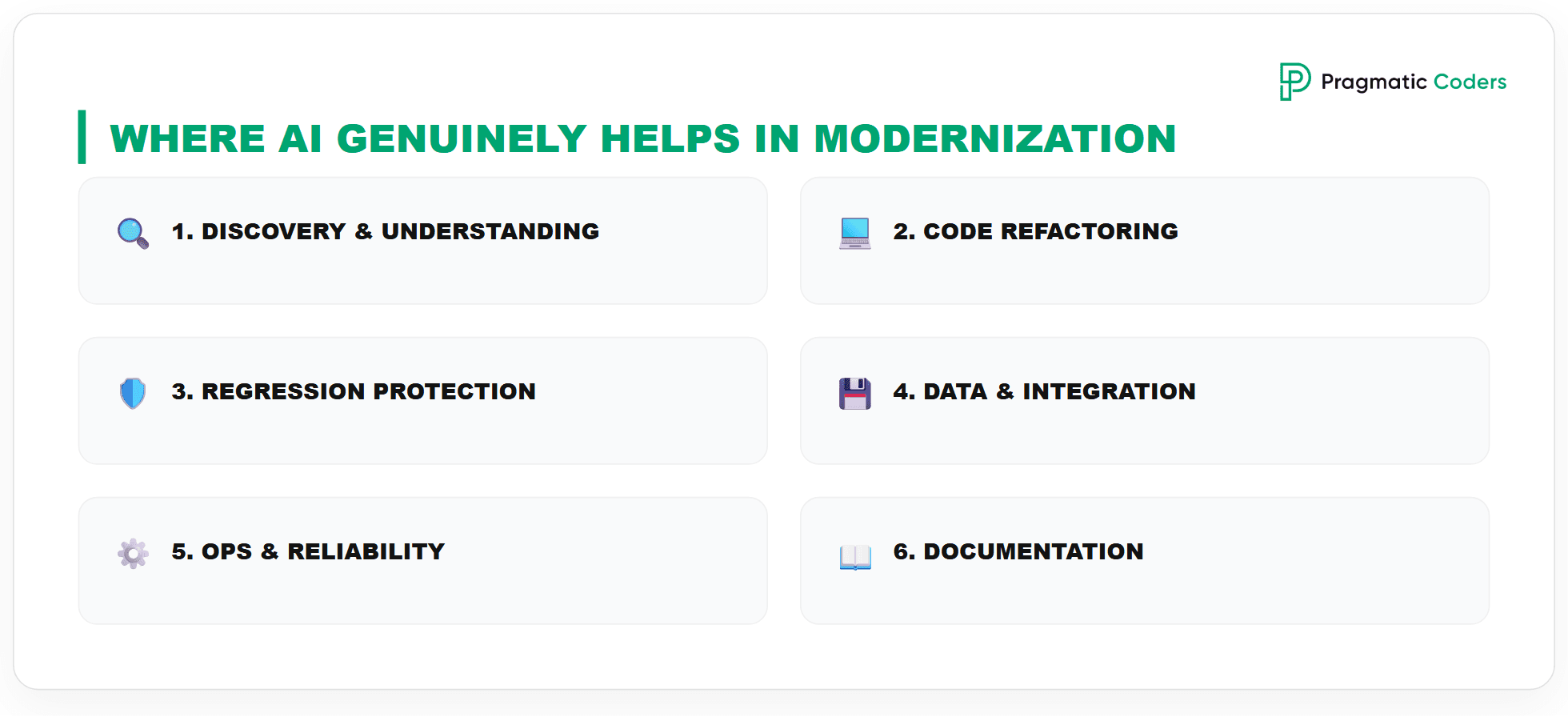
1) Discovery and system understanding
- Dependency mapping: components, libraries, call graphs, code hotspots
- Extracting knowledge from artifacts: repo + wiki + tickets + logs → “how it really works”
- Risk identification: tech EOL, unsafe patterns, failure-prone areas
Effect: faster “as-is” understanding and a sensible roadmap instead of weeks of manual digging.
2) Code modernization (refactor / upgrade)
- Refactor suggestions (module extraction, simplifications, dependency cleanup)
- Framework upgrades (API changes, config migrations) – AI is strong on “mechanical” transformations
- Pattern translation: e.g., “how to move this toward event-driven / API-first”
Note: you still need reviews and tests – AI can produce code that compiles but changes behavior in edge cases.
3) Tests and regression protection (critical in legacy)
- Generating unit/integration tests from existing code
- Suggesting contract tests for APIs and integrations
- Helping build a safety net before cutting up a monolith (Strangler)
Effect: faster creation of the safety net – without it, modernization becomes roulette.
4) Data and integration migrations
- Schema mapping support (old tables → new domain models), transformation rules
- Draft ETL/ELT, validation, reconciliation checks
- Analyzing payloads/contracts (queues/files/SOAP) → proposing new contracts
Note: mistakes are expensive here – AI helps, but validation must be rigorous (comparisons, checksums, sampling, invariants).
5) Operations: observability and reliability
- Log/metric/trace analysis for incident patterns and root causes
- Alert/SLO/dashboard/runbook proposals
- Triage automation (“what broke and where to look”)
6) Documentation and knowledge transfer
- Generating logical architecture, module descriptions, diagrams (from repo/config)
- Living docs updated with changes, useful for audits and onboarding
AI-first rewrite rescued Health Folder: 2,000 hours compressed into 73, with a maintainable Kotlin Multiplatform codebase.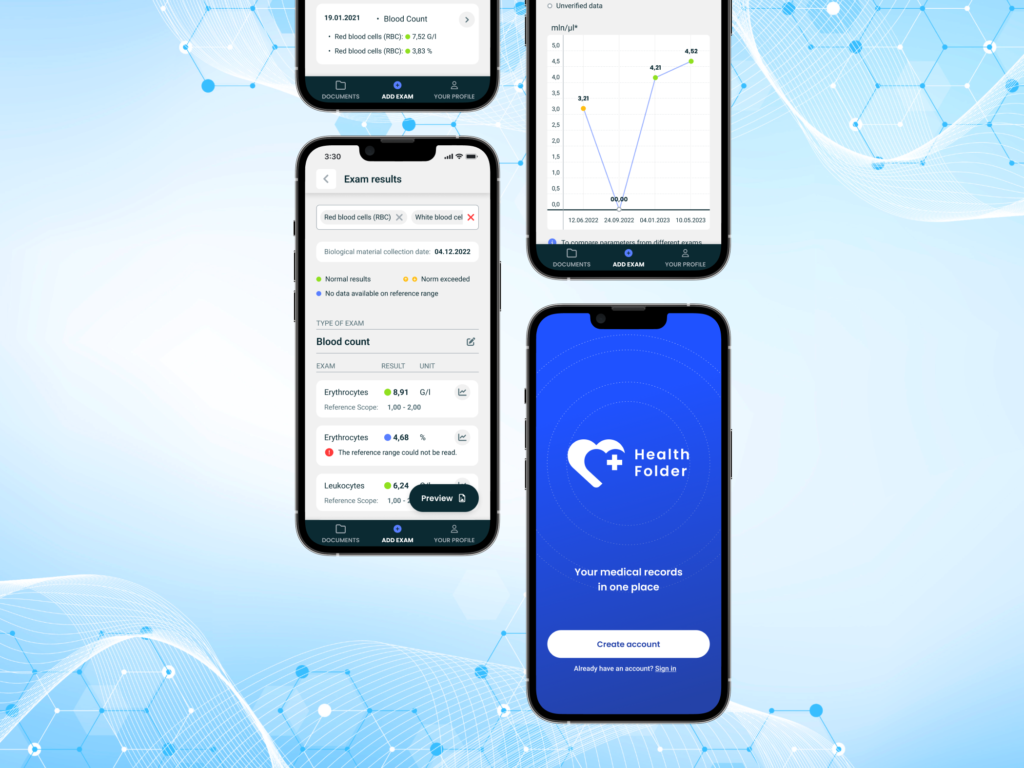
Health Folder rescue: how Pragmatic Coders rewrote a product “with no budget, but with AI”
Typical limits and risks (so you don’t step on a landmine)
- Hallucinations / unjustified confidence: everything critical must go through tests, review, and (for migrations) data validation
- Confidentiality: client code/data → legal/security policy questions (where the model runs, what is logged)
- IP/licensing: risk is small, but some orgs require process (e.g., scanning)
- Lack of domain context: AI is great at mechanics, weaker on business intent without good prompts and sources
Stop Surviving Your Tech Debt. Start Scaling.
Modernizing a legacy system is a high-stakes game. You don’t need a vendor who just writes code; you need a partner who understands the business risks and strategic outcomes.
Ready to find the right “R” for your system? Book a free consultation with our experts to map out your needs.