How to Onboard External Seniors Into an Existing Codebase Without a 3-Month Ramp
You hire external seniors to speed up development. Month one looks different from what the budget promised: the new person is discovering the system. Asking. Digging. Waiting for access. Your own seniors get pulled off their own work to explain the same things again. After three months they finally “get the context,” right when you were already supposed to have results.
The problem rarely comes down to skill. A senior reads code fluently. What they cannot do in three days is guess why the system has 50 microservices instead of 15, what runs locally versus only in the cloud, and who to ask about a specific problem. That knowledge lives in people’s heads. Until you pull it out, every external senior pays the same onboarding tax.
Here’s exactly what to prepare before someone new enters the repository, based on what people who regularly join existing projects say they are missing.
Key Points
- An external senior needs only a system map, decisions with rationale, and someone they can message without embarrassment. Three months of “learning the company” usually come from missing those three things.
- Most onboarding time is lost to unanswered questions like: what runs where, how to ship a change, why the architecture looks the way it does, and who owns what.
- An onboarding pack works as a checklist of checkpoints: topology, local setup, environments, access, architecture decision records (ADRs), integrations, domain, and critical business paths.
- Without openness from the previous team (or without written knowledge), newcomers discover the system by poking around the cloud and tickets. That is expensive and slow.
- Tests and observability help only after the new person knows why the system exists and where they can safely change something.
Three Months of Onboarding Is Usually the Cost of Missing Context
When we talk about onboarding external seniors, we often think about process training, HR, and company culture. Those matter. The biggest cost sits elsewhere: when an experienced person has to reconstruct a picture of a system someone else spent years building, alone.
On one project we took over, a few simple things would have helped Marcin Zając from day one. Documentation of how development works: what runs where, what you can stand up locally versus what you pull straight from the cloud, and what the deployment path across environments looks like. Written architecture decisions, because without them nobody knows why the system has this many services rather than fewer or more. A way to consult the team that built it. And a single inventory of system components, instead of discovering the next piece through the Azure portal.
Marcin put it this way:
“What would have helped is documentation of how development works: what runs where, what is local, what we pull straight from Azure, what you can do locally and what you cannot, and what the deployment path to environments looks like. Architecture decision records: there was nothing, so we could not see why there were 50 microservices rather than 80 or 15. Nobody knew why it was this way rather than another, which made further development harder. System components gathered in one place in the docs; in practice we discovered them by digging through Azure and searching for the next piece of the system.”
Those pieces let a senior start working on the project much sooner, without a long onboarding period.
Dominik Króliczek, who regularly onboards people into projects and joins existing codebases himself, goes one step further: an onboarding plan is usually missing. What helps is a list of places and artifacts the new person should learn in a set order. A conversation with someone experienced on the project is invaluable. A conversation without a checklist leaves the knowledge in one head again.
“There is usually no onboarding plan. That is something I prepared when I onboarded new people: a list of things or places I should learn and read. Walkthroughs where someone tells you about the project matter a lot, and that is a strength. But having a list of checkpoints to work through, an onboarding plan, is what I would prepare if I had to bring new people in from day one.”
An Onboarding Pack Instead of “Figure It Out Yourself”
Give an external senior an onboarding pack: a simple, clear entry map with key points to learn and check off. That pack lets them get productive much faster.
1. System Topology (Ideally C4, Levels 1 and 2)
Before a new person dives into a specific repository, they need a bird’s-eye view of the whole system. They should know the main components, how those components communicate, and where the boundaries are. C4 diagrams at the context and container levels are enough. Without that overall picture, a senior will spend weeks on end trying to reconstruct the system structure on their own by analyzing logs and service names, and by inferring the rest from scraps of code.
Dominik says plainly what he looks for in that pack:
“I would include a link to documentation: what the overall system topology looks like. Ideally C4 diagrams at levels one and two. What the system components are, and how you can run the system locally. A list of environments, ideally with how to get access. A list of people: who owns what, by name, role, and how long they have been on the project. Ideally one buddy I know I can message whenever I need anything. I would want to know component communication at C4 level 2, instead of discovering it over the first three months.”
2. How to Run Anything Locally
A new person’s first win is usually a small change with a visible effect. So the pack needs clear answers: what you can run locally, what you cannot, what you have to hook into shared environments, and how to tell whether a change works.
3. Environments and Access
Dev, test, staging, production, plus where to get access and who grants it. Sounds trivial. In practice a new person can wait a week for basic permissions, then discover that half the system still cannot be touched without another ticket. Access is non-negotiable.
4. Who Owns What, Plus a Buddy
Name, role, ownership, optionally tenure on the project. Optional but highly practical: one buddy they can message with any question. Without that, the senior either spams everyone or stays quiet too long because they do not want to “bother” people.
5. How Deployment and Infrastructure Work
Most often the system lives in the cloud. Most often there is also no short description of how it gets deployed to environments and who owns deployment. Infrastructure as Code is a plus, but you still want topology documentation and the rationale behind decisions. “The infrastructure code is in the repo” alone does not tell a new person why it looks the way it does.
Why the System Looks This Way: ADRs and Drivers
Code shows the current state. Decision rationale has to be written down separately.
Without Architecture Decision Records, a new senior sees 50 microservices and cannot tell whether that was a deliberate choice, a time crunch, a skill gap, or a decision made for a specific driver (for example time-to-market). They also cannot tell whether simplifying is allowed, or whether touching the structure will break something critical. That makes further development harder than missing a pretty diagram would.
Dominik describes that moment of joining plainly:
“I walk into a project in its current state. It is never quite how I would want it, and I do not know how it got there: whether someone lacked the skills, whether AI generated code at scale and nobody looked at it, or whether people knowingly chose seat-of-the-pants solutions because something had to ship. Nobody knows why a given database is used. Maybe it was the first technology at hand, and that is fine to know.”
In ADRs, record the decision together with the rationale. Even better if the team knows its architecture drivers: what guided the technical choices in the first place.
“An ADR-style decision log would help. Architecture drivers too, though I have never seen them on a project other than my own: what guided the people making technical decisions on that project.”
The same logic applies to third-party integrations: what the system connects to, whether you write, read, or both, sync or async, and what the key use cases are. Without that, a new person discovers dependencies only when the first change breaks something downstream.
We wrote separately about what documentation to require from a vendor (and in what form): what documentation to require from an external software vendor.
Business and Domain: Without Them, a Senior Optimizes the Wrong Things
Technical onboarding without business context gives you someone who can fix code but does not know what is critical.
The onboarding pack should answer simple questions:
- How does this product make money?
- What are the critical features and user paths?
- Who is the user, and how do they actually use the system?
- What happens when the system goes down, and which hours hurt most?
- What is the stakeholder vision: why was this built at all?
Dominik adds one more layer, often overlooked:
“It would help to know how the project makes money, what the critical functionality is, who the users are, and exactly how they use it. One more thing, maybe a bit non-obvious: stakeholder vision, why this exists. People usually do not think about that day to day, so during onboarding it is not always passed on. What are the critical paths for the system, what is the worst that can happen, what happens when the system goes down?”
Add a domain intro: a glossary of terms and a list of domain experts (who covers what).
“It would also help to have a domain introduction. What domain is this? Domain vocabulary, meaning a glossary, and who the domain expert is for each area.”
People on the team often “just know this,” so they skip passing it on during onboarding. Later you find that even the existing team lacks a shared understanding of what is critical.
Observability, Tests, and Tribal Knowledge
Once documentation and recorded decisions are already available, two more pieces let you onboard a new person even faster.
Observability. Access to monitoring plus a short guide: how to check whether production is down, where to look, and what counts as an alert.
Tests. Unit, integration, and end-to-end tests reduce fear of the first change. A senior can verify more quickly that they did not break a critical path. At onboarding time, however, tests do not replace a system map or ADRs.
The common thread is tribal knowledge: knowledge that lives only in people’s heads. The practical goal of an onboarding pack is to move as much of that knowledge as possible into markdown next to the code (or at least into one up-to-date place in the wiki), where someone can read it without fifteen conversations.
“It is really about good practices and visibility: so as little as possible of what lives in people’s heads, so-called tribal knowledge, stays there, and instead gets pulled into markdown, or in a worse case into Confluence, so you can ask, read, or at least know something is written down somewhere. It would also help to have access to monitoring and observability. If the project does not have it, that makes things harder. If it does, you often still have to figure out what lives where on your own. A guide for checking whether production is down would help.”
Openness From the Previous Team Is an Artifact Too
Not every part of onboarding fits in a file. Sometimes newcomers simply need to ask the people who built the system.
When the previous vendor is not open to consultation, external seniors are left to play detective alone: hunting for components in the cloud, reconstructing decisions from commits, and learning from mistakes. You can get productive that way, but it takes months and creates a cost you never see in the hourly rate.
When you change partners or bring in external seniors, define clearly who from the previous team will be available, for what, and for how long. Without that cooperation, the time from start to first valuable change stretches out.
If you are taking over a project from a vendor who will not cooperate or left the system in bad shape, a documentation pack alone may not be enough. Then you need the approach typical of project takeovers: regain control of production, access, and critical flows first, and only then expect new seniors to move fast.
Checklist: What to Have Ready Before an External Senior’s Day One
- [ ] Onboarding plan with checkpoint order (instead of only “read Confluence”)
- [ ] Topology diagram (C4 L1/L2 or an equivalent picture of components and communication)
- [ ] Local run guide: what works locally, what does not, how to validate a change
- [ ] Environment list + path to get access
- [ ] Ownership map (who owns what) + assigned buddy
- [ ] Deployment path and infrastructure topology (plus the “why”)
- [ ] ADRs / decision log for key architecture choices
- [ ] Third-party integration list and their use cases
- [ ] Short business brief: revenue model, users, critical paths, outage impact
- [ ] Domain glossary + domain experts
- [ ] Observability guide: how to check production health
- [ ] Who from the previous or current team you can ask when knowledge is missing
What to Do Before You Hire Another Person From Outside
Before you decide to hire another external senior, ask yourself whether your environment and codebase actually allow someone new to ramp smoothly, regardless of what their CV looks like.
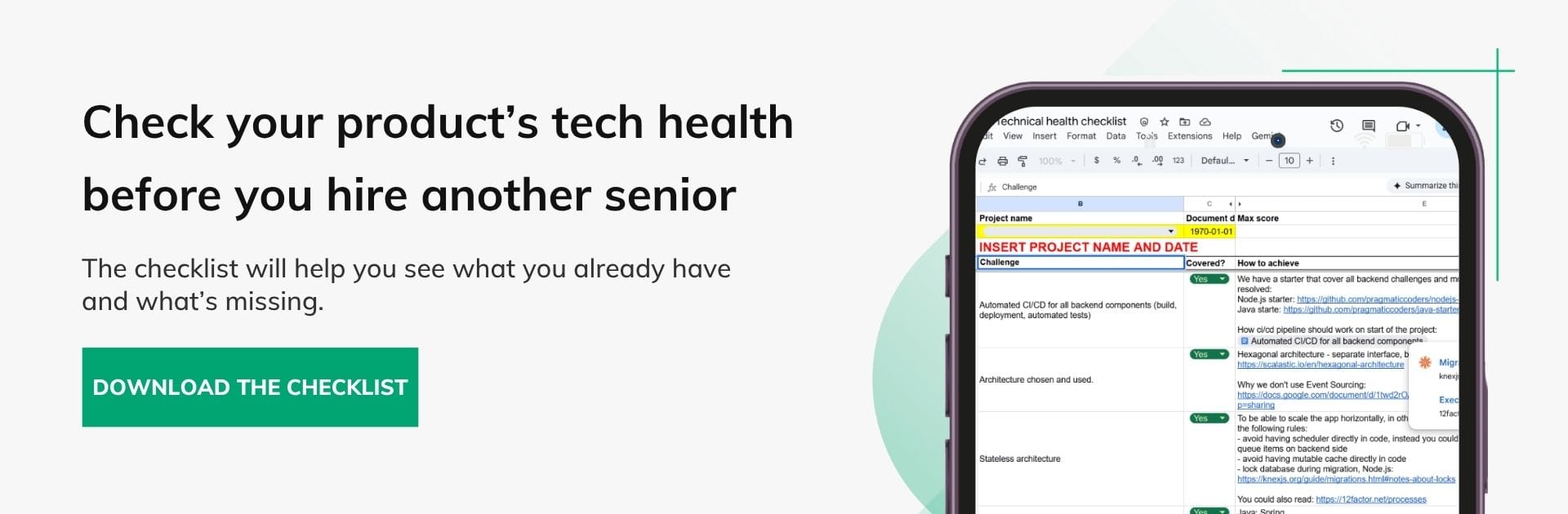
A solid starting point is the product technical health checklist: architecture, tests, CI/CD, observability, data, and security. Gaps in those areas usually explain why onboarding takes a quarter even when, on paper, you are hiring “very experienced people.”
If you lack solid documentation, clearly recorded decisions, and a decent system map, fill those gaps first, or bring in a partner who can gather knowledge and write it down while they work. Otherwise every experienced external senior you bring in will have to discover all the essentials on their own, from scratch, which creates extra cost and delay.