Where Does the Time AI Saves Go? A Developer’s Notes From 18 Months on a Legacy Project
Your team has been working with AI for months. The tools are in place, the licenses are paid for, and developers say AI is already part of their work. Yet the same question keeps coming from the top: when will this show up in our delivery pace? AI was supposed to save time, but it’s hard to say where that time is going.
It was much the same at the client whose project I describe in this article. Nobody named specific numbers, but the board and the owners expected the work to speed up. A technical audit of all the client’s systems was even commissioned, which was supposed to show what it would take to get the teams moving faster. The catch was that the teams were already using AI heavily and believed they couldn’t go any faster. The audit, however, focused mainly on the process of writing code itself.
AI saves time when you deliver code, but that saving shows up in the pace of the whole team only once requirements keep up with implementation. Until then, the saved time goes somewhere else. In this article, I’ll show you where it went for me over 18 months on a legacy project, and what the client got out of it. Your project is probably different from mine, so I’m not promising you’ll find that time in the same places.
The Speedup Nobody Expected
The project was a typical legacy system at a logistics company: old code, documentation in poor shape, and frequent signals from production that something was wrong. I worked on it from the moment we took it over from the previous vendor until we handed it to the client’s in-house team. AI was a constant part of our work from day one. We gave it whole tasks, made sure it stayed on course, and verified the results.
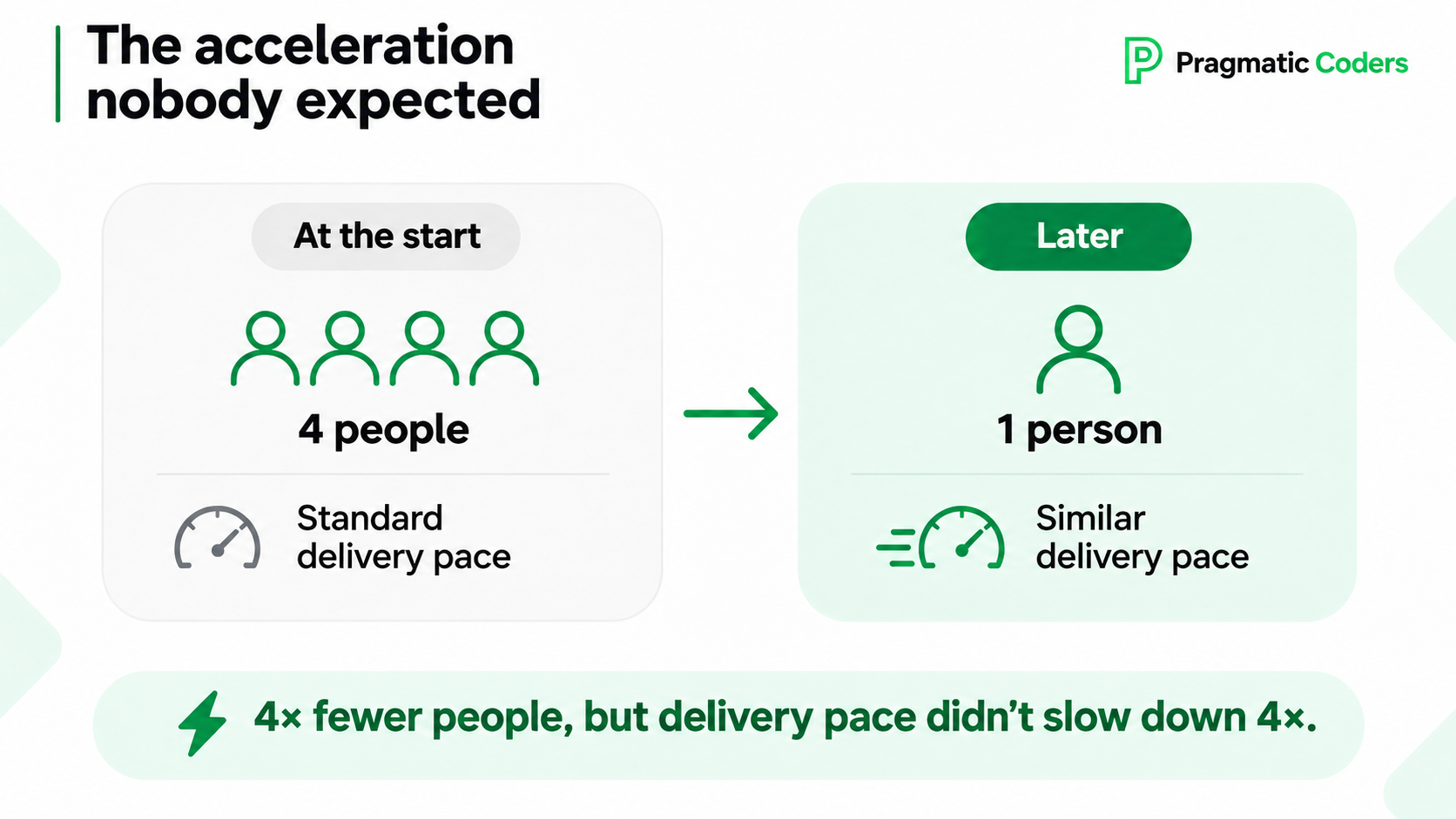
Over time, the client scaled our team down step by step from the four people it started with. That wasn’t at odds with the push for “faster.” The owners wanted the whole organization to speed up, but for this one system a separate decision had already been made: look for savings and build an in-house team.
As part of that change, a new Product Owner joined on the client’s side and first had to get up to speed on the organization. From the client’s perspective, this was meant to be a holding pattern. We would mostly maintain the system, and development would start only once the new team, still being put together, took it over. So nobody was planning far ahead.
Every week, though, I kept looking for improvements that would keep our pace from dropping in step with the shrinking team. That was exactly when my work with AI changed the most. Three things came together at once. The models had clearly improved by then. The smaller team forced me to give the agents more autonomy. And to make that work, I had to change how I worked with them.
Before, I would start with a general description and reach the result I was after through several rounds of corrections. Then I reversed the order. Before starting work, the AI would ask me about anything left unspecified, until the requirements were written down precisely. That way, I often got the result I wanted on the first try. None of these three changes would have worked as well on its own.
We ended up with a quarter of the people, but our delivery pace did not drop fourfold. For a client who had been expecting a holding pattern, that came as a surprise.
I can’t credit all of it to AI, though. Other things helped too: very good knowledge of the system, lighter tasks (more often adding new pieces on top of what already worked than changing the core of the system), and working alone. That last factor let me test new approaches right away, without consulting a whole team or designing a process with them.
The New Bottleneck: Clarifying Requirements
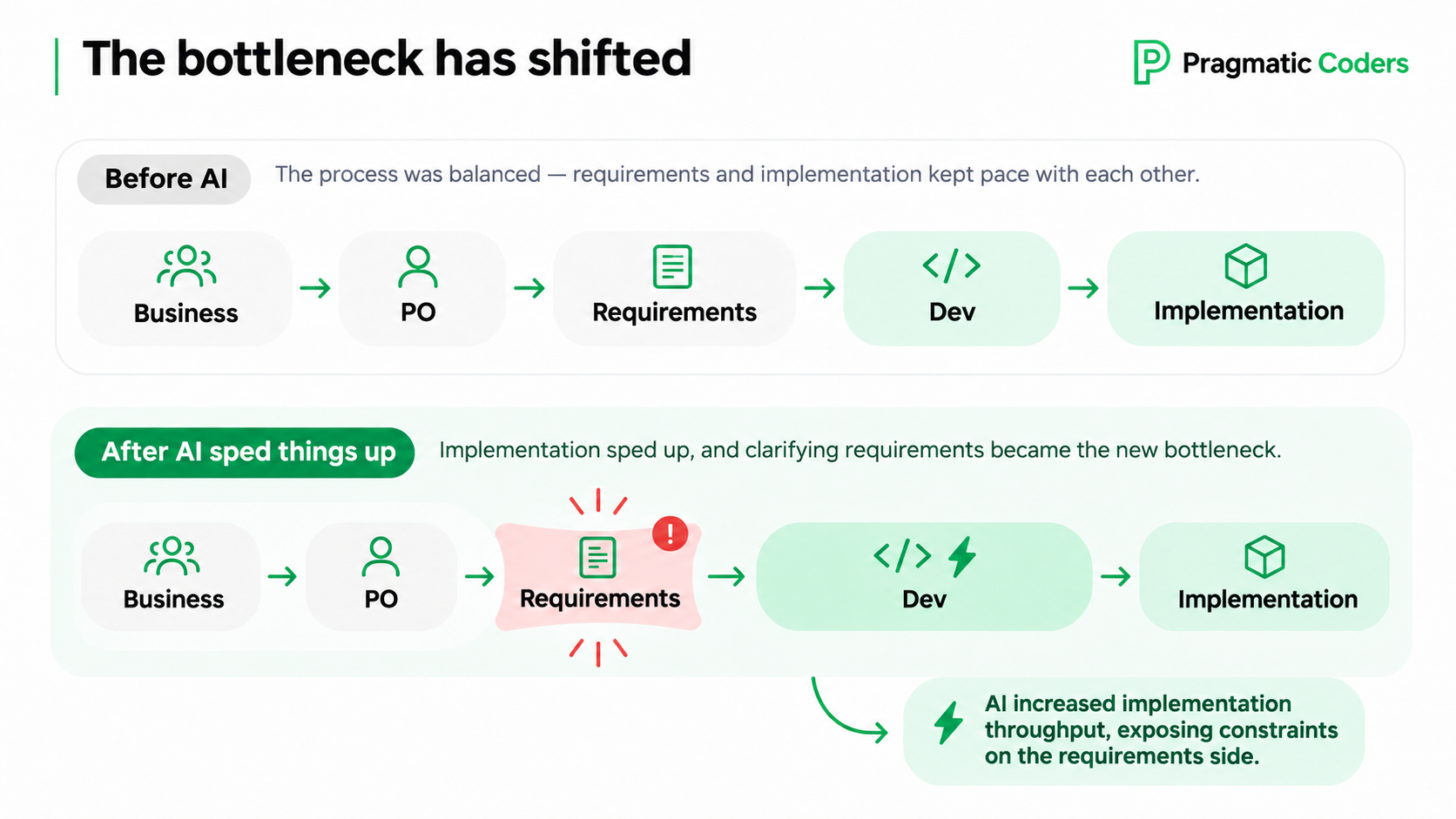
The first effect was the one everyone expects. Implementation sped up, and we quickly worked through a small backlog. Tasks disappeared one after another. Some of them, though, were missing something and had to go back to the business. As implementation got faster, the list of such tasks grew faster than the business could resolve them.
Here is how it looked for us. The Product Owner agrees on something with the business and hands over a feature description. The developer comes back with gaps and questions. You take them back to the business, track down the right people, and wait for answers. Each such round trip takes days, and the tasks sit waiting in the meantime.
Nobody was dropping the ball here. The process had worked fine before: implementation was slower, and the work was planned well ahead. During the transition, both of those changed. Implementation sped up, and the new Product Owner was still learning how the organization worked. So the buffer of already specified work ran out quickly.
Sometimes a gap only surfaced after release. On the implementation side, everything checked out. The feature went to production, and then the business came back saying it had pictured something different. The implementation matched the description, but the description missed what the business needed. We ended up reworking it.
Delivering code faster on its own did not solve this. Quite the opposite: once building got faster, we could also build the wrong thing faster. We described a similar effect using the Pragmatic Meet team as an example.
One thing that helped a lot was that the developer was no longer the only person working with AI. The Product Owner started preparing clickable mockups with AI and showing them to the business before a task went into implementation. That is how we handled, for example, the substatuses of one of the statuses in the system. It was a complex piece of work: the change touched many places in the system, including data filters and dropdown lists. The Product Owner laid out on a mockup how he pictured it and talked it over with logistics operations. Instead of describing it, he could show it: click here and this happens, and this view behaves like that.
The gain was twofold. Conversations with the business went more smoothly, and there were fewer and fewer mismatches between the description and expectations. And when I received a mockup, I understood more easily what the Product Owner wanted to achieve. Before, he had to put his vision into words for me, and that is always an extra layer where something can get lost. Now I could see his intent right away.
If your team has sped up with AI and you see no effect, the bottleneck may well be right here: in nailing down requirements between the business and the team.
Where the Saved Time Went
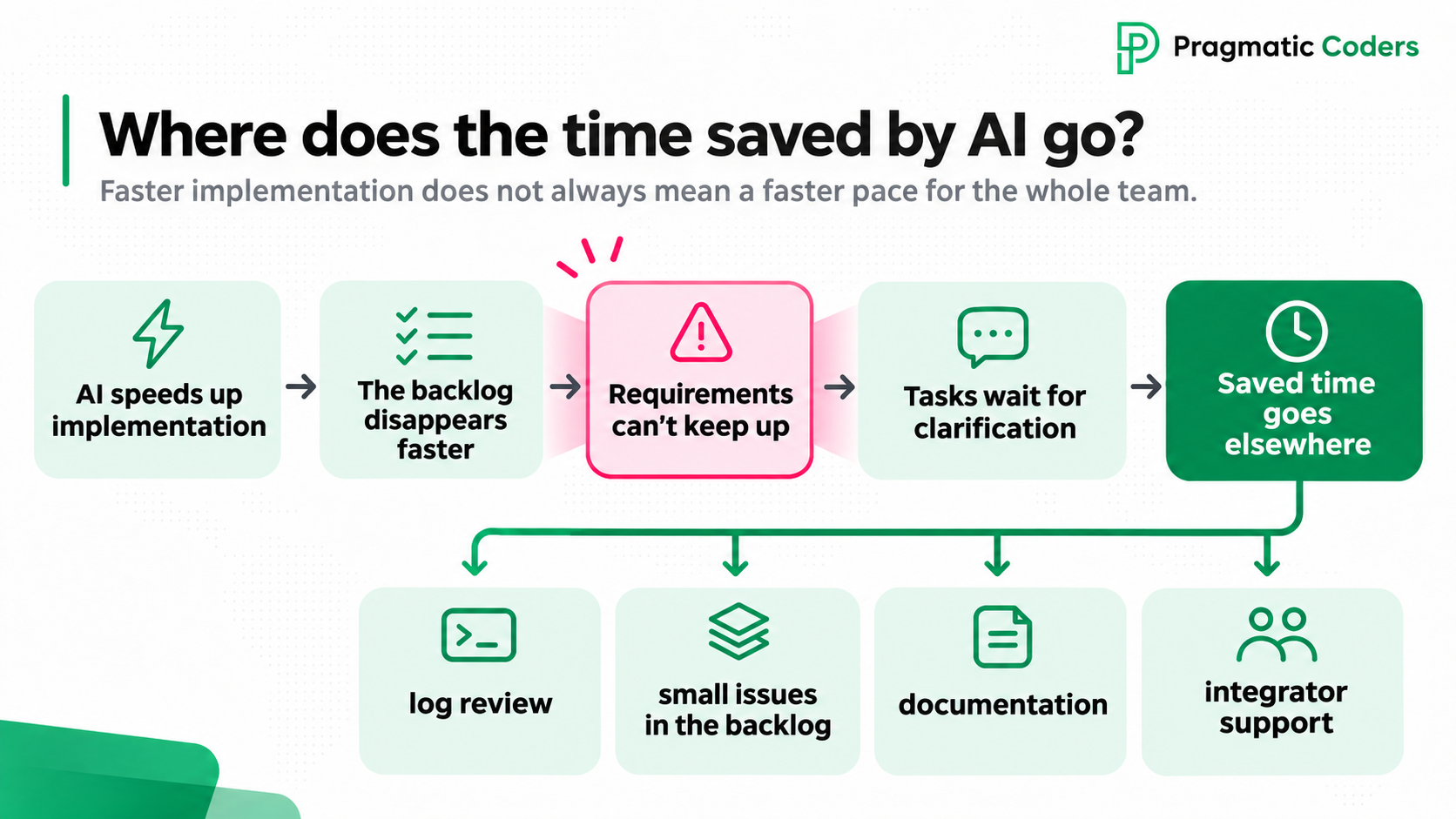
Since some tasks were waiting on answers from the business, I needed to put the time I had saved with AI to good use. It went into things that had been waiting for their turn for a long time:
- Proactive log review. I cast a wider net, covering less alarming signals and edge cases as well, and I could fix those problems alongside the feature work.
- Writing up small problems. Anything that wasn’t critical went into the backlog as a ticket. The business could see the problem and decide for itself what to fix now and what to fix later. That gave the business control over risk.
- Documentation. When we started on the project, we found the documentation in poor shape, so there was time to fix and extend it.
- Integrators. I supported the business in conversations with companies that wanted to integrate with the client’s system, and sometimes even took those conversations off its hands.
AI helped here in two ways. First, it helped get the work done, because analysis and writing documentation are areas where AI performs very well. For example, log analysis with AI caught a bug that a coordinator from logistics operations had run into in a very specific situation. Nobody had even thought of that case, there was no alert for it, and the user who hit it never reported it, for some reason. Without proactive log review with AI, it would probably have gone unnoticed. Instead, it went into the backlog, and the business could judge for itself how urgent the fix was.
Second, AI helped check the quality of the work. For the documentation to be useful, it had to be correct. Besides reading and correcting it myself, I gave it to an AI agent that played the role of an integrator and tried to integrate using only the document. The agent quickly showed what was missing and what was unclear. I was still the one responsible for whether the documentation matched the real system and whether it was usable.
Conclusions
The gain from using AI in everyday work is noticeable, but it rarely looks the way the board imagines it. For that gain to show up in the team’s pace, requirements have to keep up with implementation, and someone has to decide where the freed-up time goes.
So when pressure comes from above to deliver faster, check where the time is going in your project before you pass that pressure on to the team. If tasks are waiting on answers from the business, the process is what needs fixing. You can speed that process up, for example by showing the business mockups before a task goes into implementation. And if the team has spare time, agree with them on how to spend it.
If you have influence over the delivery process, you can start right away. Sometimes, though, an outsider can help, because it isn’t always easy to see from the inside where the problem lies. What matters is that you look at the process end to end, from idea and need through to release. The audit I mentioned at the start focused mainly on code delivery, where AI gains are fairly easy to achieve, rather than on the places where those gains get lost.
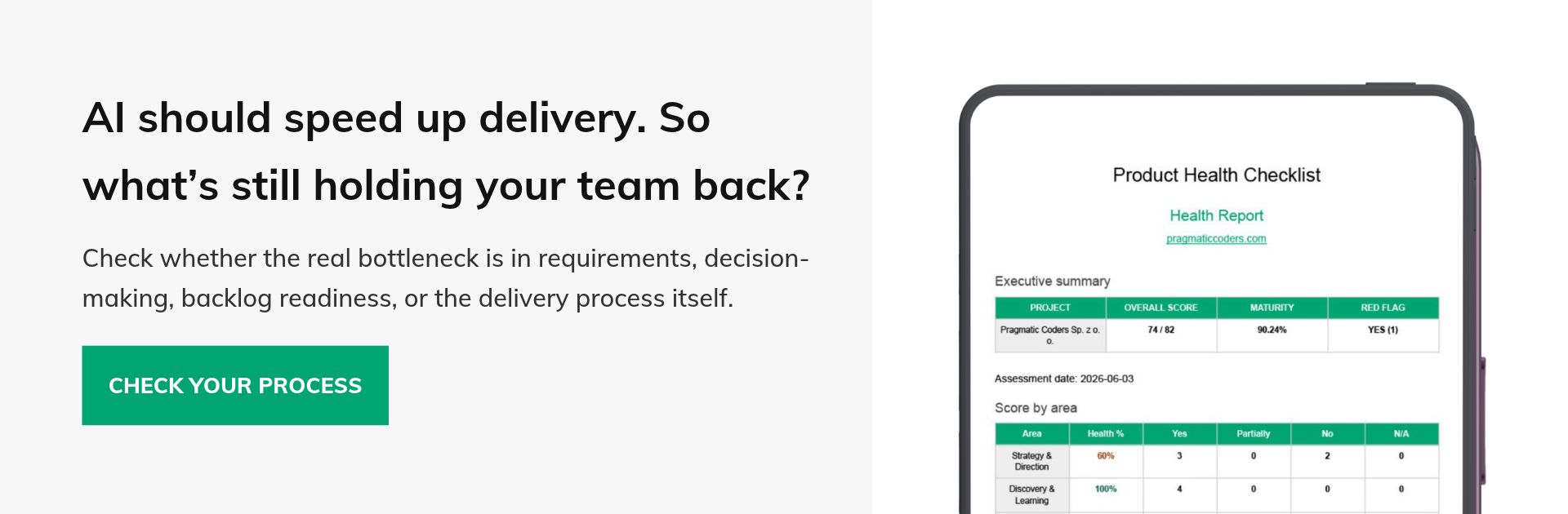
If you want to check where the time that AI was supposed to save is slipping away in your case, take a look at our checklist or book a free consultation.
If you want to check whether gaps in requirements, backlog preparation, or stakeholder alignment are slowing down delivery in your project, start with our Product Health Checklist. It can help you identify areas that need attention. Or book a free consultation to discuss your situation.