How AI Tools are Changing Software Development
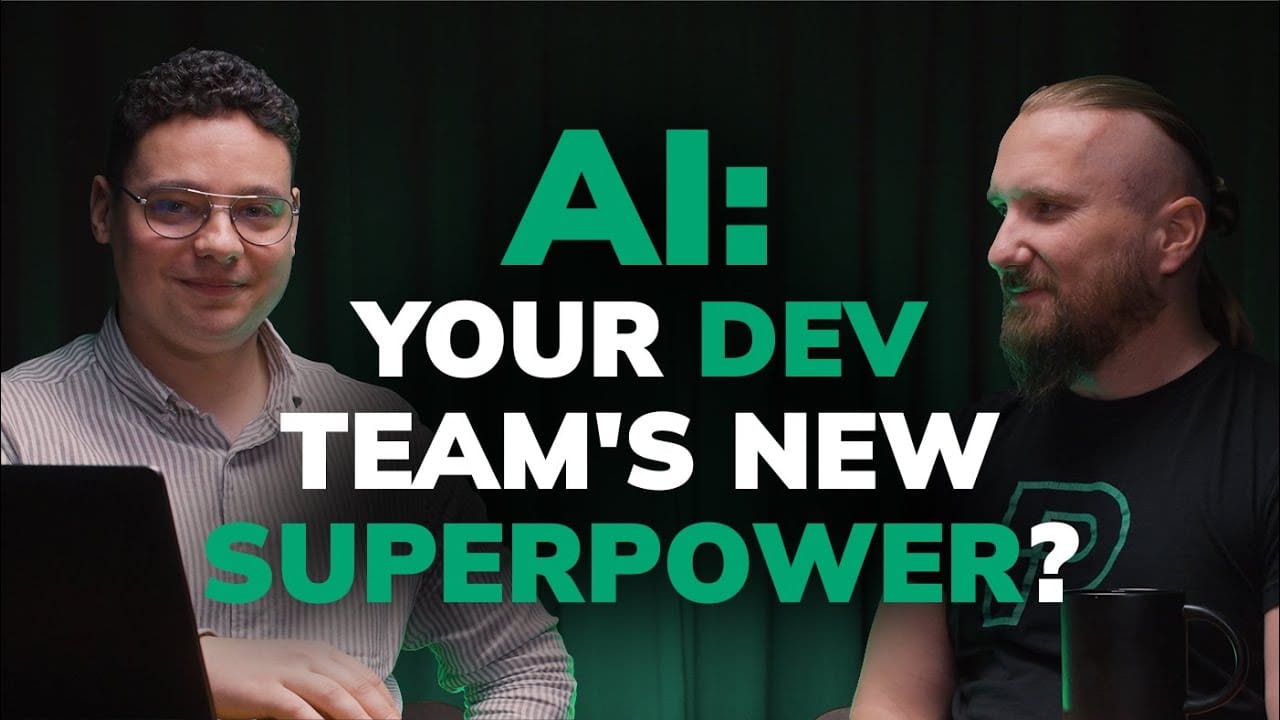
Here’s what you can learn from this episode of Pragmatic Talks:
What is vibe coding and how is it different from professional AI use?
- Vibe coding explained: A term coined by Andrej Karpathy, vibe coding means focusing only on the desired functionality and letting AI generate all the technical details. The developer describes what they want in plain language (like English), and the AI builds it.
- Its limitations: While great for personal projects, MVPs, or validating ideas, vibe coding is not suitable for professional, production-ready products. An expert developer cannot tell a client, “AI generated it, it’s not my fault,” when a bug appears. Professionals must understand and be accountable for the code.
- The rise of no-code developers: Vibe coding allows people with no prior programming experience to build and deploy simple applications, but when these products grow, they usually need to hire experienced developers to rewrite or manage the codebase.
How AI is accelerating professional development
- Significant speed increase: While hard to measure precisely, AI can speed up the development process by two or three times, or even more for simpler tasks.
- More time for quality: This acceleration gives developers more time for other important activities, such as writing better tests, improving processes, and focusing on product quality.
- Evolution of AI tools: The support from AI has evolved from simple inline suggestions (like GitHub Copilot generating a single line) to more advanced “agentic generation” (like Aider) that can understand and modify code across multiple files.
- Live demo of Aider: Sebastian Druciak demonstrates Aider, a terminal-based AI agent. He shows how it can first analyze and explain the purpose of an existing code file. Then, with a simple prompt, he asks it to add a new feature–reading and processing data from an Excel file. Aider not only generates the new code but also correctly identifies and follows the project’s existing conventions, such as adding logging statements.
Why some developers think AI is unusable
- The context problem: The most common reason for disappointment with AI is providing poor or insufficient context. If a developer asks for code without telling the AI about the project’s specific architecture, libraries, or coding standards, the AI will produce a generic and often unsuitable solution.
- The “bad prompt” issue: Many developers struggle to describe their problems clearly and specifically. Just as a vague question on Stack Overflow gets poor answers, a vague prompt given to an AI will lead to poor results. Effective prompting is a critical skill.
The three pillars of effective AI coding
To get the best results from AI, developers must balance three key elements:
- 1. The model: It is important to choose the right AI model for the job. For complex development tasks, using the most powerful models (like GPT-4o) is best. For high-volume, simpler tasks, a less powerful model might be better to optimize costs.
- 2. The context: This is perhaps the most critical pillar for developers. Providing the entire codebase as context is a mistake, as it is too complex for the AI to handle effectively. The key is to provide only the relevant files and information required for the specific task.
- 3. The prompt: The prompt must be clear and specific. It is better to use high-impact, direct words (e.g., ‘create’, ‘analyze’) instead of vague ones (‘understand’). The quality of the prompt directly affects the quality of the generated code.
The changing role of communication for developers
- Communication is more important than ever: The idea of a programmer who does not like to communicate is becoming outdated. To work effectively with AI, developers need excellent communication skills to write clear prompts.
- From coding to problem-solving: The developer’s job is shifting away from writing code line-by-line and more towards analyzing problems, designing solutions, and creating very detailed requirements. This requires more collaboration and meetings.
- Well-refined stories as prompts: A well-prepared user story from a backlog refinement meeting–complete with code snippets, affected classes, and test cases–can be given directly to an AI agent to generate code that is almost ready for production.
Boosters and buffs for AI-assisted coding
- Good process is key: Teams with strong, established processes, especially for backlog refinement, can use AI much more effectively.
- Create a convention file: A simple document that summarizes the project’s conventions–such as the tech stack, database type, required libraries, and architectural patterns (e.g., hexagonal architecture)–can be given to the AI as context to ensure it generates compliant code.
- Documenting becomes a daily job: Creating good documentation is no longer just for onboarding or handovers. Detailed, well-structured documentation is now essential because it serves as a valuable source of context for AI assistants.
Here is the full transcript wrapped in the single accordion item as requested:
Full transcript
Introduction
Wiktor Żołnowski: Welcome to the next episode of Primatic Talks, where we are going to discuss how AI is helping developers in their day-to-day job. Today with me is Sebastian Druciak, who is one of our experts in AI coding or coding with AI. Welcome, Sebastian. It’s great that you are here and it’s great that you decided to share some tips and tricks on how you use AI in your daily work, how you use AI to help you with programming, with coding, and thank you for being here. Let’s start with the first question about something that we are not going to talk about in depth today, but I think it requires some explanation, mainly because a lot of people are talking nowadays about vibe coding. So could you tell us a little bit more about what vibe coding is and how it is different from the way that programmers, especially experts in programming, are using AI?
What is vibe coding?
Sebastian Druciak: Hi there, Wiktor. I’m happy to be here. It’s a nice time to be, let’s say, an expert in such a company in the AI space, so that’s also a good thing for me to be here. In their daily work, so I guess that vibe coding popped up, I don’t know, last month, I believe. I heard about this for the first time, to be honest, last week. So Andrej Karpathy, the, let’s say, inventor of vibe coding, he said that the hottest new programming language is English, or we can also say Polish, Italian, whatever. In vibe coding, you are just focusing on what you want to achieve, so you’re focusing on the functionality you want to build. You’re not focusing on the details, on the tech details. So this is the main thing–you are just focusing on the feature, you are skipping the technical part, so everything is generated by the AI. You are marking it as production-ready, so you are just generating, pushing it to production, and you can forget about your code because it’s generated, it’s supposed to work. So you are giving all of it to the AI; you’re just solving the problem. And this is something similar we spotted at the beginning when AI popped up. There were a lot of memes of the conversation between a developer and, let’s say, a casual guy not from IT, that he developed the page and he was sending the HTML file. It was skipping all of the process but just focusing only on the page itself, and this is the similar approach. Because if I were to use vibe coding for production products, for the products for the customers, when a bug would appear, the customer might ask me what happened, why it happened, and my answer would be, “Yeah, AI generated it, so it’s not my fault.” And as professionals, we cannot answer in this specific way. That’s why vibe coding is a very cool concept. It’s very cool for personal projects, for small projects, or maybe for just validating your thoughts if that’s something that would work.
Wiktor Żołnowski: Yeah, and I think that many people are so fascinated about vibe coding nowadays that there are more and more tools that are actually allowing doing that. And there’s a bunch of people who have never been programming before who nowadays can actually try it on their own, build something, deploy it on production, and bring it to massive numbers of people who are using those kinds of, usually very simple, applications, very simple software. Yeah, by building ideas, building some kind of, let’s say, MVP or proof of concept, providing it to the broad audience, and then when things go further and the product is used by many users, then usually there’s the moment where vibe coding is not enough anymore and you need to hire a serious developer for actually changing your application. At least right now, at least in, let’s say, the first half of 2025, things may change pretty rapidly, and who knows what will happen at the end of the year or in the next years.
Sebastian Druciak: Yeah, that’s right. And also you mentioned that for the business, it seems like it’s very catchy because the speed that we develop functionalities is pretty, pretty crazy. I am sometimes really surprised how fast I can deliver, but it’s still just for my personal use, not for enterprises regarding the speed.
Wiktor Żołnowski: Yeah, like from what I read, from what I heard, and from what I see at Pragmatic Coders and elsewhere is that actually AI, regardless of vibe coding, but AI supporting programmers in coding is accelerating the process of delivering software. The process of programming is accelerating it by two times, three times, sometimes even more, especially for some simple cases. So how do you see it from the programmer perspective? How has AI speeded up your work?
How AI is accelerating professional development
Sebastian Druciak: For sure, it’s hard to measure because from project to project it differs, and also from problem to problem it also differs. But at the end, we can feel that we have much more time that we can spend, not in the kitchen discussing some random things, but we can spend it on the product. Still, because we have more time for tests, we have more time to build some kind of process. So we can spend this spare time that AI gives us for other things. So currently, the developing process is kind of changing, and it’s changing a lot because of AI, because now we have tools that are really supportive in the way that we can understand the problem better and also to speed up the process of the coding itself. So there are a few ways that we can use AI, and one is the coding and the second is the process. So if we have time, if we have a mature team, we can start using AI as a whole, not as a separate, single part of the team. So for example, we can start using AI as a pipeline process in our CI/CD. I personally am trying it as, let’s say, the first step of the code review because I’m working with juniors and sometimes the code that they are writing can be verified by an automaton. So that’s the way I’m trying to validate if this is something for the AI also. So this is one part, but the most important, probably, and most catchy, is the whole coding process. And here there are also different ways to get support from the AI. One and the simplest is Copilot, so the inline editor–something more fancy that we got in the IDE. So we get some suggestions that we can use, and we are applying them or not. So this is some kind of the easiest way to get into AI, and then we can decide if you want to go a step further, so with agentic generation. Or that’s something that we want to stay for a bit to get more comfortable because when we are working with Copilot, it is generating only a single line. But when we go further, when we go for the agentic generation, we can start generating across multiple files. So the mentality of ‘everywhere’ is pretty key in this kind of work.
Wiktor Żołnowski: You already mentioned Copilot as a tool. I think we will record a separate episode where we’ll review the most popular or one of the best AI coding tools for developers, but that’s a topic for another discussion. You said that Copilot is something for, you know, like simple code edits, like some, let’s say, one-line or one-function, one-method generation, things like that. But I know that you’re using way more advanced tools, so could you share what’s your favorite and how do you use it?
Sebastian Druciak: So I am currently a big fan of Aider, which is an open-source agent run in the terminal, so there is no limitation if you want to use Visual Studio Code or if you are big fans of IntelliJ. So personally, I am from the Java world, it’s my main language, and I am a big fan of IntelliJ and I don’t see myself in other IDEs that are available on the market. That’s why I go with Aider. And maybe I can also show a quick sample.
Wiktor Żołnowski: Show us how you use it. So let’s open the terminal.
Sebastian Druciak: So as you can see, I just ran Aider, I started the agent. And what can I do in this tool? First of all, I can add something to the context, because context in AI is, I believe, one of the most important things that we can share with it. So first of all, I could add something to the context. So let me add a file. I have some samples here, so maybe I will go with the AI agent, let’s say here. And what we can do, we can start working on the file I just added. So maybe I will ask what is the purpose of this specific file.
Wiktor Żołnowski: So you actually don’t need to read the documentation, or maybe there is no documentation. You can just ask AI to explain to you what the file is about.
Sebastian Druciak: That’s correct. What is the purpose of agent.py? So I’ll just select also the file. Okay, so now what Aider is doing is it prepared a quick document on what the agent.py file is doing. So we can see that this is the agent that has a few things that it’s capable of. So for example, it is able to add a new–and there is some sort of flows in the system–and we can see that there is flow management and flow execution, and there’s some user guidance, so how to list all of the flows and offering help when requested. Okay. So now what can we do? Now we know what is the purpose of this file. To not go into the details and add new and additional context for this whole system that I’m currently building, we can define a new purpose for the specific file and we can define, let’s say, a new flow, because there is something like flows. And let’s start with the prompt. So the prompt will be: Let’s figure out a new way to interact with the agent. Now, let’s, for example, read from the file. The main directory will be input. In the input directory, you can expect XLSX files, and the rows will be–and let’s define–let’s have an ID, let’s have a name and description. And let’s see what we will get. Okay, so now we can see that it described quickly what it needs to implement for the specific feature that I just requested. Then we can see that it’s searching some specific parts of the file, so here, imports, because it wants to import pandas for the Excel sheet support. Then we can see that it added some input directory as a start, and then we can go deeper. So we can see that here by itself, without any other specific details, it just implemented processing of the file. And also what’s important, it added something like logging that was mentioned in the previous methods. So first of all, it analyzed what is in the file, it spotted that I have some conventions, which is the logging, so each flow starts with the log and then it’s happening, it’s executing. So now we can see that it just implemented some new feature, and now with our process, we have to review each code it generated and decide what to do with it. By default, it just accepted and committed the changes to Git. So I can decide if I can improve this specific answer or maybe I want to redo it. So without a problem, I can always do the undo. So each change it just did will just disappear and come back to the previous state. But what we can do, we can iterate on this. So now it just did some replacement on the files, but still, if you want to add a new way to access the agent, it will start generating new methods and this file will start to be unreadable. So now we can request to do some adjustment, for example, to move it to a separate file, to build maybe a new layer of abstraction, so maybe a new class. So we can work around like we are just developing, but instead of clean coding, crisp, without the AI–so old-school, let’s say, coding–we can instead use our language, English, let’s say, to suggest to the AI what our expectation is, what it’s supposed to generate, and skip the execution part to the AI.
Wiktor Żołnowski: Cool, and you just review the code and decide if it’s something that you were looking for or if it requires some changes. And you just ask AI to change it, alter it according to your suggestion. Cool. That’s right. So still, there are no shortcuts to becoming, let’s say, a senior developer in one year because we are using AI. It’s more like we are using our experience to use AI to speed up our process, but there is no way to skip our experience to somehow, you know, become a senior because we are using AI. We are using the experience, but we are not skipping anything.
AI’s impact on junior developers and the learning curve
Wiktor Żołnowski: Let’s say, from starting junior developer to some well-performing junior developers, don’t you think that by using this kind of solution, when someone becomes proficient in using AI and feels that they know what they are doing with it, this process of learning to code is much faster than it used to be?
Sebastian Druciak: Yeah, so I can totally agree that as a junior, it has to be something that is helping a lot and they can even use it for a learning purpose. Because when you tell it you have some experience, you are a senior developer, you don’t need the description about the changes it is suggesting, then it will not give you it. But if you go to a different scenario, if you want to have descriptive responses, if you say that you’re a junior, you are just training, learning, you want to know every detail that it provided, it will try to do it. So this is the way probably juniors can use it, and it has to speed up that whole process.
Wiktor Żołnowski: I remember the time that, for example, when I started coding, like most of the time I was spending on solving some issues, solving some errors, and there was no one around who I could ask for help. But with AI, with this kind of solution, it’s much easier. But from the other hand, I see that the things that I learned by solving these problems, those were the things that people who will just ask for the solution, not ask for, you know, the explanation of what’s wrong, I think that many people could miss this learning phase. That they just go from, “Okay, I have some code, it doesn’t work. Oh, it works. I have no freaking idea why, but it works, so it’s done,” and I move forward.
Sebastian Druciak: But those details that you mention, that you solve a lot of problems by yourself, for the AI, those problems are pretty simple. Yeah, so at the end, it will deliver without those errors. So this is the part that is probably skipped by the junior.
Wiktor Żołnowski: Yeah, and I think that the definition of junior, senior developer, and something in the middle–those definitions will and actually are adjusting right now. Like someone, even someone who used to be a senior developer a couple of years ago, or even last year or two years ago, if they are not following the newest trends, if they are not learning how to utilize AI for their day-to-day job, I’m not sure if we should even call them senior developers anymore. More like, this is one of the skills that right now should be just a basic skill for every single developer.
Sebastian Druciak: I agree that by default, we should first go to the AI because that’s the simplest solution. Now, documentation is somewhat outdated currently because you have to scroll through the whole documentation, which is pretty long, and with one single prompt, you will get the answer. The problem starts with the newest tools that currently are not available via the AI, so that’s a tricky point. But we can still deliver the documentation to the AI as a context and you will get the same result. But still, the senior developers that are not using AI will probably still find places to work as senior developers because there are companies that avoid using AI for different purposes. So still, probably it will differ between some companies, some sectors, even maybe by the company types. Because in a software house, we can use whenever we want to, of course, it depends on the client, but yeah, still.
Wiktor Żołnowski: Still, but still, there is a way to use AI if you want to in a secure way. So this is also something worth mentioning. Until we follow the compliance rules and we check what we are using, then we have a lot of freedom, I mean, in choosing the tools and the way we are using it. So that’s good, especially in our context.
Why some developers think AI is unusable
Wiktor Żołnowski: The second question that I have that I often hear from many developers who try to use AI is that they are telling that AI is actually a piece of garbage right now and is unusable. It’s totally in contrast to what I see at Pragmatic Coders, where a bunch of our developers are using AI so effectively, and some of them are, you know, like you or others, are sharing the way you are doing this, and it doesn’t seem to be a piece of crap; it’s rather something that is improving your work. And most of the people who I know who are using AI here are very fascinated by that and very enthusiastic. So what do you think, where does this opinion come from?
Sebastian Druciak: So yeah, I can agree that I also heard some opinions that this way, so the AI is not ready for speeding up even the process of development. But this is the problem not only in development but in all cases. Because as a tool, when it came out as a chat without much context, without much work from our side in the context of the preparation of the prompt and stuff like that, you can get kind of good results, I expect. So if you ask for some recipe, let’s say, you want to cook a chicken, it will give you a recipe on how to cook the chicken. But if you have some kind of standards, so you’re cooking chicken for 30 and a half minutes, so you need to somehow prepare it, and it gives you a default chicken because you didn’t tell it that you want to do it this way. And the same goes with the development. So we have some structure of the code, we have some details that we always want to include in our solution, but AI by default, it didn’t know about those assumptions, and that’s the main reason.
Wiktor Żołnowski: Yeah, but there are things to how to avoid it. I think we’ll talk about it in a moment.
Sebastian Druciak: And there are multiple ways to do it. Even when you are using plain ChatGPT, you can also add this information. So we are using Python, we are structuring the files in a specific way, we are writing tests in a specific library, and it goes on and on. If this is something that you are repeating and keep on mentioning that you are using a specific tool, you are using it in a specific way, then it’s starting to be kind of a pain, because at the end, you have to repeat your work. You still have to, each time you ask the AI for some result, you still have to add the same context all over again, and it’s starting to be really, really painful as a user.
Wiktor Żołnowski: Recently, you gave a presentation here at Pragmatic Coders at one of our Monday talks, and you shared that there are like three bases of coding with AI. Could you tell us a bit more about what you think are those three pillars that AI coding or coding with AI is based on?
The three pillars of effective AI coding
Sebastian Druciak: So we have three things that we are basing this on: there’s the model, the prompt, and also the context. And to get the best result or get the best user experience of using AI is finding those sweet points using those three bases.
1. The model
Sebastian Druciak: So we can start with the model. So if you are, for example, building an AI agent that has, let’s say, 1,000 requests per hour, then you have to think if this model is stronger than what we really need. Because the stronger model you use–for example, now Sonnet 3.5 or GPT-4o are currently pretty strong models–but by default, we are using the strongest model for the solution and then we are deciding if we can optimize the cost. And this is something that we have to think about. If we are using it for developing, yes, of course, we can use the top market models to generate our solution because we want to speed up our work. We are not thinking about the cost; the cost is another thing that is not that important for this moment. But also there are two types of models, because with 0.1, the reasoning model type popped up, and this is something really interesting because previously we had to iterate through some things. Now, if you give some instructions, let’s say five instructions to the prompt, it’s supposed to iterate in a logical way to give you the best result that we can get. But the trade-off is the response time of this specific model.
2. The context
Sebastian Druciak: Then the next base is context, which for developing is one of the most important things, I believe. Because I heard a lot of questions asking me, “Why are you not putting the whole codebase into the context?” And when the whole AI thing in 2023 came out, I was thinking the same: why not push the whole context to the AI, work on it as one big block? And the problem is that it’s too complex for the AI. Because if you have multiple files, multiple lines, the prompt or the expectations that you have from the AI will just get lost in this huge block of context. So we want to focus on what we are adding to the context. With Aider, we are trying to limit this to the minimum. We have some tools to give also additional info, like for example, a conventions file, but still, the limit of the context is the key. We should only pass what is required to the AI to give you the best solution that it can, because this is something similar to if you work with another person. You can give them all your knowledge you have, and then as a person, they’re supposed to come back to you with a lot of questions. But AI is not doing that; AI is returning you the solution. So based on what it knows, it will give you the solution. But if it has too much knowledge, it will be finding the solution in an improper way. And also, this is something that is similar to working with a junior still, because it’s something that you are trying to make them do something, but if your discussion is not turning in the way you want to, you can always reset the whole conversation and decide. It’s much easier with AI than with a junior developer. It’s way easier to reset it because with a human, you don’t know what you can do, but here you are just resetting it and you are doing the conversation once again, but with the feedback you got from the previous conversation.
3. The prompt
Sebastian Druciak: And the last thing is the prompt. So this is–and why it’s important–so how to structure it is one thing. But what it should contain: for a simple problem, it should be a pretty simple prompt, because still, this is something similar with the context. If you have a bigger prompt than the context, then it may skip the context and do something by itself, by what it was taught. So the prompt also has to get specific things. So for example, let’s use words that are high-density, the words with a high meaning, like ‘create’, because it cannot be misunderstood as something different, so AI will be focusing on creating something. ‘Understand’ is something tricky because, yes, it can be understood, but it is not able to ‘understand’; it can ‘analyze’ something. So we are focusing on words that have high impact and cannot be misleading.
Wiktor Żołnowski: Basically, more specifically, more than less general, more specific words to tell it directly what you are expecting. And that might be one of the mistakes, yeah, that people are… where people, when they are usually asking some questions or providing some problem to be answered, they are not very specific.
Sebastian Druciak: That’s right, that’s right. But still, there were some questions why, because AI was taught on some, let’s say, not-that-strict data, but still, this is something from Stack Overflow threads.
Wiktor Żołnowski: So don’t you think that, let’s say, programmers who were struggling in describing their problems at times on Stack Overflow, they probably still struggle with working with AI because they are making the same mistake, because this is similar basically?
Sebastian Druciak: Yes, that’s right. And Stack Overflow, even people couldn’t respond in the proper way because the context on this specific thread was limited.
Wiktor Żołnowski: Yes, so for sure, this is something similar. And I think that may answer the question that I asked, like why so many people are, let’s say, disappointed with AI. Since you can just review the Stack Overflow threads and the questions that are asked there and how much clarification those questions often needed to be answered, and I think that’s the answer why so many people are struggling with AI, since they were struggling with describing their problems in the proper way to other people. So why should we expect that they will describe it better to AI?
Sebastian Druciak: Yeah, that’s right. So if you had the problem previously, you still got them.
The changing role of communication for developers
Wiktor Żołnowski: So I think that, you know, the saying that some people started coding because they didn’t want to communicate with people, like you know, this joke that “I haven’t started coding to communicate with other people,” which was actually not true even before AI. Now it’s actually even way more important for programmers to be better and better in communicating, in expressing their thoughts, than ever before.
Sebastian Druciak: Yes, that’s right. And this is one thing, the communication with AI is one thing that you have to do, you have to do it more often. But still, when you have some, when you are well-prepared for building the feature that you want to, so you refine it properly–but still, you have to refine it properly, and most of the time we are refining it as a team. So still, you have to, you will limit your time in the IDE coding, you will be more attending meetings. So still, this was a, this is one thing that probably even programmers want to avoid. We don’t like to attend meetings, we want to limit them, but in this era, probably it will not happen.
Wiktor Żołnowski: Yeah, yeah. And I think that there may be a need for even, let’s say, more meetings with others because the actual work of programmers right now is moving from actual code generation to generating ideas, generating solutions, analyzing problems. And that requires, especially in a complex environment, in complex systems that are built by many people, that requires communication with others. And of course, the best way to communicate is through direct meetings, direct communication with each other. So I’m sorry to say to all the programmers that hate meetings and meeting with other people and talking to other people that with AI, with coding with AI, most probably you will spend more time at meetings. But I think what’s more important is that those meetings most probably will be way more effective at the end of the day if you run them well, if you do, let’s say, backlog refinement and you do a very good specification for the cases that you are going to solve with or without AI. Then even, you know, such a user story that is created during the refinement–we recently did some experiment with one of our teams where one of our colleagues took the user story that was pretty well refined by the team, actually that team that is really good at refinement, and just gave this story directly to, I think it was Claude AI or something like this, and AI just developed the solution that was almost production-ready based on the very well-refined user story. So yeah.
Sebastian Druciak: Yeah, yeah, and this is one thing that we will be probably discussing pretty soon because when we go to one of our topics, which is, let’s say, “buffs.” Yeah, and one of the things is that the good process that we had in our development pool is something that is key to having a good workflow with AI, because refinement here is key. Because when you work with AI and you understand the problem, this is the safe spot you can use, you can generate the result. But still, you have to be really prepared. And the team you mentioned was refining; they were putting snippets into the description of this task. They were mentioning the possible classes that are affected in this change and the whole description, use cases, test cases, stuff like that. This is something that is pretty well prepared. And if you put this kind of state for the agent that will generate the code, this will be something that is pretty close to what we want to achieve. And the thing left to do is just a code review and some iteration on it, but at the end, it skips a lot of work for the developer.
Boosters and buffs for AI-assisted coding
Wiktor Żołnowski: Yeah, that was what I was about to ask. Yeah, like you mentioned during the presentation that there are a bunch of things that may be some kind of buffers, buffs, or some kind of boosters that will speed up your adaptation of AI in coding.
Sebastian Druciak: So at the end of the day, maybe they spent a little bit more time on documenting their refinement efforts, but at the end of the day, the entire process of delivering working software was much, much shorter and much faster than previously because the code was mostly generated, then reviewed, maybe with some adjustment by people and testing.
Wiktor Żołnowski: And of course, I think it’s worth mentioning that the reason why the entire team worked in this case on the documentation–not documentation, but the refinement and the definition of the story–was that they are working in a very complex domain, which is like fintech, a very, very hard financial environment with a lot of things that, first of all, are regulated. Secondly, the domain itself is not simple; it’s very complex and complicated. And their knowledge about the domain is always limited, so they use their common knowledge, the team knowledge, to get together all the information that they have to put it into the documentation of very, very complex stuff. And AI, even with this, let’s say, complicated or heavily complicated problem, AI managed to actually create the piece of code that was working pretty well with this problem.
Sebastian Druciak: Yes, that’s right. And there are some side effects because now the whole team understands the functionality. Maybe only one person reviewed the changes, but they are described pretty well in the ticket, so they just built documentation itself. So this is something pretty important. Those things are skipped in the normal environment without AI because for development, it’s kind of problematic to build proper documentation. This is something that we are building probably most often when we are on-boarding off a project, so this is something that we want to just properly give to another team. And now, this is supposed to be our daily job, to document everything properly because this can be used later on as a context for the AI.
Wiktor Żołnowski: And I think that developers’ jobs are changing. They are not disappearing; they are just changing into something else. And I think that most of the developers, actually those who were very good in the pre-AI era, they will still be very good with AI and even better than before, definitely better than before. And they will flourish, and their skills will be even more needed with AI. The positive thing is that those people will be generating more and more software, more and more products, or they will be doing this much quicker than before, which means that it will be much cheaper than before. Which actually, at the end of the day, it may occur that more and more companies, more and more people will decide that they want to have something that will be custom-developed for them. So there could be even more work for programmers, so there might be a demand for even more programmers, even more developers than it is right now. But of course, we’ll see how this balance will look like in the next couple of years and how it will actually look.
Wiktor Żołnowski: So what else do you have on your list that is very important?
Sebastian Druciak: All of those, I believe, are kind of connected. Because something that is pretty important is defining the convention file, which we can call a simple summary of the conventions that your project is following. So you are just mentioning here your stack that you are using, so for example, the type of database, libraries you are using.
Wiktor Żołnowski: Or, yeah, like coding standards, this kind of stuff.
Sebastian Druciak: That’s right. So for example, you have some strict architecture, like, I don’t know, hexagonal architecture of your module, so it’s worth mentioning.
Wiktor Żołnowski: I think that, you know, for the teams I used to work with a long time ago, long before AI, I used to work in teams where this kind of document was one of the first documents that every team I worked with was creating just to agree on some standards, like coding standards or a definition of done or a definition of ready or other things that was just a baseline. So for many of you, most probably this is something that’s obvious, yeah, but I think not for everyone.
Sebastian Druciak: Yeah, that’s right. And most of those things are pretty obvious, but those obvious things have to be finally structured, properly documented, and shared with AI. And this is something that not all of us are understanding, that we have to share those things with the AI to have the result that we are expecting. Because when we add those conventions files, then we add to the context the result of the refinement–so what needs to be built, how it’s supposed to be built–then we are pretty close to giving everything we know to the AI to get the best result that we can get. So next things, for example, here, the design-to-UI. So we can build a flow to first have the conventions file still there as one thing, so here we will be describing how we are implementing a specific design. And then we can share, let’s say, a screenshot of the design, and based on those two things, AI is in pretty much most of the cases able to implement properly the design built by the designer with the assumptions you already made because you also shared the conventions.
Wiktor Żołnowski: I think we’ll record another episode with one of our designers where they will show how they use AI to create designs and speed up the creation of designs. So this process is, you know, like AI is used everywhere at each stage of the process.
Sebastian Druciak: Yeah, that’s right. So we can really take advantage of using AI in separate flows that we have in the whole ecosystem of developing the product. So it’s not only developing, not only coding, but also, like you said, designing of the product.
Wiktor Żołnowski: So AI is implementing designs that were designed, maybe not by AI, but with AI as well, which is crazy, actually.
Sebastian Druciak: And then we can even take them a step further, use it as a whole team, use support for the refinement if you have some questions and stuff like that. Still, there’s a lot of places to use the AI that we currently are not. But still, if you get to know this tool more and more and more, you are more decisive when to use it and how to use it.
Wiktor Żołnowski: Yes, definitely. Okay, there was already a lot that you shared with us, and I think that everyone who’s watching it, you already realize that vibe coding, even if that’s a great idea and that many people can benefit from it and many people can use it, especially people who never coded before and now have this opportunity to build something on their own, to play with it, to actually learn some basics of coding that way as well, they could deliver something and do something, but this is something that is way simpler than the way that the real developers–let’s call them real developers, true programmers–are using AI at work. And how AI is actually speeding up not only this very simple problem-solving but way more sophisticated problem-solving, way more complex problem-solving. And that’s doable, that’s possible, but it’s not obvious, it’s not easy. It also requires some skills. And I know that you and Jacob, who was a guest in one of the previous episodes, are working together on a course, on some online training for developers on how to use AI in their day-to-day work. Could you tell us a little bit more about it?
Sebastian Druciak: Of course. So with Jacob, I believe we started our journey, let’s say, with using AI in development as it popped up with ChatGPT last year, and we want to share our experience: how we are using it, how the market is using it, when to use it even. So we are trying to, we are sharing our knowledge with the theory but also in practice because we are sharing our prompts that we are using, we are showing a whole library, basically, of the prompts and the cases that we are using. And also, we are trying to support organizations to start implementing basically AI in their organization, not only for individuals but as a whole group.
Wiktor Żołnowski: Perfect. Okay, I think that we’ll add some more information about the course somewhere in the episode description. But I think that’s all for today. So thank you very much, Sebastian, and thank you everyone for watching. If you have any questions about AI coding and how AI could help you in your day-to-day job as a programmer, do not hesitate to comment under this episode or contact us directly. And if you are looking for software development services done by people who know how to speed up the process with AI, how to do this in a way more efficient manner than even last year or in the last couple of years it was done by almost everyone, do not hesitate to contact us and to let us know. And we’ll definitely find a way to cooperate efficiently on your next products. So thank you, thank you.