How to Keep a Rewritten System From Repeating Legacy Problems
Rewriting a legacy system lets you get rid of limitations that held back product development for years. The new architecture makes changes easier, and the team can ship new features faster.
The trouble starts when business requirements begin to outgrow what the architecture can handle. The team then reaches for shortcuts to get a change out faster. Each one may look harmless, but the consequences gradually pile up.
How do you prevent that? Using Pragmatic Meet as an example, we show the practices that help keep a system’s quality high after modernization, and the signals a business owner should watch for.
Why Can a New System Quickly Start to Look Like the Old One?
As a product grows, requirements appear that nobody anticipated when the architecture was designed. Some changes call for reworking existing mechanisms, but under time pressure it’s easier to add an exception or work around a limitation.
Over time, these compromises start making the work harder. Every new feature has to account for more and more dependencies, so the cost of changes and the risk of bugs keep rising.
What Did the Old Pragmatic Meet Teach Us?
The previous version of Pragmatic Meet, our event management platform, ran into similar problems.
The system was built on an open source solution we didn’t know well enough. A change in one place could break a scenario we didn’t even know existed. On top of that, licensing requirements forced us into more complicated implementations than we needed.
Rewriting the system freed us from those limitations.
Today we know that once modernization is done, it’s just as important to stay in control of the architecture and of how changes get made.
A Working Feature Can Degrade Product Quality, Especially When You Use AI
Programming with AI adds another risk. An agent can generate a feature that meets all the acceptance criteria (AC) but is awkward to use.
In Pragmatic Meet, we noticed that new features kept passing acceptance tests even as the interface grew less consistent. Similar operations worked differently, and the user experience became less predictable.
That’s why we created a UX rules registry: a set of binding rules that define how the application looks and behaves. They apply to developers and AI agents alike.
This lets us enforce consistent interaction patterns across the whole product whenever we add new features.
Meeting the acceptance criteria alone isn’t enough. You also have to check that the new feature fits the rest of the application and is easy for users to work with.
How to Add New Features and Keep the System Simple
In Pragmatic Meet, every new feature goes through a set process:
- Idea and business decision. The idea goes into the knowledge base, and the Product Owner decides whether and when to build it.
- User story and refinement. We create a task in Jira, clarify the requirements with the development team, and prepare the designs.
- Planning and implementation. We set a delivery date, then build the feature according to the agreed requirements.
- Testing and deployment. We check that the feature works before releasing it to users.
We don’t skip these stages, even when a change looks small.
That matters most when you work with AI, which can speed up implementation considerably. If the requirements are vague, you’ll also get a solution built on the wrong assumptions sooner.
For more on preparing requirements for working with agents, see our article on refinement with AI and spec-driven development.
Keep Your Product Knowledge Up to Date
Decisions made during refinement must also be available to the people who will develop the feature in the future.
In Pragmatic Meet, we record binding decisions in Jira task comments. An automation then moves them to the product knowledge base as the decisions currently in force, and the Product Owner is responsible for keeping them consistent.
This keeps the knowledge up to date, which is important for developers and AI agents alike, since both rely on it during implementation.
If you’re developing a system with an external team, also check what documentation to require from a software vendor.
The Same Mistake Shouldn’t Happen Twice
Automated tests are the main safeguard against recurring bugs. When we find a bug, we can add a regression test that will catch a similar problem in later changes.
For AI agents, we use two additional mechanisms:
- Updating the agent’s instructions. If the agent keeps making a particular mistake, we refine the rules it should work by.
- Expanding the harness. We add automated checks that verify whether the agent follows certain rules, so we can catch problems before deployment.
This way, every bug we find can lead to a lasting improvement in the development process.
Automation requires investment, though, so it’s worth choosing the safeguards that deliver the most benefit. We cover this in more detail in our guide to the ROI of test automation.
Three Signals That the New System Is Starting to Repeat Its Predecessor’s Problems
A business owner doesn’t have to read code to notice the first problems. They should watch for three signals.
1. Implementation Drifts Away From the Requirements
The team delivers a feature that works differently from what was agreed. If this keeps happening, it’s worth checking whether the requirements are precise and whether design decisions are properly documented.
2. New Features Take Longer and Longer to Deliver
Changes of similar complexity take more and more effort. Developers more often have to fix existing code or account for additional dependencies. This may point to growing technical debt or limitations of the architecture.
3. UX Is Getting Worse
The interface loses consistency, and basic operations become less intuitive.
In Pragmatic Meet, the Product Owner tests the application together with the team and can catch such problems as they appear.
Is Your System Still in Good Technical Health?
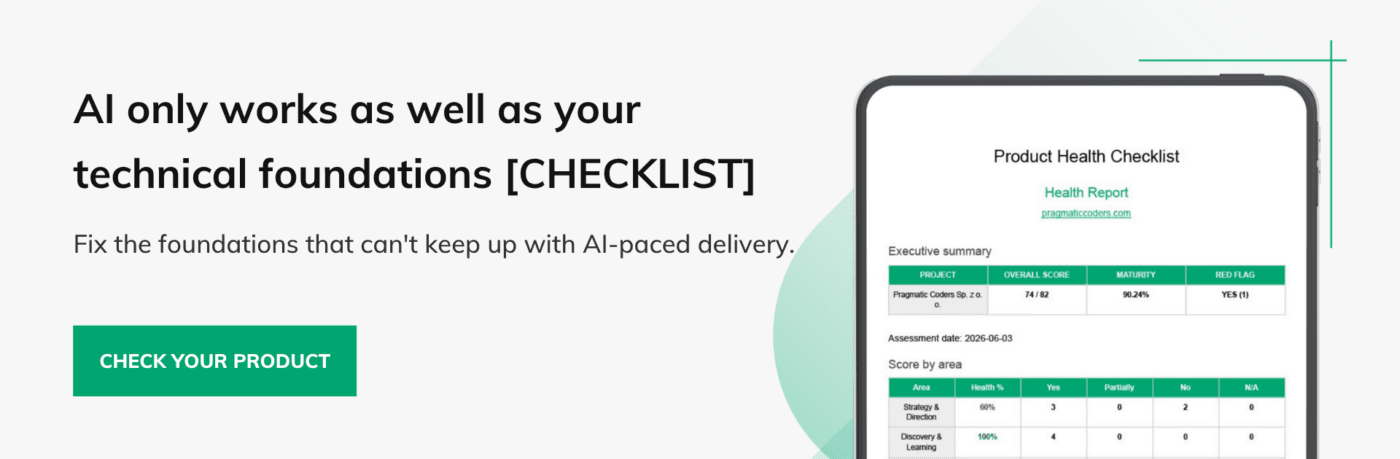
Get the free Product Technical Health Checklist. It contains 60 questions covering architecture, testing, deployments, and security, among other areas. It will help you identify the areas that need attention before they start slowing down product development.
Check Your Product’s Technical Health
When Should a Business Owner Step In?
The trend matters more than any single result.
A single weak sprint doesn’t have to mean the system has a problem. But if feature delivery times keep getting longer, mismatches with the requirements become more frequent, or the UX gets worse, it’s worth raising the issue at the retrospective.
The team should work out the causes together and decide what to do next. That might mean cleaning up a section of the code, improving how requirements are gathered, or adding more tests.
Sometimes it also makes sense to knowingly accept a slower pace of development, provided the team understands the reasons and the business consequences.
For more on monitoring such risks, read the article How Can a Board Oversee Technology Without Getting Into the Code?.
Balance New Features With System Maintenance
After modernization, it’s easy to focus all your attention on developing the product. But the existing code still needs maintenance, simplification, and testing.
That’s why, when planning work, it’s worth regularly asking the team:
- Which technical problems slow down product development the most?
- What will be the consequences of putting off fixing them?
- Which maintenance work should we do now to reduce the cost of future changes?
There’s no single right ratio between building new features and maintaining the system. It depends on the condition of the product, business priorities, and technical risks.
What matters most is that maintenance stays a regular part of product development, and that any decision to postpone it is deliberate. That way, the new system can keep the flexibility that motivated the decision to modernize it.