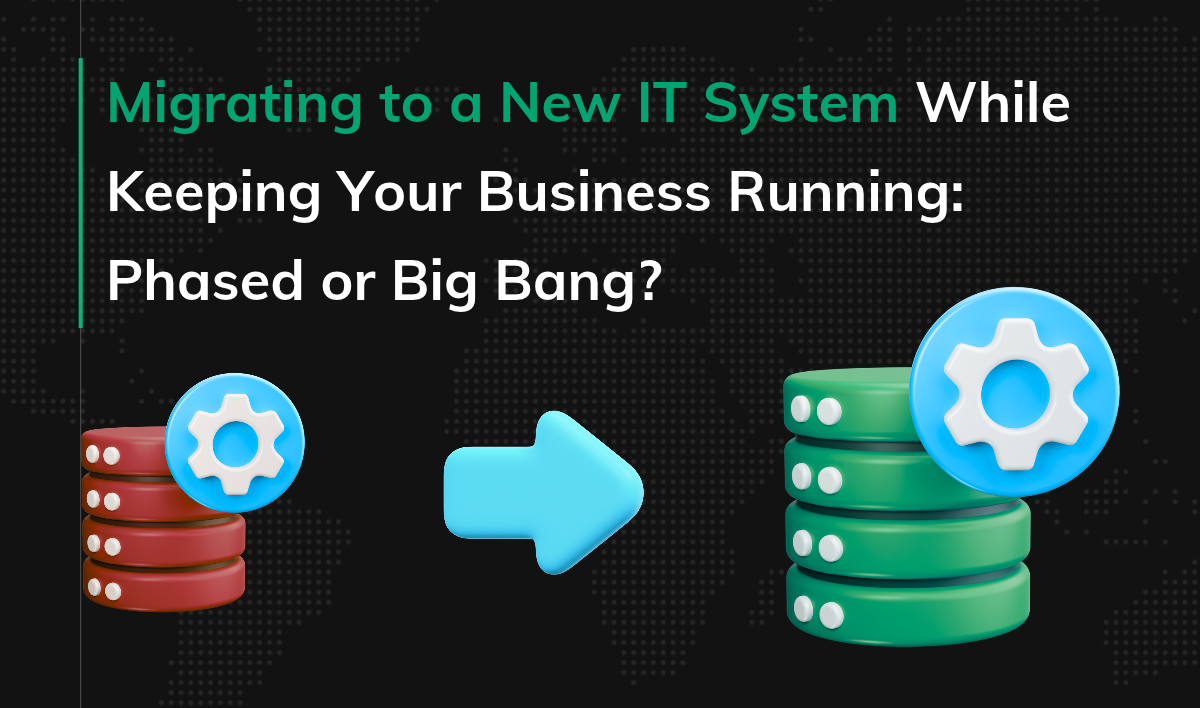
Migrating to a New IT System While Keeping Your Business Running: Phased or Big Bang?
When your current system starts holding back company growth, you need a replacement. But when sales, order fulfillment, and customer service all depend on the old system, switching is far from simple. What if the move disrupts daily operations and makes it harder to meet your commitments?
Depending on the situation, your team or vendor may propose either a phased or a big bang migration. Each strategy comes with different costs and risks. In this article, we show how to evaluate that recommendation and what evidence of readiness to expect. We also explain what a migration plan should cover to limit disruption to the business and prepare it for possible problems.
Key Points
|
How Do Phased and Big Bang Migrations Differ?
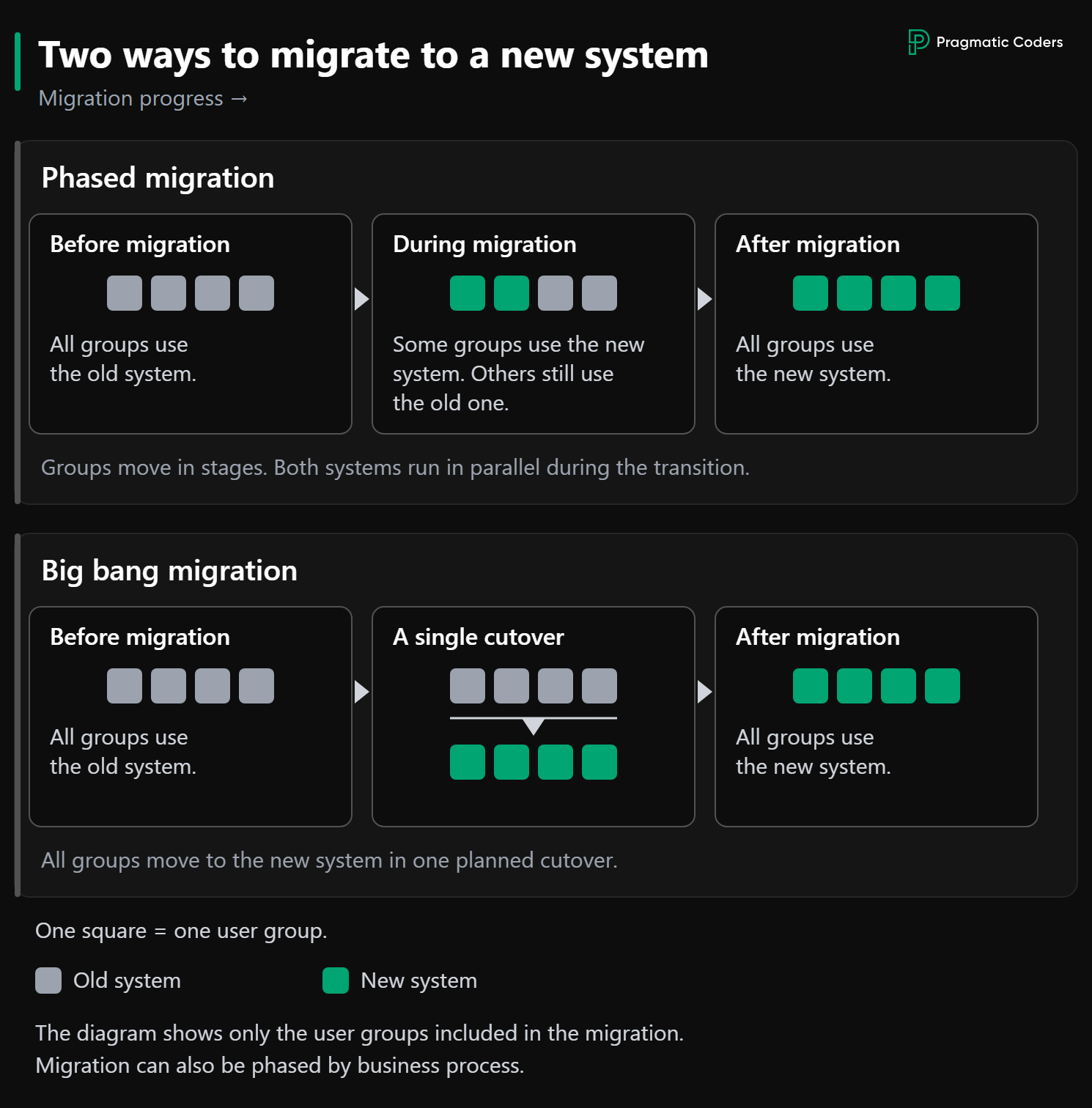
A phased migration gradually shifts successive groups of users or processes from the old system to the new one. For a while, both systems run in parallel. In a big bang migration, all users and processes in scope move to the new system on a single planned date.
Both strategies risk disrupting the business. The right choice depends, among other things, on whether you can safely split processes between the two systems and how much it will cost to keep both running.
Define Your Business Constraints and Demand a Justified Recommendation
Define which business activities must continue during the migration and which can be temporarily scaled back. Examples include taking orders, handling deliveries, and serving customers. Decide how long such restrictions can last, and assess their impact on revenue and your ability to meet commitments.
Your team or vendor should analyze how each strategy will affect the business. Checking dependencies between systems, data flows, and the risk of errors is their job. Expect clear information on business impact: what might stop working, who will be affected, and how long it will take to restore service.
Require a comparison of both strategies on cost, business impact, and risk. The team should explain why the recommended option best fits the constraints you set.
When Does a Phased Migration Make Sense?
A phased migration lets you test the new system with a smaller group of users or on a selected process before rolling it out to other parts of the company. That way, a phased migration can limit the impact of errors, though it does require deciding which users and processes each system will handle. You also need to define how the two systems will work together so the company can carry on with its daily work.
If the team recommends a phased migration, ask it to explain these four things:
- Scope of each phase. Which users or processes will move first? How will continuity be ensured for processes that are partly handled in the new system and partly still in the old one?
- Division of work between systems. Which system will perform each operation and record the result? The division must prevent operations from being skipped or performed twice.
- Data synchronization. How will changes saved in one system reach the other? How will the team prevent data loss, duplicates, and conflicting statuses?
- Rolling back a phase. If problems arise, how will the team restore service on the old system? What will happen to the data and operations already recorded in the new one?
The team should start the next phase only once testing and monitoring confirm that, for the scope covered so far, processes run correctly and users can do their daily work.
This approach requires extra work on integrations and data synchronization. You also have to keep both systems running during the transition period. Before you accept this strategy, ask how long that period will last and what additional costs the company will bear.
When Does a Big Bang Migration Make Sense?
Moving business processes to the new system at once may be the more sensible option when processes and data are tightly interconnected. Splitting them between two systems for the duration of the migration would then require costly changes or raise the risk of errors. For example, both systems may need the same data to handle orders, and keeping it consistent between them is hard.
Before you approve a big bang migration, make sure the team has justified the choice and prepared a plan to limit the impact of downtime on the business. Check four things:
- Justification for the choice. What exactly makes a phased migration difficult? What additional costs and risks would come with running both systems in parallel?
- System downtime. Which business activities will be restricted, and for how long? How will the company serve customers and meet its commitments in the meantime?
- Criteria for starting and halting the migration. What will the team check before it starts work and gives users access to the new system? Which problems will require halting the migration, and who will make that call?
- Returning to the old system. How long will it take to get it running again and restore data consistency? What is the latest point at which the team can still decide to go back without exceeding the acceptable downtime?
An error can affect every user and process covered by the migration. That is why the plan must also cover a failure scenario. The agreed downtime has to be long enough to fit both a failed migration attempt and the return to the old system, including restoring data consistency.
Example: Why We Chose a Big Bang Migration
We worked on a logistics system that handled thousands of shipments every day. Warehouse staff, coordinators, and couriers used it.
At first, we wanted to migrate the system’s key components in phases. But they were so tightly interconnected that preparing the architecture for running both systems in parallel would have taken longer than a big bang migration. It would also have meant extra costs and more complex work.
So we decided to migrate those components all at once. Before the actual migration, we ran a full trial migration and tested the procedure for returning to the old system, so that if problems arose, we could get it running again and restore data consistency.
What Evidence of Readiness Should You Require Before a Migration?
Before you approve a migration date, require the test results, the outcome of the trial migration, and information about the problems found and how they were resolved. Being told that “the tests passed” isn’t enough to base a decision on. The team should show that the results meet the agreed readiness criteria and say what risk remains.
Do the Tests Confirm the System Is Ready for Daily Work?
Test results should confirm that users will be able to complete their tasks in the new system end to end. For order handling, that means checking the whole process: from receiving the order, through payment and fulfillment, to the status update and settlement.
Also require confirmation that the system behaves correctly when something goes wrong. Will an unresponsive payment provider cause an order to be lost? Will retrying a payment charge the customer twice? Will a refund be recorded correctly in the financial records?
Tests should cover typical and peak system load, as well as checks that data is consistent across connected systems. This will help you judge whether, at real-world volumes, orders will go missing, duplicates will appear, or statuses will diverge.
The tests should also involve the users who do these tasks every day. In our logistics project, we found some of the problems only after we gave couriers the app to test.
Does the Trial Migration Show the Plan Is Feasible?
A trial migration lets you check whether the planned actions can be completed in the time allowed and whether the data is transferred correctly. For the results to be reliable, the team should recreate the conditions of the actual migration: infrastructure, configuration, integrations, and data volume. It should then perform all planned steps in the same order, measure how long they take, and verify the migrated data. The data used in the trial must be properly secured, and its use must comply with privacy requirements.
Ask how long the trial took and whether, after fixing the errors it uncovered, the team re-ran the corrected steps. That way, you can judge whether the expected period of limited system availability is backed by results rather than estimates alone.
Has the Team Rehearsed Its Emergency Procedures?
Ask for the results of the emergency procedure tests: whether the team detected the problem, whether the designated person decided in time to halt the migration, and whether service was restored. A written procedure alone doesn’t prove it can be carried out under time pressure.
The tests should also cover the work of the people responsible for customer service and order fulfillment. Will they be told about the failure in time, with instructions on what to do next? Will they know what to do with cases started before the problem occurred?
Require confirmation of how long it took to restore the system and data consistency, and what gaps the tests exposed. Before the migration, the team should fix the gaps it found and retest the corrected procedures.
What Should the Migration Plan You Approve Include?
The plan should specify who will carry out each action, in what order, and what the team will base each subsequent decision on. It must also account for the work of the people responsible for order fulfillment, customer service, and communication.
Before you approve the plan, check that it contains these five elements:
- Migration scope and dependencies. Which processes, data, and integrations will the changes cover? Which dependencies between systems affect the order of work?
- Sequence of actions and responsibility. Every step should have a named owner, an expected result, and a way to confirm it was done. The plan must also say who coordinates the whole effort and makes the decisions to start or halt the work.
- Timing and business operations. The schedule should account for user activity, deadlines for key operations, and acceptable limits on system availability. The plan must define how customers will be served while availability is limited. It must also specify who will inform customers, employees, and partners, what they will be told, and when.
- Criteria for starting, halting, and completing the migration. Require specific written criteria for all three. They should cover the required preparations, the acceptable error level, and how to confirm that the data is correct and the processes work.
- Emergency procedure. The plan should include instructions for restoring the system and data consistency, and specify the application versions and backups needed. It must name the person authorized to decide on a return to the old system, the latest point for that decision, and how long the procedure takes.
In the example project above, every step had a specific person assigned to it. We didn’t start the migration until the responsible people had confirmed that all preparations were complete, including making backups and informing customers and administrators. We chose the downtime window based on an analysis of activity among the different user groups.
Is Migration the Right Move, and Is Your Team Ready for It?
Even a well-prepared migration plan doesn’t settle whether replacing the system makes business sense. If you’re only now considering such an investment, first check whether the problems you want to solve sit in the system itself or in the foundations around it, such as testing, deployment, or monitoring.
The Technical Health Checklist is a self-assessment your own team can run, with no formal audit. Its 59 questions cover six areas: architecture, testing, CI/CD, observability, data, and security. When you finish, you receive a personalized PDF report with your score, findings by area, and recommendations on what to improve first. It shows where the real technical risks are, so you can weigh them against the cost of a migration before you commit.
The same assessment may also show that the bigger obstacle is delivery itself: sprints keep derailing, quality problems kill momentum, and the roadmap no longer matches reality. A team in that state is a risky starting point for a migration. If that sounds familiar, our project rescue services can help. We step in as a small, senior squad, work side by side with your people, and set up a delivery process your team can keep under control after we leave.
Conclusions: Approve a Strategy Based on Evidence
Choose the strategy whose costs, risks, and impact on the business stay within the limits you’ve set. Require the team to justify its recommendation and to provide test results, a plan for carrying out the migration, and a plan for acting if problems arise.
Approving a strategy and approving the start of the migration are two separate decisions. Make the second one only when the test and trial migration results confirm that the agreed readiness criteria have been met and you’re confident the team can deliver the migration reliably.